
Official statement
Other statements from this video 5 ▾
- □ Does page speed really improve your overall SEO rankings?
- □ How can you pinpoint the exact Core Web Vitals problems that are actually hurting your SEO rankings?
- □ Why Does Google Recommend PageSpeed Insights and Lighthouse for Speed Optimization?
- □ Is lazy loading really a recommended SEO best practice by Google?
- □ Does image optimization really boost page speed and SEO, or is it just another ranking myth?
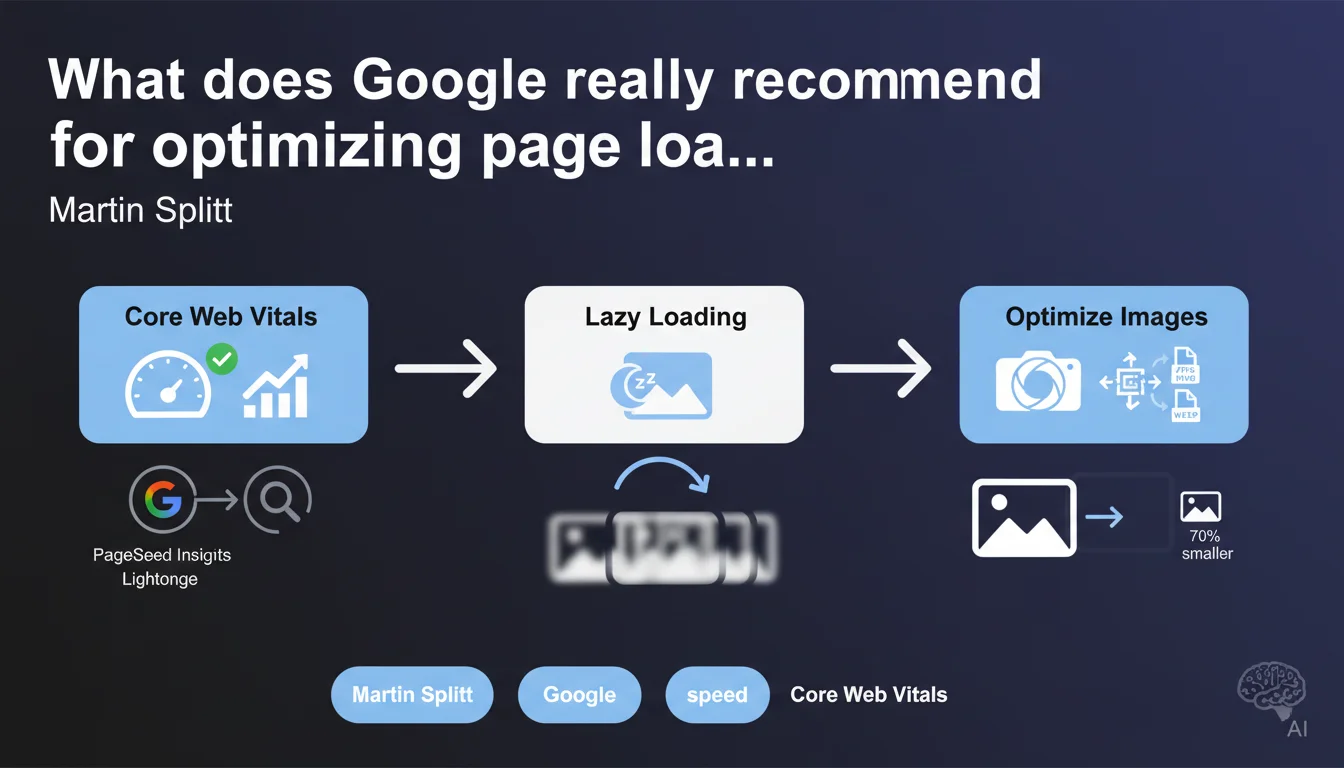
Martin Splitt from Google summarizes the official approach in three key areas: leveraging Core Web Vitals, PageSpeed Insights and Lighthouse for diagnosis, implementing lazy loading, and optimizing images. Nothing revolutionary, but a reminder that Google consistently prioritizes these fundamentals over exotic optimizations.
What you need to understand
Why does Google keep emphasizing these three specific areas?
Google has been hammering home these recommendations for years because they cover both diagnosis (Core Web Vitals, PageSpeed Insights, Lighthouse) and concrete action levers (lazy loading, image optimization). The goal? To give a clear roadmap to developers and SEO professionals who don't know where to start.
These three areas aren't the only performance levers — far from it. But they're the ones Google can measure directly and that impact user experience in visible ways. In other words, it's both a practical guide and a signal about what Google values in its algorithm.
Are Core Web Vitals really the only benchmark to follow?
No. Core Web Vitals (LCP, INP, CLS) provide a partial view of performance. They don't capture everything: the rendering speed of content above the fold, perceived responsiveness, the load time of critical resources outside of LCP.
PageSpeed Insights and Lighthouse add complementary metrics (FCP, TBT, Speed Index) that provide a more complete picture. But beware — these tools measure performance under simulated conditions, not necessarily what your real users experience. Field data (CrUX) remains the reference.
Lazy loading and image optimization: why these two specific levers?
Because they offer the best impact-to-effort ratio on most websites. Images often represent 50 to 70% of a page's weight — compressing them, serving them in the right format (WebP, AVIF), sizing them correctly generates immediate gains.
Lazy loading avoids loading resources the user may never see. It's particularly effective on long pages, product listings, articles with lots of visuals. But you need to configure it intelligently — otherwise, you degrade LCP by delaying the loading of critical images.
- Core Web Vitals: Google's official benchmark for measuring user experience, but incomplete
- PageSpeed Insights and Lighthouse: diagnostic tools based on simulated data — should be complemented with CrUX
- Lazy loading: effective for non-critical resources, but can harm LCP if poorly implemented
- Image optimization: high-impact lever, applicable to 90% of websites with quick results
SEO Expert opinion
Is this statement consistent with practices observed in the field?
Yes, broadly speaking. These three areas are indeed the ones generating the most visible gains on the majority of websites. But this Google summary is deliberately simplified — it overlooks optimizations equally critical: reduction of unnecessary JavaScript, prioritization of critical resources, server-side TTFB optimization, efficient caching.
In reality, improving load speed requires a multi-factor approach. Limiting yourself to these three areas without addressing site architecture, the number of HTTP requests, or hosting quality is like repainting a car with a failing engine. It looks shiny, but doesn't go any faster.
What nuances should be added to these recommendations?
Lazy loading is not a universal solution. On pages with little content at the bottom, the impact is negligible. Worse: if you lazy load an image above the fold, you sabotage your LCP. Google says so elsewhere, but not in this statement — it's a blind spot.
Image optimization is essential, but watch out for over-optimization. Compressing an image too aggressively can degrade visual quality to the point of harming conversion. You need to find the right balance — a 20% heavier file but visually flawless can be preferable to an ultra-lightweight but pixelated file.
[To verify]: Google doesn't specify how to balance raw performance and perceived quality. In certain sectors (luxury, photography, high-end e-commerce), sacrificing visual quality to gain 0.2 seconds on LCP can be counterproductive.
In what cases are these recommendations insufficient?
On sites with heavy client-side JavaScript (SPAs, frameworks like React/Vue/Angular), these three areas only address part of the problem. The real bottleneck is often JS execution time, hydration delay, or render-blocking code. There, you need to work on code splitting, server-side rendering, bundle reduction.
Another case: websites with degraded TTFB (slow server, poorly optimized database, no CDN). Optimizing images and lazy loading won't change anything if the server takes 2 seconds to respond. The diagnosis needs to go to the source — and PageSpeed Insights only does that partially.
Practical impact and recommendations
What concretely should you do to apply these recommendations?
Start with a complete audit via PageSpeed Insights on your key pages (homepage, category pages, product sheets, featured articles). Identify opportunities ranked by impact: those improving LCP, INP or CLS should be prioritized.
For lazy loading, enable it only on images outside the critical zone. Use the native loading="lazy" attribute on <img> and <iframe> tags. Verify that images visible on initial load are not lazy loaded — otherwise, you'll kill your LCP.
On image optimization: switch to WebP or AVIF format, size files to actual display dimensions (not 3000x2000px displayed as 600x400px), compress with tools like ImageOptim or Squoosh. Implement responsive images with srcset to serve the right size based on device.
What mistakes should you avoid during implementation?
Never lazy load images above the fold. This is the most common error — it destroys LCP by delaying the loading of the page's most visible element. Test across multiple screen sizes to ensure the main image remains loaded immediately.
Avoid multiplying third-party plugins or scripts to manage lazy loading. Many add unnecessary JavaScript and slow the page down more than they speed it up. Prioritize native solutions or those integrated into your CMS (WordPress, Shopify, etc.).
On images: don't compress without visually testing the final output. An ultra-lightweight but blurry or pixelated file negatively impacts user trust and can drop conversions. Find the right balance between quality and weight.
How do you verify that optimizations are working?
Use CrUX via PageSpeed Insights to measure Core Web Vitals on real data (field data). Simulated data (Lighthouse) is useful for diagnosis, but only field data shows the real impact on your users.
Enable the Core Web Vitals report in Google Search Console. It identifies problematic pages by type (LCP, INP, CLS) and lets you track improvements after optimization. Prioritize pages with the highest traffic and those showing "Needs Improvement" or "Poor" status.
- Audit strategic pages with PageSpeed Insights and identify high-impact opportunities
- Enable lazy loading only on images and iframes outside the critical zone
- Convert images to WebP/AVIF, size them correctly and implement srcset
- Visually test image quality after compression to avoid over-optimization
- Verify that above-the-fold images are never lazy loaded
- Track Core Web Vitals with real data via CrUX and Search Console
- Prioritize high-traffic pages and those marked "Needs Improvement" or "Poor"
❓ Frequently Asked Questions
Le lazy loading améliore-t-il toujours les Core Web Vitals ?
PageSpeed Insights et CrUX donnent des résultats différents — lequel croire ?
Optimiser les images suffit-il à passer en « Bon » sur les Core Web Vitals ?
Faut-il convertir toutes les images en AVIF plutôt qu'en WebP ?
Les recommandations de Lighthouse sont-elles toutes à appliquer ?
🎥 From the same video 5
Other SEO insights extracted from this same Google Search Central video · published on 20/11/2023
🎥 Watch the full video on YouTube →
💬 Comments (0)
Be the first to comment.