
Official statement
Other statements from this video 11 ▾
- □ Does Google really transcribe your video audio to rank them?
- □ Does Google really analyze the text displayed in your videos for SEO rankings?
- □ Does Google really analyze video visual content for SEO purposes?
- □ Why do video structured data markups remain indispensable despite Google's AI advances?
- □ Could blocking your video files be secretly destroying your search visibility?
- □ Does URL cache-busting really prevent Google from indexing your videos?
- □ Should you really use reverse DNS verification to authorize Googlebot?
- □ Should you always prioritize content URL over embed URL in video structured data?
- □ Does Google really analyze video content or does it just rely on page text?
- □ Can Google really index short-form videos if they have a crawlable URL?
- □ Why is Google finally making Googlebot IP addresses publicly available?
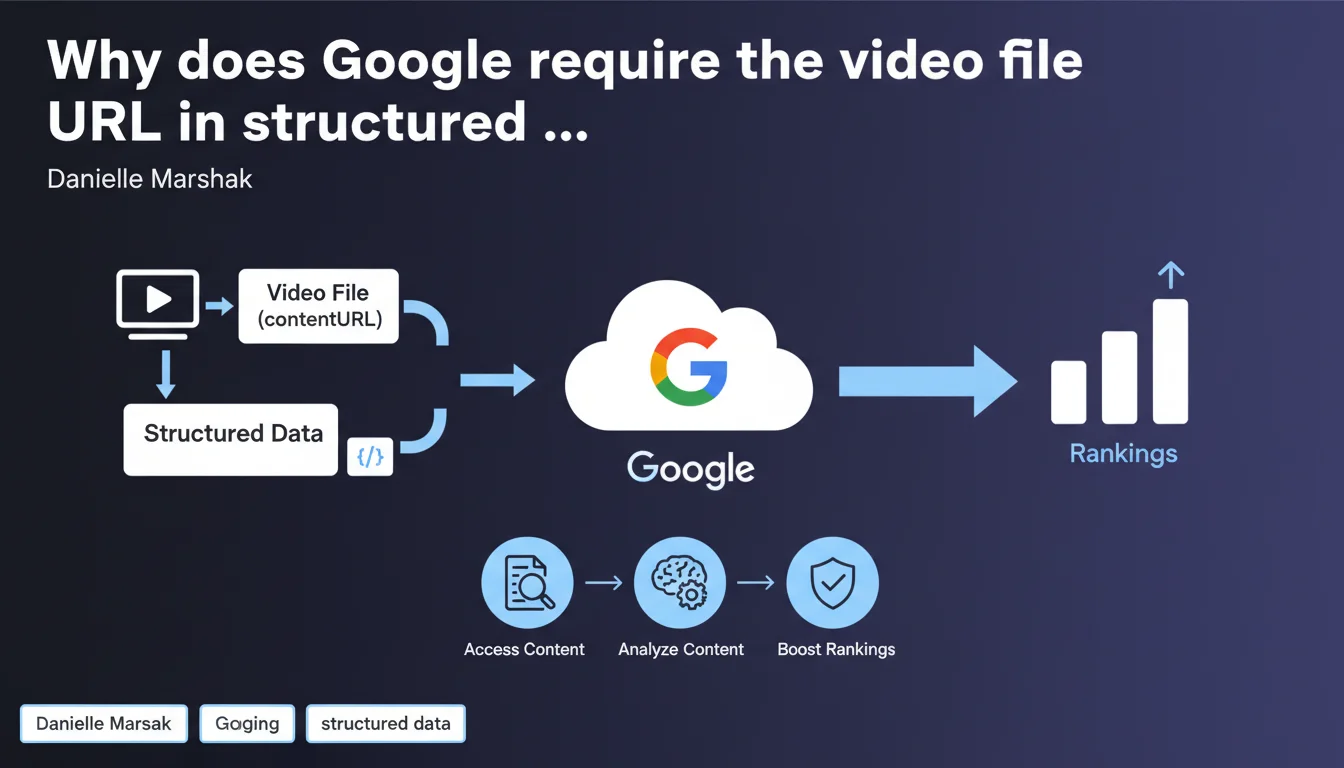
Google explicitly requires that the video file URL (contentURL) be present in the VideoObject structured data. Without this property, the search engine cannot access the actual video content to analyze it, which drastically limits your chances of appearing in video-rich results.
What you need to understand
What's the difference between contentURL and embedURL?
The contentURL points directly to the video file itself (MP4, WebM, etc.), while embedURL refers to the URL of the page where the video can be watched through an embedded player. Google makes this distinction between access to the raw media and access through a playback interface.
This nuance is critical: without contentURL, Google cannot crawl the source file, analyze its actual duration, extract frames to generate automatic thumbnails, or verify the match between declared metadata and actual content.
Why does Google place such heavy emphasis on this property?
The search engine no longer relies solely on declared metadata. It wants to verify for itself what the video contains, particularly to prevent video spam and misleading descriptions that have polluted rich results for years.
By accessing the raw file, Google can cross-check the information: announced duration vs actual duration, declared thumbnail vs extracted frames, description vs visual content detected by its computer vision models.
Does this requirement apply to all types of videos?
Officially, yes — as long as you want to be eligible for video rich results. If you publish only an embedded YouTube video without an accessible source file, you don't technically comply with this guideline.
However, in practice, many sites get video rich snippets with only embedURL provided. This means either Google is being flexible, or it prioritizes certain third-party platforms (YouTube, Vimeo) whose content it already knows.
- contentURL is the direct URL of the video file (MP4, WebM, etc.)
- Without it, Google cannot analyze the actual video content
- This property is distinct from embedURL which points to the player
- The requirement aims to limit spam and verify metadata consistency
- Videos hosted on third-party platforms present a special case
SEO Expert opinion
Is this statement consistent with what we observe in the field?
Partially. Testing shows that videos without contentURL still get rich results, especially when they come from YouTube or Vimeo. Google seems to apply differentiated tolerance depending on the source.
That said, for sites that host their own videos, the absence of contentURL drastically reduces eligibility chances. Danielle Marshak's statement therefore probably reflects the strict official policy, but not necessarily the actual algorithmic implementation which includes undocumented exceptions. [To verify]
What technical challenges does this requirement raise?
First issue: exposing the direct video file URL facilitates downloading and content theft. Many publishers use streaming systems with temporarily signed URLs — it's difficult to provide a stable contentURL to Google.
Second problem: videos hosted behind a CDN with dynamic URLs or authentication tokens. Googlebot must be able to access the file without restrictions, which complicates secure architectures. Result: tension between SEO and content protection.
Does this recommendation also apply to short videos like Shorts or Reels?
Google doesn't specify anything on this — and that's problematic. Short vertical formats are exploding, but official documentation remains vague about their specific treatment in structured data.
In practice, many sites use the same VideoObject schema for all video types, short or long. But nothing says whether Google applies the same eligibility criteria to Shorts as to traditional videos. [To verify]
Practical impact and recommendations
What exactly should you change in your structured data?
Add the contentURL property to each VideoObject, pointing to the actual video file. If you host your videos, make sure the URL is directly accessible by Googlebot, without authentication or redirection.
If your videos are on YouTube or Vimeo, retrieve the source file URL if possible — otherwise, at minimum provide a well-filled embedURL and thumbnailURL, even if this doesn't strictly comply with Google's requirement.
How can you verify that Googlebot can access your video files?
Use the URL inspection tool in Search Console to test a page containing a video. Check in the "Video detected" section whether Google has correctly identified the contentURL and whether any access errors are reported.
Also monitor your server logs: Googlebot should actually download the video file, not just the HTML page. If you see no requests to MP4/WebM files, it means Google isn't crawling your videos.
What mistakes should you absolutely avoid?
Don't point contentURL to an HTML page or JavaScript player — it must be the raw media URL. Don't block Googlebot access to video resources via robots.txt or restrictive headers.
Avoid signed URLs with short expiration: if the token expires before Googlebot crawls it, access will fail and your video won't be properly indexed. Prefer stable URLs or with long expiration (at least several days).
- Add the contentURL property to all VideoObject instances
- Point to the actual video file (MP4, WebM, etc.), not a page or player
- Verify that Googlebot can access the file without authentication or restrictions
- Test using the URL inspection tool in Search Console
- Monitor server logs to confirm video file crawling
- Avoid signed URLs with short expiration
- Don't block video resources in robots.txt
❓ Frequently Asked Questions
Peut-on se contenter de renseigner uniquement embedURL sans contentURL ?
Que se passe-t-il si mon fichier vidéo est protégé par DRM ?
Les URLs vidéo avec token d'authentification temporaire sont-elles acceptées ?
Cette exigence s'applique-t-elle aussi aux vidéos YouTube embarquées sur mon site ?
Comment vérifier dans la Search Console si Google détecte bien ma contentURL ?
🎥 From the same video 11
Other SEO insights extracted from this same Google Search Central video · published on 10/03/2022
🎥 Watch the full video on YouTube →
💬 Comments (0)
Be the first to comment.