
Official statement
Other statements from this video 5 ▾
- □ Is Google's cache really essential to get indexed and rank in search results?
- □ Should you really trust Google's cache to diagnose indexation issues?
- □ Why doesn't Google cache certain pages on your website?
- □ Should you block Google from caching your pages with the noarchive directive?
- □ Why doesn't Google's cache always show your complete JavaScript pages?
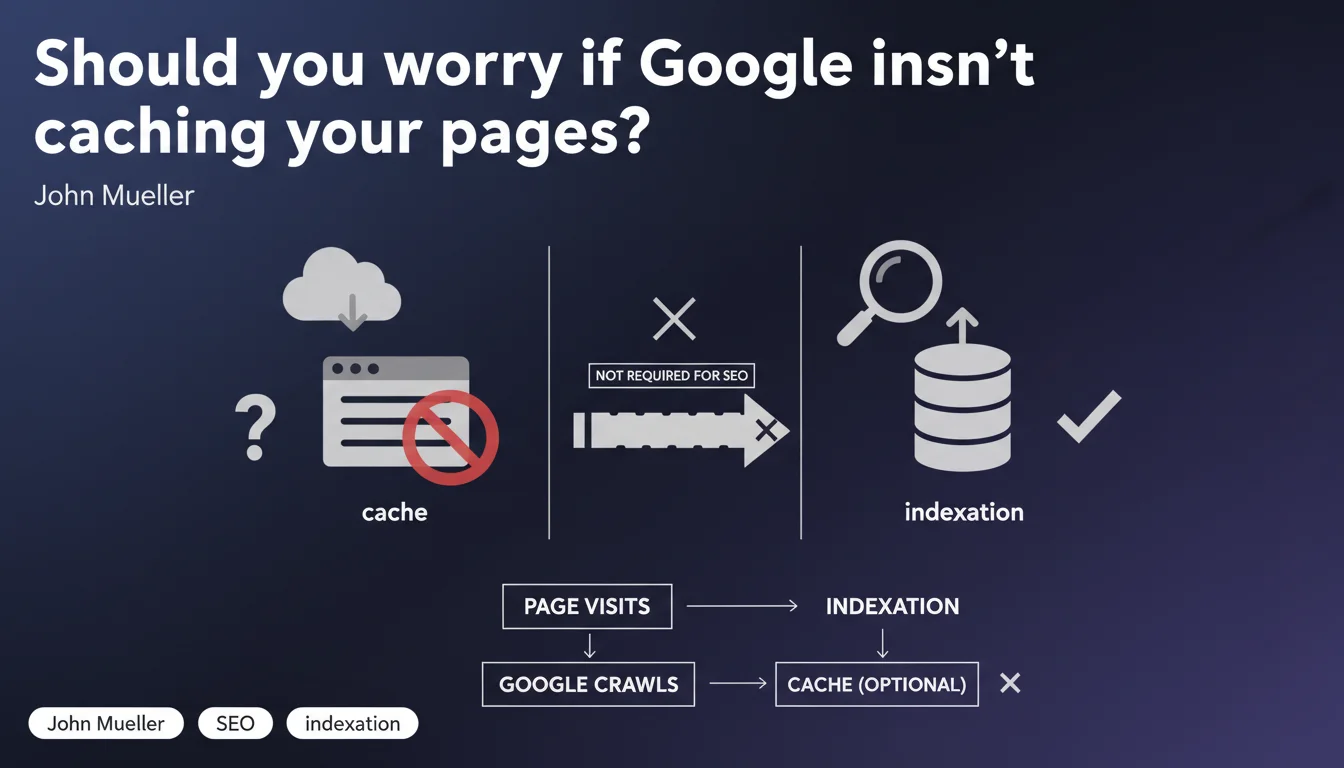
Google states that a page absent from the cache does not indicate an indexing problem. Cache is not a prerequisite for SEO, contrary to what many SEO practitioners still believe who see it as an indicator of technical health.
What you need to understand
Why does this confusion between cache and indexation persist?
For years, Google's cache served as a quick indicator to verify that a page was being crawled and stored. The logic seemed airtight: if Google keeps a copy, it must be indexing. Except that this correlation was never a causation.
Cache is a user-facing feature, not an indexation mechanism. Google can perfectly well index a page, rank it in its search results, without storing it in its publicly accessible cache. The two systems are distinct — and that's where the misunderstanding sets in.
What does cache absence really mean?
Absolutely nothing about your ability to rank. A page can be absent from the cache for technical reasons internal to Google: server rotation, storage optimization, resource prioritization. None of these reasons directly impact SEO.
Mueller insists: cache is not required for SEO. If your page appears in the SERPs, it means it's indexed. End of story. The absence of cache should not trigger a red alert in your technical audit.
How can you verify indexation if cache is no longer reliable?
The classic method remains the site: operator in Google search. Type "site:yourdomain.com/specific-page" and see if it appears. This is the most direct test.
Search Console remains your best ally: the URL inspection tool explicitly tells you whether a page is indexed, when it was crawled, and if there are any issues. Trust that rather than a phantom cache.
- Google cache is a user-facing feature, not a reliable SEO indicator
- Absence of cache does not mean the page is not indexed
- Use the site: operator and Search Console to verify actual indexation
- The two systems (cache and indexation) operate independently
SEO Expert opinion
Is this statement consistent with what we observe in the field?
Yes, overall. For several years now, we've seen that pages perform very well in SERPs while not appearing in the cache. The opposite is also true: cached pages that rank nowhere.
The problem is that this confusion is embedded in practice. Many SEO audits still mention cache absence as a "warning". It's obsolete. Google is asking us here to modernize our diagnostics.
What nuances should be added to this statement?
Let's be honest: if a page is neither in the cache, nor in the index, nor crawled recently, then yes, you have a problem. But it's the accumulation of negative signals that matters, not the cache alone.
The absence of cache can sometimes correlate with other issues — insufficient crawl budget, accidental noindex, deeply orphaned pages — but it's not the cause, just a symptom among others. [To be verified]: Google doesn't specify whether certain types of sites (news, massive e-commerce) are more or less concerned by this cache logic.
Should we completely ignore cache in our audits?
Not completely, but deprioritize it severely. If you're doing an audit and everything else is green (crawl OK, indexation OK, rankings OK), the absence of cache is not a blocking issue.
On the other hand, if cache is absent AND the page has disappeared from SERPs, dig elsewhere: robots.txt, meta tags, redirects, canonicals. Cache is just a secondary clue in a broader diagnosis.
Practical impact and recommendations
What should you actually do if your pages aren't being cached?
First, don't panic. Verify actual indexation with the site: operator and the URL inspection tool in Search Console. If the page is indexed and recently crawled, everything is fine.
If it appears nowhere, the problem isn't cache — it's an indexation or crawlability issue. There, you need to investigate: noindex tags, misconfigured canonicals, redirect chains, orphaned pages, overly restrictive robots.txt.
What errors should you avoid in your SEO audits?
Stop listing "absence of cache" as a critical point in your reports. It's a false positive that pollutes analysis. Focus on actionable metrics: crawl frequency, indexation rate, 4xx/5xx errors, crawl budget.
Also don't confuse "page cached" with "page fresh". A page can have a cache from three weeks ago and rank perfectly. Cache is not an indicator of algorithmic freshness.
How should you adjust your monitoring tools?
If you're using scripts or tools that automatically check the cache, reconfigure them. Replace this verification with a Search Console API call or an indexation test via site:.
Prioritize alerts on truly critical events: sudden drop in the number of indexed pages, increase in crawl errors, decrease in crawl budget. These signals have real predictive value, unlike cache.
- Verify indexation via site: and Search Console, not via cache
- Remove "absence of cache" from alert points in your technical audits
- Focus efforts on crawl budget and Googlebot visit frequency
- Automate indexation checks with reliable tools (Search Console API)
- Train teams to stop using cache as an SEO health metric
Cache absence is not a relevant SEO indicator. Focus on actual indexation, crawl budget, and your site's technical structure. These method adjustments may seem simple, but they often require a complete overhaul of audit processes and monitoring. For complex sites or teams lacking internal resources, working with a specialized SEO agency can prove valuable in implementing truly effective technical diagnostics and avoiding wasted time on false alarms.
❓ Frequently Asked Questions
Peut-on ranker sans être dans le cache Google ?
Comment vérifier si une page est vraiment indexée ?
L'absence de cache peut-elle indiquer un problème technique ?
Faut-il encore vérifier le cache dans les audits SEO ?
Google va-t-il supprimer complètement la fonctionnalité cache ?
🎥 From the same video 5
Other SEO insights extracted from this same Google Search Central video · published on 20/06/2023
🎥 Watch the full video on YouTube →
💬 Comments (0)
Be the first to comment.