
Official statement
Other statements from this video 5 ▾
- □ Le cache Google est-il indispensable pour être indexé et apparaître dans les résultats de recherche ?
- □ Pourquoi certaines pages ne sont-elles pas mises en cache par Google ?
- □ Faut-il bloquer la mise en cache de vos pages avec la directive noarchive ?
- □ Pourquoi le cache Google n'affiche-t-il pas toujours vos pages JavaScript complètes ?
- □ Faut-il s'inquiéter si Google ne met pas vos pages en cache ?
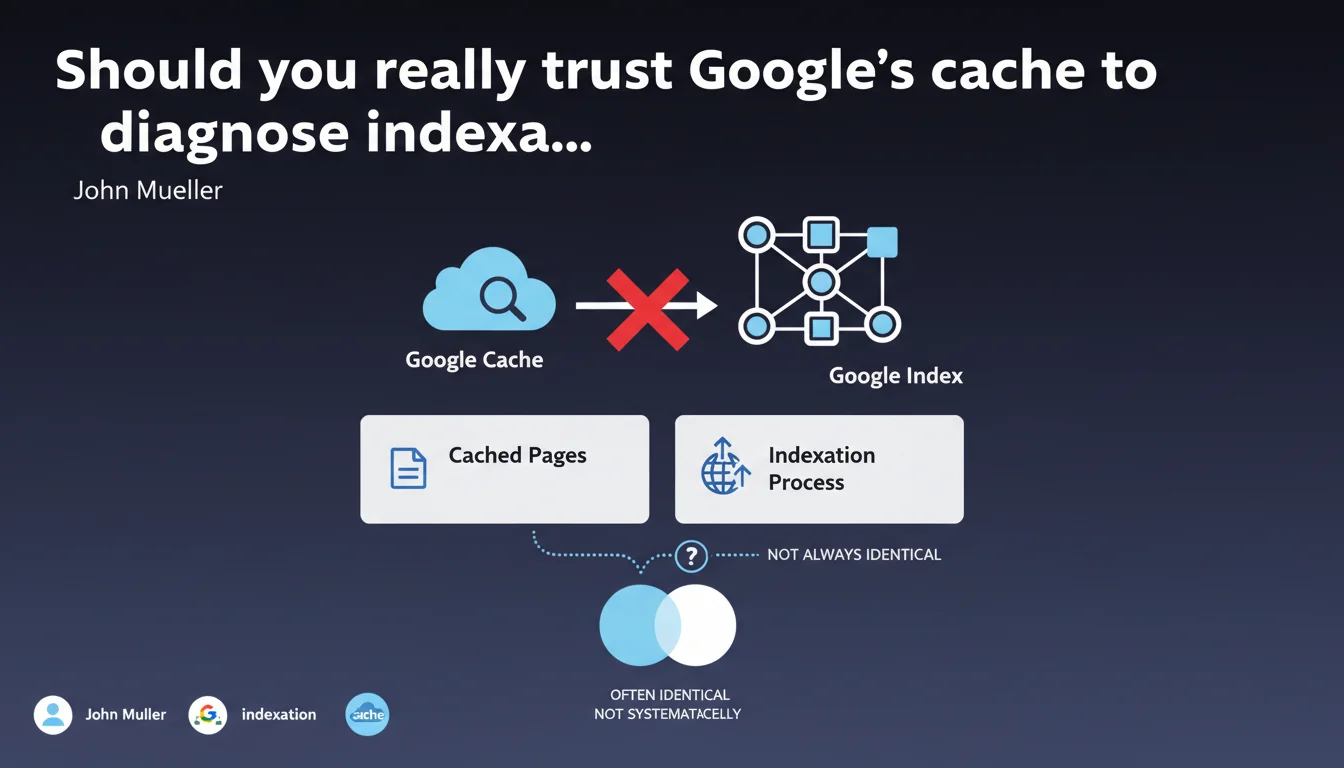
Google confirms that cached pages and indexation are two distinct systems. What appears in the cache doesn't always match what Googlebot actually indexed. This distinction can skew your diagnostics if you rely solely on the cached version.
What you need to understand
Why does Google separate cache from indexation?
The cache is an archived copy of the page as seen by users, updated asynchronously. Indexation, on the other hand, processes the final render of the page as Googlebot perceives it after JavaScript execution and blocked resources are applied.
These two processes run on distinct infrastructures with different refresh frequencies. The cache might display an older version while the index already contains a newer one — or vice versa.
In what concrete cases do we observe divergences?
Gaps appear mainly on sites with heavy dynamic content relying on JavaScript. If Googlebot encounters rendering errors after its first pass, the cached version might reflect raw HTML while the index has integrated the full render.
Sites with frequent updates or crawl budget issues also experience these discrepancies. A page modified multiple times daily can have an outdated cache while Googlebot has already retrieved the latest version.
What's the real reliability of cache as a diagnostic tool?
The cache remains useful for verifying that a page was recently visited, but it guarantees nothing about indexed content. If you're diagnosing ranking drops or content not being picked up, relying solely on the cache can mislead you.
- Cache and index operate on separate systems with different update cycles
- Divergences are frequent on JavaScript-heavy sites or those with high editorial velocity
- The cache shows a page was crawled, not what's actually indexed
- For reliable diagnostics, cross-reference multiple signals: Search Console, live tests, URL inspections
SEO Expert opinion
Is this distinction consistent with real-world observations?
Yes, and it's a point many SEOs overlook. I've seen cases where the cache displayed complete content while the index had only indexed an empty shell due to failed JavaScript rendering. Conversely, recently modified pages appear in results with new content, yet the cache remains stuck on an older version.
Google doesn't clarify why this separation exists technically — likely a distributed architecture issue where the cache is managed by separate servers for performance reasons. This ambiguity opens the door to misinterpretation. [To verify]: no official data quantifies how often these divergences occur or the exact situations that trigger them.
What risks does this confusion create for SEO diagnostics?
The first pitfall: diagnosing an indexation problem based solely on the cache. If you notice an element missing from the cache, you might wrongly conclude it's not indexed. Conversely, seeing content in the cache doesn't guarantee it contributes to ranking.
The second: using cache to validate technical fixes. You deploy a correction, the cache doesn't yet reflect it, you think it didn't work. Except Googlebot may have already integrated the new version into the index. This lag creates operational confusion.
In what cases does this separation become truly problematic?
On news or e-commerce sites with thousands of daily modifications, this lag between cache and index can mask critical issues. You publish a product, it appears in the cache quickly, but actual indexation takes another 48 hours due to a rendering issue — and you don't detect it.
Another case: Single Page Applications (SPAs) where rendering depends entirely on JavaScript. The cache might display a degraded static version while the index properly processed the full render. Or the opposite if Googlebot failed to execute the JS but an older cached version captured a functioning page.
Practical impact and recommendations
How do you verify what Google actually indexes?
Abandon the reflex that "cache = truth." Use the URL Inspection Tool in Search Console which displays exactly what Googlebot rendered and indexed. This interface shows processed HTML, blocked resources, and the final render.
For large sites, regularly export indexation data via the Search Console API and compare it against your deployments. If you identify a systematic time lag between publication and actual indexation, that's an alert signal about your crawl budget or JavaScript rendering.
What errors should you avoid in your diagnostic processes?
Never validate a technical fix based solely on the cache. Wait for the URL Inspection Tool to confirm that Googlebot has retrieved the new version. The cache can take days to refresh even if the index is up to date.
Also avoid monitoring rankings immediately after seeing a change in the cache — it's not a reliable indicator of when the index integrated the modification. Ranking fluctuations are tied to actual indexation, not the cache.
What should you concretely implement?
- Use the URL Inspection Tool as your reference for validating indexed content, not the cache
- Cross-reference cache, Search Console, and live tests to identify divergences on your key pages
- On JavaScript sites, systematically verify rendering via Mobile-Friendly Test or Rich Results Test
- Document observed delays between publication, cache, and indexation to calibrate your expectations
- Automate indexation monitoring via the Search Console API if you manage a large volume of pages
- Don't panic if the cache is outdated — check the index first before diagnosing a problem
❓ Frequently Asked Questions
Le cache Google est-il encore disponible pour toutes les pages ?
Si le cache est obsolète, cela signifie-t-il que ma page n'est plus indexée ?
Pourquoi le cache affiche-t-il parfois du contenu différent de ce qui est en ligne ?
Peut-on forcer Google à mettre à jour le cache d'une page ?
Le cache et l'index utilisent-ils le même rendu JavaScript ?
🎥 From the same video 5
Other SEO insights extracted from this same Google Search Central video · published on 20/06/2023
🎥 Watch the full video on YouTube →
💬 Comments (0)
Be the first to comment.