
Official statement
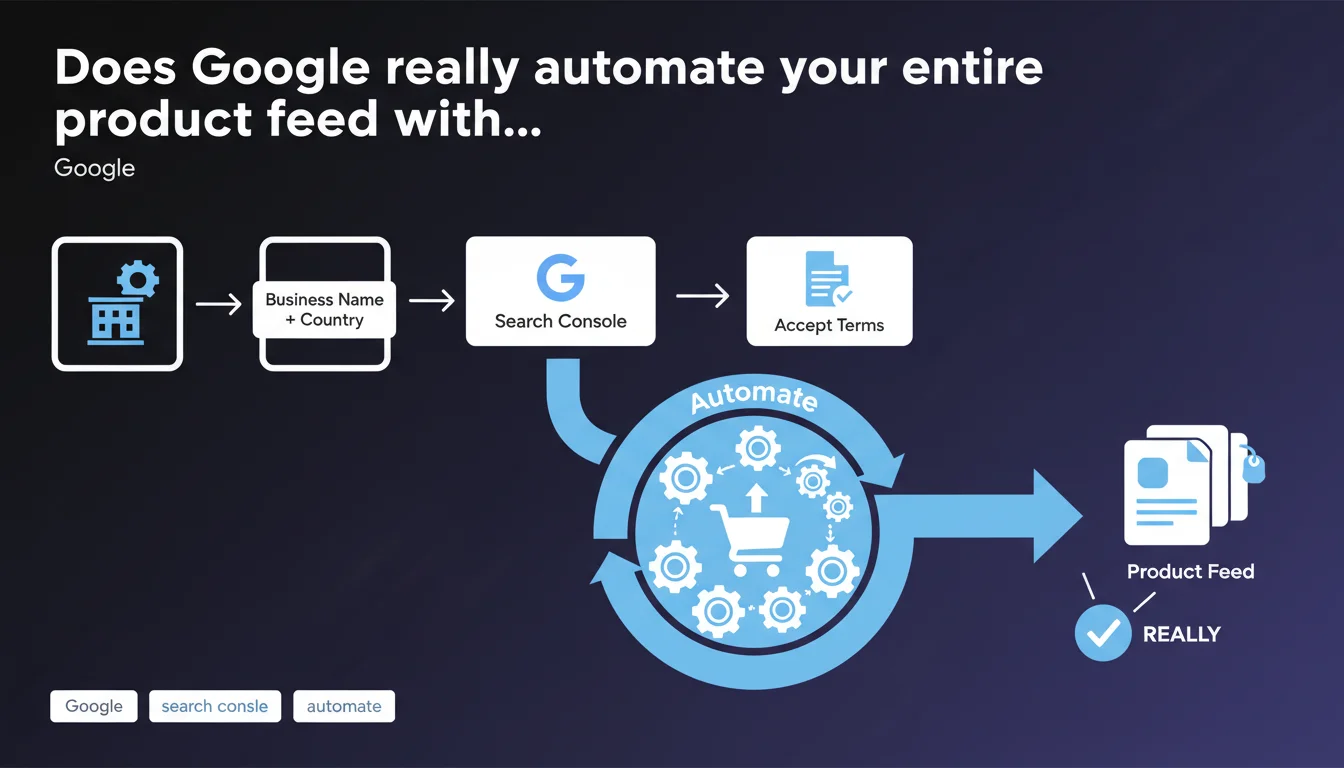
Google claims to fully automate product feed integration in Merchant Center after initial account creation via Search Console. Once your business name, country, and terms of service are validated, no additional manual configuration should be necessary. This promise of total automation deserves to be tested against real-world reality.
What you need to understand
What does this product feed automation actually mean in practice?
Google promises frictionless integration for e-commerce businesses that go through Search Console to create their Merchant Center account. The idea: provide three basic pieces of information (name, country, terms acceptance) and let Google handle the rest.
This approach differs sharply from the traditional Merchant Center path, which requires manual feed configuration, data validation, product attribute mapping, and compliance error resolution. Here, Google suggests taking charge of these technical steps autonomously.
How can Google automate a product feed without any provided data?
The core question remains unclear in this statement. To generate a usable product feed, Google needs structured data: titles, prices, availability, images, GTINs. Without manual intervention, the most likely scenario is that Google crawls your e-commerce site directly and extracts this information via Schema.org Product markup.
This automated extraction is only reliable if your structured data is flawless. Incomplete markup, inconsistent prices, or missing images compromise the entire process, even when automated.
Which sites can benefit from this automation?
Not all e-commerce businesses qualify for this simplified process. This Search Console integration primarily targets small catalogs with structured data already in place. Complex architectures (multiple product variations, dynamic pricing, multi-warehouse inventory) typically require more granular manual control.
- Automation relies on the quality of Schema.org Product markup already present on your site
- Google crawls and interprets data without explicit XML/CSV feeds
- The process suits simple catalogs, less so for complex e-commerce architectures
- No guarantee on update frequency or detection of inventory/price changes
- Merchant Center compliance errors remain possible despite automation
SEO Expert opinion
Is this claim consistent with real-world practices?
Let's be honest: this Google assertion deserves to be tested against reality. The promise of fully automating a product feed without any manual intervention is appealing, but rarely verified under real conditions. Field reports show that even with flawless Schema.org markup, Merchant Center compliance errors frequently appear.
Google doesn't explain how it handles edge cases: temporarily out-of-stock items, size/color variations, promotional pricing, category-specific attributes. These gray areas typically require human arbitration that automation struggles to replicate accurately. [To verify]: the crawl frequency and update cycle of the automated feed remains undocumented.
What practical limitations should you anticipate?
Automation works as long as your catalog stays within a standardized model. Once you step outside the classic schema (subscriptions, services, customizable products), the automated process shows its limits. And that's where things get sticky.
Another critical point: Google mentions no validation mechanism before publication. An automatically generated feed can contain structural errors you'll only discover after receiving Merchant Center alerts. The lag between a site change and its reflection in the feed also remains unclear.
In which cases is this automated approach inadvisable?
If your catalog exceeds 500 items with complex variations, if your prices fluctuate according to specific business rules, or if you manage multiple currencies/countries, automation risks creating more problems than it solves. Multi-level e-commerce architectures (marketplaces, dropshipping, externalized inventory) require the fine control this process doesn't guarantee.
Concretely? You lose control over attribute priority ordering, title optimization for ad performance, and exclusion management for ineligible products. A manually built feed often remains more performant for demanding professional catalogs.
Practical impact and recommendations
What should you verify before trusting the automation?
First step: audit your Schema.org Product markup across your entire catalog. Each product page must include mandatory properties (name, image, offers with price and availability) without ambiguity. Structured data validation errors directly impact your Merchant Center feed.
Next, test the process on a limited sample before rolling out. Create your Merchant Center account via Search Console, wait 48-72 hours, then inspect the generated feed in the Merchant Center interface. Compare against your source data to identify mapping discrepancies.
How to optimize your site to maximize automated feed quality?
Automation rewards perfectly structured sites. Standardize your product page templates, ensure each main image meets Google Shopping specs (white background, centered product, minimum 800px). Avoid displaying prices in dynamic JavaScript that crawlers might miss.
Schema.org tags must be static in your HTML source, not injected client-side. Test with the Rich Results Test tool to verify Google correctly interprets your data. A silent error here translates to an incomplete or rejected feed.
- Validate Schema.org Product markup on 100% of pages with Google's test tool
- Verify that prices, availability, and images are crawlable without mandatory JavaScript
- Standardize data formats (currency, units, languages) across your entire catalog
- Wait 48-72 hours after account creation to inspect the generated feed in Merchant Center
- Compare a sample of products between site and feed to detect mapping errors
- Set up alerts on Merchant Center compliance errors
- Plan manual feed verification on a weekly basis during the first few weeks
Which mistakes should you avoid to not compromise automation?
Don't modify your product page structure without re-testing the impact on your feed. A template change, technical migration, or redesign can silently break automated extraction. Google doesn't always alert you in real time.
Also avoid mixing multiple product data sources (manual feed + automation). Merchant Center struggles with this coexistence and risks duplicating or overwriting information. Choose one method and stick with it.
❓ Frequently Asked Questions
Le flux automatisé Merchant Center se met-il à jour en temps réel ?
Peut-on corriger manuellement des erreurs dans un flux automatisé ?
L'automatisation fonctionne-t-elle pour tous les types de produits ?
Faut-il quand même installer un flux XML manuel en complément ?
Comment savoir si mon flux automatisé fonctionne correctement ?
🎥 From the same video 2
Other SEO insights extracted from this same Google Search Central video · published on 07/12/2022
🎥 Watch the full video on YouTube →
💬 Comments (0)
Be the first to comment.