
Official statement
What you need to understand
Why is the placement of pagination tags so crucial?
The rel=next and rel=prev tags indicate to Google the relationship between different pages in a paginated series. They serve to clarify the logical structure of content split across multiple pages.
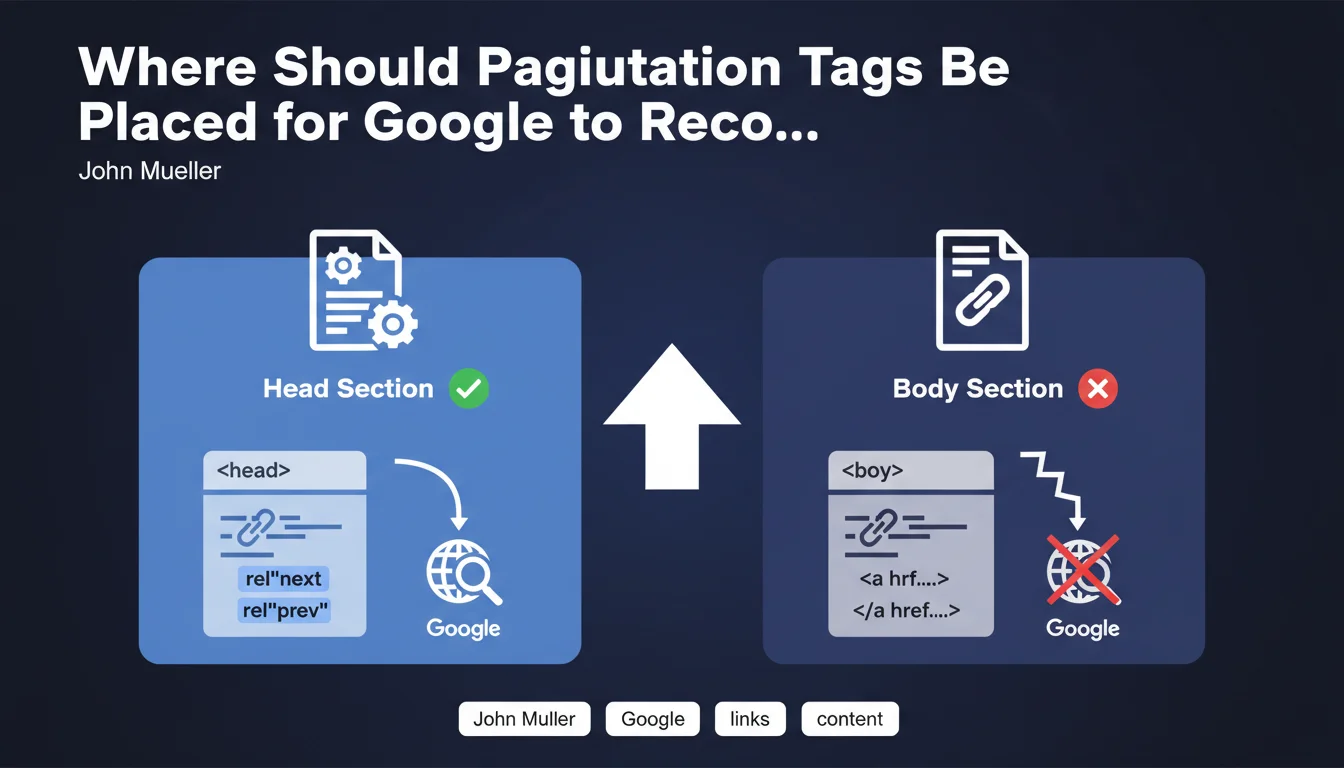
Google enforces a strict rule: these tags must absolutely be placed in the Head section of the HTML code. If they are inserted into links (A tags) located in the Body, the search engine completely ignores them.
What's the difference between Head and Body for these tags?
The Head section contains metadata and instructions intended for search engines, while the Body contains the visible page content. Pagination tags are structural instructions, not content.
Placing these tags in Body links essentially transforms them into simple HTML attributes without semantic value for Google. The search engine then doesn't interpret them as pagination indicators.
What types of content are affected by this issue?
This rule applies to all paginated content: e-commerce product listings, split blog articles, chronological archives, internal search results, forums and discussion threads.
- The rel=next/prev tags must absolutely be in the Head, never in the Body
- This error is common and often made by developers unfamiliar with SEO
- Google completely ignores these tags if they are incorrectly placed
- The impact mainly concerns the crawling and indexing of page series
SEO Expert opinion
Does this statement call into question the importance of pagination tags?
Context is needed: Google officially stopped supporting rel=next/prev in 2019. John Mueller is clarifying a technical point here, but these tags are no longer a priority ranking signal.
Nevertheless, some SEO professionals continue using them as a precaution and for other search engines. If you choose to maintain them, you might as well do it correctly. Mueller's clarification therefore remains relevant to avoid wasted effort.
What alternatives are recommended today?
Since the official support was dropped, Google favors other approaches: infinite loading with pagination as fallback, self-referencing canonical tags on each page, or consolidation via a "View all" page.
Current best practice consists of optimizing internal linking and ensuring each paginated page provides unique value. Pagination tags have become secondary compared to overall site structure.
When should you still be concerned about these tags?
If your site already uses these tags, it makes sense to verify their correct placement. This avoids sending contradictory signals and maintains technical consistency, even if the direct SEO impact is now minimal.
For multilingual sites or those targeting markets where other engines like Bing or Yandex remain influential, maintaining these tags correctly may retain marginal value.
Practical impact and recommendations
How can I check the placement of pagination tags on my site?
Inspect the HTML source code of your paginated pages (Ctrl+U or right-click > View Source). Search for rel="next" and rel="prev" tags: they must appear between the <head> and </head> tags.
If you find them in <a href> tags in the page body, they are incorrectly positioned. Use tools like Screaming Frog or Sitebulb to audit the entire site quickly.
What should I do concretely if the tags are misplaced?
You have two options: either correct the placement by moving them to the Head via your CMS or template, or remove them completely since Google no longer officially uses them.
Removal is often the most pragmatic solution. Then focus your efforts on higher-impact optimizations: clear URL structure, coherent internal linking, optimized loading times.
What mistakes should be avoided with paginated content?
Don't block paginated pages in robots.txt and avoid canonicalizing them all to page 1. Each page should be indexable if it provides unique content.
Also watch out for poorly configured URL parameters in Search Console. Ensure Google understands your pagination structure, whether or not you use technical tags.
- Audit the current placement of rel=next/prev tags in the source code
- Decide between correcting the placement or completely removing the tags
- Verify that each paginated page has a self-referencing canonical tag
- Ensure paginated pages are not blocked from crawling
- Optimize loading speed for listings and archives
- Test the mobile user experience for paginated content
- Monitor the indexing of paginated pages in Search Console
💬 Comments (0)
Be the first to comment.