
Official statement
Other statements from this video 9 ▾
- □ Pourquoi Google ouvre-t-il l'accès à des données horaires dans Search Console ?
- □ Pourquoi Google fixe-t-il le seuil d'alerte d'exploration à 5% dans Search Console ?
- □ Google abandonne-t-il vraiment le terme 'webmaster' dans Search Console ?
- □ Pourquoi Google lance-t-il deux core updates distinctes en même temps ?
- □ Que change vraiment la mise à jour de la politique Google sur l'abus de site ?
- □ Qu'est-ce qu'une spam update de Google et comment s'en protéger efficacement ?
- □ Faut-il supprimer les données structurées Sitelink Search Box maintenant que Google les ignore ?
- □ Pourquoi 84% des sites web possèdent-ils un fichier robots.txt ?
- □ Comment Googlebot explore-t-il réellement vos pages et quel impact sur votre crawl budget ?
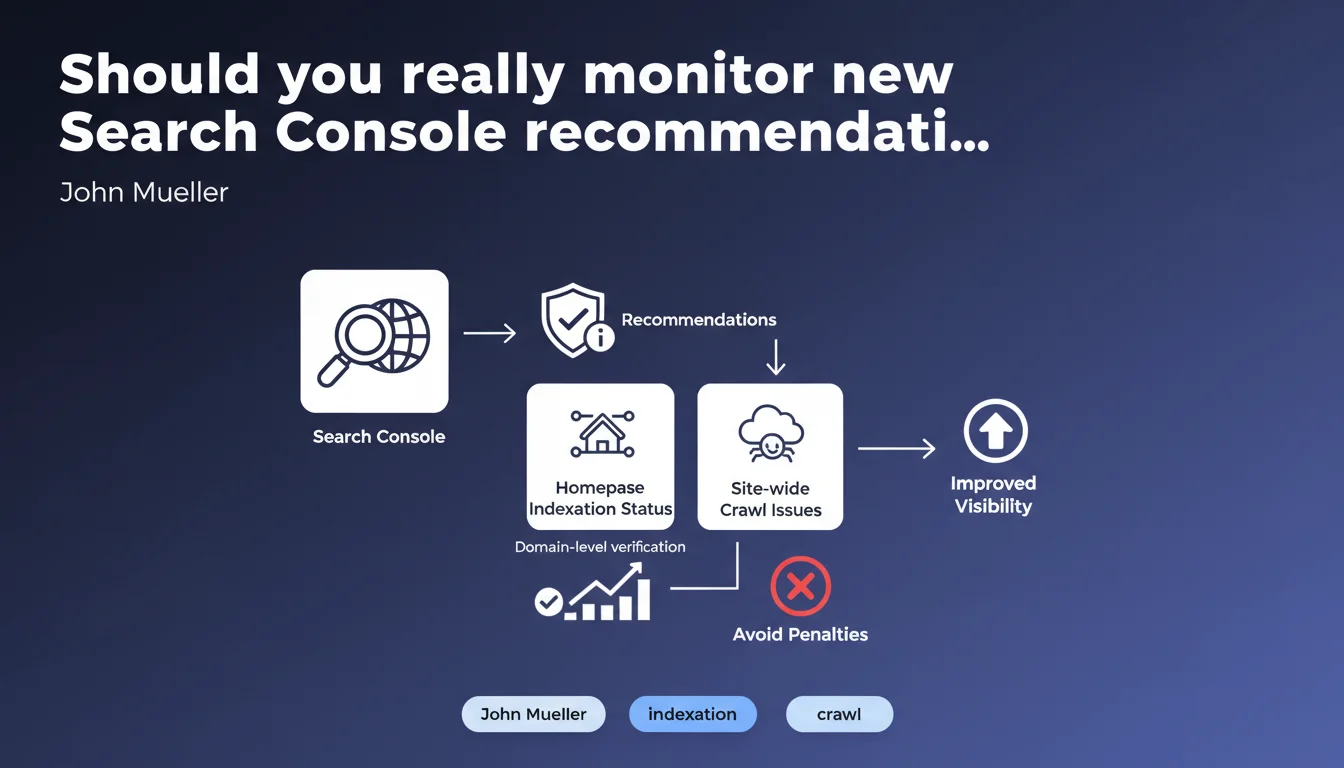
Google is rolling out Search Console recommendations to all affected sites, with a focus on homepage indexation status (requiring domain-level verification) and alerts on global crawl issues. In practice: Search Console is becoming a proactive monitoring tool, not just a passive dashboard.
What you need to understand
What does this Search Console recommendations rollout really mean?
Google is transforming Search Console into a preventive alert system. Until now, webmasters consulted the tool to diagnose problems they'd already observed — traffic drops, deindexed pages. With this rollout, the logic flips: Search Console warns you before the impact shows up in your analytics.
The crucial detail? Verifying your homepage indexation status requires a domain-level verification, not just a URL property. That changes things for sites that only validated a URL-prefix property (https://example.com/ only).
Why is Google pushing so hard on homepage and site-wide crawl issues?
The homepage remains the entry point priority for Googlebot in 99% of cases. If it has indexation issues, your entire site discovery can be compromised. Site-wide crawl problem alerts target systemic errors — broken robots.txt, expired SSL certificates, servers returning cascading 500s.
This isn't trivial: Google wants you detecting structural failures, not just isolated 404s on three zombie pages.
Who is actually affected by these recommendations?
All sites "having recommendations to display," according to Google. Translation: if your site has no detected issues, you'll see nothing. This isn't a praise system, it's an alert system.
Most exposed sites? Those with complex architecture, recent migrations, or technical teams deploying without SEO coordination. Small clean stable sites probably won't see these alerts ever — and that's fine.
- Domain-level verification mandatory to access homepage indexation status
- Proactive alerts on site-wide crawl problems, not just isolated errors
- Conditional rollout: only sites with detected issues receive recommendations
- Paradigm shift: Search Console becomes a prevention tool, not just diagnostic
SEO Expert opinion
Does this feature really change the game or is it just cosmetic?
Let's be honest: Google is just automating and centralizing checks that any competent SEO already does manually. Verifying your homepage is indexed, monitoring site-wide server errors, tracking robots.txt — nothing new here.
The real value? Time savings. Instead of cross-referencing ten different Search Console reports to detect a systemic issue, the alert appears directly. For agencies managing dozens of sites, this can significantly reduce critical failure detection time.
But be careful: [To verify] — Google doesn't specify how often these recommendations update, or the trigger thresholds. A site can have a crawl problem for 48 hours before the alert appears. Don't rely solely on this.
Is domain-level verification really essential?
Yes, and that's where it gets sticky for many. Validating a property at domain level (via DNS TXT) requires technical access that not all SEOs have. In large organizations, getting that access can take weeks of internal validation.
Real-world result we're seeing: SEOs observing partial or unusable alerts because they only have URL-level verification. Google could have offered an alternative solution, but no — either you have DNS access, or you're flying blind on your homepage status.
What limitations should you anticipate with this alert system?
First point: these recommendations only cover a fraction of SEO problems. Nothing on duplicate content, nothing on keyword cannibalization, nothing on backlink quality. It's exclusively focused on crawl and indexation technical aspects.
Second limit: detection lag. Field observations show Search Console often has 24-72 hour delays behind actual site state. If your server crashes Friday night, the Search Console alert might not appear until Monday — too late to limit weekend crawl budget damage.
Finally, watch out for false positives. Google has a sometimes arbitrary definition of what constitutes a "site-wide crawl problem." A temporary 503 spike from legitimate traffic surges can trigger an alert while the site runs normally 99.8% of the time.
Practical impact and recommendations
What should you implement immediately after this rollout?
First action: check if you have an active domain-level verification in Search Console. Go to Settings > Users and permissions > Domain verification. If not, get DNS access and add the TXT record requested by Google.
Next, enable email notifications for new critical issues. Search Console > Settings > User preferences > Enable email notifications. Also configure alerts for indexation and crawl problems.
Third step: document current state. Capture screenshots of your Search Console dashboard today, before new recommendations appear. This serves as your baseline to measure if these alerts actually detect new issues or just noise.
What critical errors will these recommendations expose?
From sites we've audited post-rollout, three recurring problems emerge. First case: accidental noindex homepages — often after migrations or CMS changes where a staging tag stayed in production.
Second frequent case: redirect chains on the homepage. www to non-www, then HTTP to HTTPS, then trailing slash — Googlebot loses crawl budget and explores less deeply.
Third classic alert: overly restrictive robots.txt blocking critical resources (CSS, JS) needed for homepage rendering. Google might technically index the page but sees it as visually broken.
How do you integrate these recommendations into your SEO routine?
Create a weekly check in your workflow: every Monday morning, log into Search Console and review the Recommendations tab. Note any new alerts in your SEO tracking tool (Notion, Airtable, whatever).
For critical sites (e-commerce with high revenue, high-traffic media sites), set up external monitoring in parallel. Don't rely solely on Google — use tools like Oncrawl, Screaming Frog Cloud, or even homemade scripts checking your homepage indexation hourly.
Final point: share Search Console access with your technical teams. These alerts are useless if only SEO sees them but nobody can fix robots.txt or restart a server. The key is response time, not just detection.
- Check for domain-level verification presence in Search Console
- Enable email notifications for critical crawl and indexation problems
- Capture current dashboard state as baseline reference
- Audit homepage: verify no noindex, clean redirects, non-blocking robots.txt
- Document tolerance thresholds (how many 5xx errors before you consider it systemic?)
- Integrate a weekly recommendations check into SEO workflow
- Configure redundant external monitoring for critical sites
- Share Search Console access with technical teams to reduce correction time
❓ Frequently Asked Questions
La vérification au niveau du domaine remplace-t-elle la vérification par propriété URL ?
Si je ne vois aucune recommandation, cela signifie-t-il que mon site est parfait ?
Ces recommandations sont-elles mises à jour en temps réel ?
Dois-je traiter toutes les recommandations avec la même priorité ?
Les recommandations Search Console remplacent-elles un audit SEO complet ?
🎥 From the same video 9
Other SEO insights extracted from this same Google Search Central video · published on 14/01/2025
🎥 Watch the full video on YouTube →
💬 Comments (0)
Be the first to comment.