
Official statement
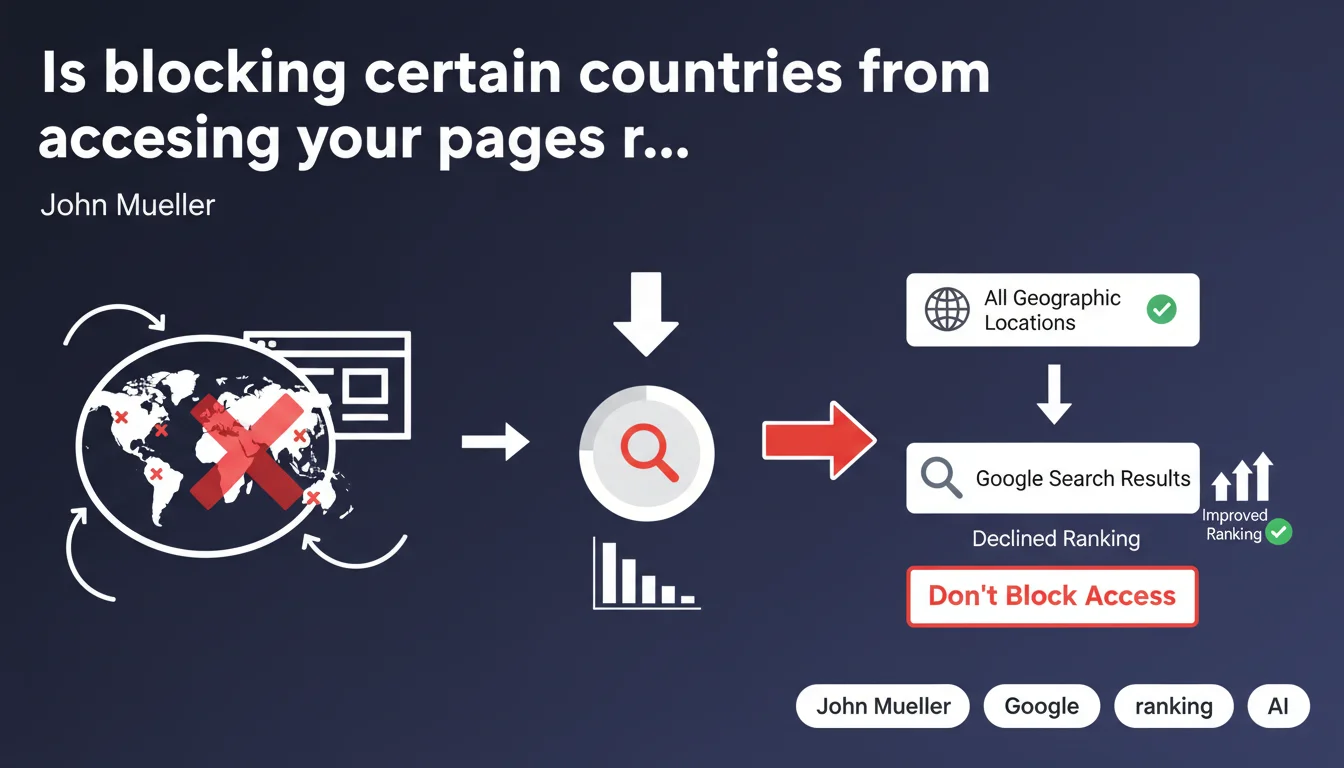
Google recommends not blocking geographic access to pages you want indexed and ranked in search results. IP-based geolocation restrictions can prevent Googlebot from crawling your content properly, even if your target audience is local. Bottom line: geographic blocking = SERP invisibility risk.
What you need to understand
Why does Google insist on geographic accessibility for pages?
The reason is technical before it's strategic. Googlebot crawls from different geographic locations, particularly from US datacenters, and uses IP addresses that can vary depending on the type of crawl (desktop, mobile, JavaScript rendering).
If you block certain geographic zones at the server level — via .htaccess, Nginx configuration, CDN, or firewall — you risk blocking Googlebot itself without even realizing it. The bot ends up facing a 403 error or forced redirection, and your content simply disappears from the index.
What are the most common forms of geographic blocking?
There are several levels of restriction. Strict IP blocking denies all connections from certain countries or continents — it's the most brutal and risky for SEO.
Geo-cloaking displays different content based on detected geographic origin, which can be interpreted as cloaking if the bot receives a degraded or empty version. Finally, some platforms impose popups or redirect banners that, if misconfigured, block access to main content for Googlebot.
Does this guidance apply only to international sites?
No, and this is where many get it wrong. Even a 100% local site — a small business targeting only the Paris region — must remain accessible from abroad so Google can crawl it without friction.
The goal isn't to serve relevant content to foreign users, but to ensure Googlebot can access, analyze, and index your pages regardless of which datacenter it operates from. Geographic targeting is managed differently: via hreflang, Google Search Console, localized content, never through IP blocks.
- Googlebot crawls from multiple locations — blocking one geographic zone can block the bot
- Strict IP restrictions are the most dangerous for indexation
- A local site must remain technically accessible worldwide, even if it targets only a limited market
- Geographic targeting is done via hreflang, Search Console, and content, never through server blocks
- CDNs and firewalls must be configured to explicitly whitelist Googlebot
SEO Expert opinion
Is this recommendation really new or just a reminder?
Let's be honest: it's not a revelation. Google has been hammering this message for years, but mistakes persist. Why? Modern security tools — CDN, WAF, anti-DDoS — are increasingly aggressive by default and sometimes block Googlebot without warning.
Cloudflare, Sucuri, Akamai… all offer geoblocking rules in one click. The problem: these rules apply before the server can even identify the bot. Result: a technically flawless site becomes invisible because an overzealous firewall refuses US connections.
Are there legitimate cases for geographic blocking?
Yes, and that's where Mueller's guidance shows its limits. Certain industries — gambling, healthcare, finance — are subject to strict legal constraints that require actual geographic blocking, not just cosmetic.
In these cases, you need to find a compromise: block end users while explicitly allowing Googlebot through. Technically feasible via user-agent rules + IP whitelisting, but tricky to maintain. [To verify]: Google has never publicly clarified how it handles sites legally required to block certain territories.
Another gray area: e-commerce sites with shipping restrictions. Blocking entire site access because you don't ship to Asia is counterproductive — better to keep content accessible and manage restrictions at checkout.
How do you detect geographic blocking that impacts Googlebot?
Search Console remains the basic tool, but it doesn't always clearly show IP blocking as an error cause. You'll more likely see generic 4xx errors or pages that gradually disappear from the index without obvious explanation.
Field testing: use VPN from different countries and check access, then cross-reference with server logs to identify rejected Googlebot requests. If you see 403 Forbidden errors on Google IPs, that's an immediate red flag.
Practical impact and recommendations
What should you prioritize checking on your site?
First step: audit your technical stack. List all points where geographic blocking can occur — web server (Apache, Nginx), application firewall, CDN, WordPress/PrestaShop plugins, JavaScript redirect scripts.
Next, test access from multiple locations using tools like BrightData, Uptrends, or reliable VPNs. Verify that main content displays without blocking popups, forced redirects, or 403 errors.
How do you correctly configure a CDN or firewall?
The golden rule: explicitly whitelist Googlebot before any geoblocking rules. On Cloudflare, this is done via Firewall Rules with a condition on verified user-agent (cf.ipcountry + cf.verified_bot).
On AWS CloudFront or Akamai, use Google's official IP lists (available in Search Console) to create exceptions. Never rely solely on user-agent — it's too easy to spoof. Combine user-agent + reverse DNS + IP whitelisting.
If you absolutely must block certain countries for legal reasons, document the configuration and regularly test that Googlebot passes through. A bot IP change can break everything overnight.
What mistakes should you avoid at all costs?
Never redirect Googlebot to a degraded version of your site or a "service unavailable in your region" page without providing access to actual content. That's pure cloaking, even if the intention is legal.
Avoid JavaScript popups that block content access to "verify location." If Googlebot disables JavaScript or rendering fails, your page becomes a blank wall. Prefer server-side solutions with clear bot exceptions.
Finally, never assume a plugin or "SEO-friendly" option handles bots correctly. Test, verify logs, and be wary of turnkey solutions that promise to "automatically manage" geoblocking.
- Audit all potential blocking points: server, CDN, firewall, plugins
- Test access from multiple geographic locations with reliable tools
- Whitelist Googlebot explicitly via user-agent + reverse DNS + IP
- Check server logs to identify rejected Googlebot requests (403, 451)
- Avoid automatic redirects based solely on IP geolocation
- Document any legal exception and test it regularly
- Use hreflang and Search Console for geographic targeting, never IP blocks
❓ Frequently Asked Questions
Googlebot crawle-t-il toujours depuis les États-Unis ?
Un site 100% local doit-il vraiment être accessible depuis l'étranger ?
Comment savoir si mon CDN bloque Googlebot ?
Peut-on bloquer certains pays pour des raisons légales sans pénalité SEO ?
Les popups de géolocalisation impactent-elles le crawl ?
🎥 From the same video 3
Other SEO insights extracted from this same Google Search Central video · published on 12/10/2022
🎥 Watch the full video on YouTube →
💬 Comments (0)
Be the first to comment.