
Official statement
Other statements from this video 4 ▾
- □ Faut-il déployer le markup de politique de retour au niveau organisation plutôt que produit ?
- □ Comment tirer parti du suivi des annonces marchands dans Google Images via Search Console ?
- □ La nouvelle documentation produits de Google va-t-elle vraiment simplifier votre vie d'e-commerçant ?
- □ Comment optimiser les Sitemaps des grands sites e-commerce selon Google ?
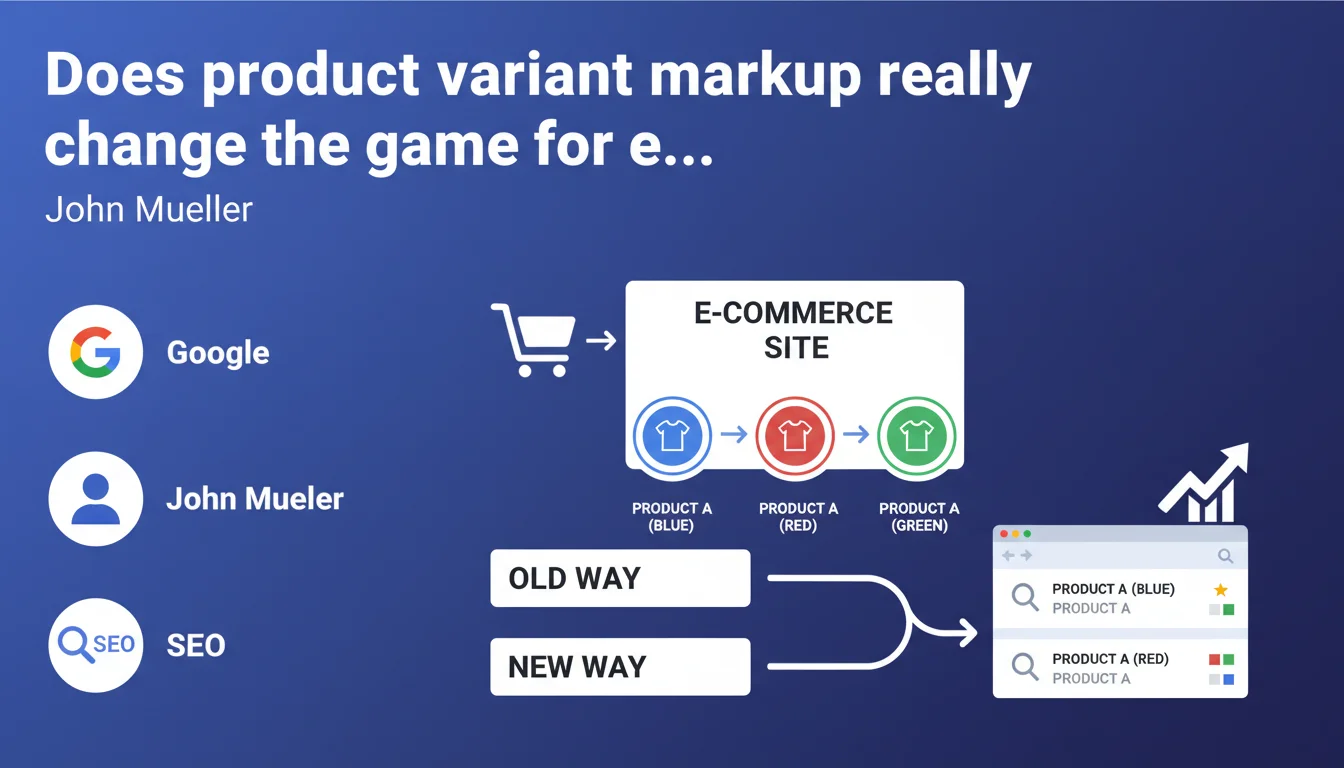
Google is rolling out specific markup to differentiate variants of the same product (colors, sizes, materials). The goal: improve how these variations are represented in search results and prevent duplicate content issues. For e-commerce sites, it's an opportunity to better structure product data, but watch out for technical implementation challenges.
What you need to understand
Why is Google introducing this new markup now?
Search engines have always struggled to interpret product variants. A dress available in red, blue, and green often generates three distinct URLs with nearly identical content. Google had difficulty determining whether these were different products or simply variations.
This specific markup addresses a concrete problem: it lets e-commerce sites explicitly signal that a URL represents a variant of a parent product. Rather than letting the algorithm guess, you tell it the exact structure of your catalog.
How does this markup differ from standard Schema Product?
Schema.org Product has existed for years, but it didn't clearly distinguish a main product from its variants. You could use properties like isVariantOf or variesBy, but their interpretation remained unclear.
The new markup explicitly structures the parent-child relationship. Concretely, you tag the main product and link each variant with standardized properties. Google can then understand that "Blue Oxford shirt" and "White Oxford shirt" are two variations of the same product.
What concrete benefits does this bring to SEO?
First consequence: better consolidation of ranking signals. If Google understands that your 12 different color URLs represent a single product, it can combine performance metrics rather than dilute them.
Second point: enriched presentation in search results. Google might display a carousel of variants directly in the SERP, allowing users to choose their preferred color without leaving the results.
Third advantage: reduced risk of cannibalization between variants. With proper markup, Google knows which URL to prioritize based on search context.
- The markup clarifies the relationship between parent product and variants
- It enables better consolidation of SEO signals
- Google can display enriched results with variant selection
- Reduces risk of duplicate content and cannibalization
- Technical implementation required across the entire catalog
SEO Expert opinion
Does this announcement really fill a gap in the Schema.org ecosystem?
Let's be honest: properties for managing variants already existed in Schema.org. hasVariant, isVariantOf, variesBy — all of this has been sitting in the documentation for a long time. The problem? Google wasn't systematically using them.
What Mueller is announcing is primarily an official recognition of these properties and probably specific algorithmic treatment on Google's side. But be careful — [To be verified] — we'll need to observe whether Google actually displays differentiated rich results for sites implementing this markup. For now, we're missing concrete examples.
E-commerce sites are already using different strategies — which ones remain valid?
Some sites consolidate all variants on a single URL with a JavaScript selector. Others create one URL per variant and use canonicals pointing to the parent product. Still others let each variant be indexed independently.
The new markup doesn't make these approaches obsolete, but it offers a third path: let each variant have its own URL while explicitly structuring the relationship. This is particularly relevant if your variants generate specific searches ("red polka dot dress" vs "solid blue dress").
Important nuance: if your variants differ only by size and share strictly the same visual and text content, an approach using canonical to the parent is probably still more effective. The variant markup makes sense when each variation has real distinctive value.
What implementation risks should you anticipate?
First pitfall: creating circular structures where a variant points to a parent that itself is marked as a variant. Google will likely ignore the entire structure. Second trap: marking as variants products that are actually distinct products (a chair and a stool aren't variants, even if they belong to the same collection).
Third potential problem: inconsistency between the markup and your site's actual structure. If your markup says "parent product" but the URL redirects to a specific variant, you're sending contradictory signals.
Practical impact and recommendations
What specifically needs to change on an e-commerce site?
First step: identify your current architecture. List how your products and variants are structured. Do you have a generic parent page? Does each variant have its own URL? Are canonicals pointing somewhere?
Second step: implement the markup on product pages. Use hasVariant on the parent page to list variants, and isVariantOf on each variant page to point to the parent. Add variesBy to specify the differentiation attribute (color, size, material).
Third step: test with Google's structured data testing tool. Check for errors and verify that relationships are properly interpreted. Then monitor your performance in Search Console.
How do you prioritize rollout across a large catalog?
If you have thousands of products, deploying this markup all at once can be tricky. Start with your most strategic categories — those that generate the most organic traffic or have the most competitive variants.
Test on a representative sample before scaling. Track metrics: click-through rate in SERP, variant positioning, traffic evolution per product. If you see improvements, expand gradually.
What mistakes must you absolutely avoid during implementation?
Don't mark as variants products that have significant functional differences. A leather belt and a canvas belt might seem like material variants, but if their descriptions, uses, and prices differ substantially, treat them as distinct products.
Avoid duplicate markup. If you're already using canonicals to consolidate variants, make sure the variant markup is consistent with this strategy. Both approaches should reinforce each other, not contradict.
Last common mistake: forgetting to update markup when your catalog evolves. A removed variant should be deleted from parent markup, otherwise Google will continue searching for it and may generate Search Console errors.
- Audit your current site product/variant architecture
- Implement hasVariant on parent pages and isVariantOf on variants
- Use variesBy to specify the differentiation attribute
- Validate markup with Google's testing tool
- Roll out gradually, starting with strategic categories
- Monitor metrics in Search Console (clicks, impressions, ranking)
- Verify consistency with canonicals and URL structure
- Update markup when your catalog changes
❓ Frequently Asked Questions
Le balisage variante remplace-t-il l'usage des canonical tags ?
Faut-il créer une page parent dédiée si toutes mes variantes ont déjà leur propre URL ?
Ce balisage fonctionne-t-il aussi pour les variantes de taille uniquement ?
Google affiche-t-il déjà des rich results spécifiques pour les produits avec ce markup ?
Comment gérer les variantes qui combinent plusieurs attributs (couleur ET taille) ?
🎥 From the same video 4
Other SEO insights extracted from this same Google Search Central video · published on 07/08/2024
🎥 Watch the full video on YouTube →
💬 Comments (0)
Be the first to comment.