
Official statement
Other statements from this video 4 ▾
- □ Faut-il déployer le markup de politique de retour au niveau organisation plutôt que produit ?
- □ Le balisage des variantes produit change-t-il vraiment la donne en SEO e-commerce ?
- □ La nouvelle documentation produits de Google va-t-elle vraiment simplifier votre vie d'e-commerçant ?
- □ Comment optimiser les Sitemaps des grands sites e-commerce selon Google ?
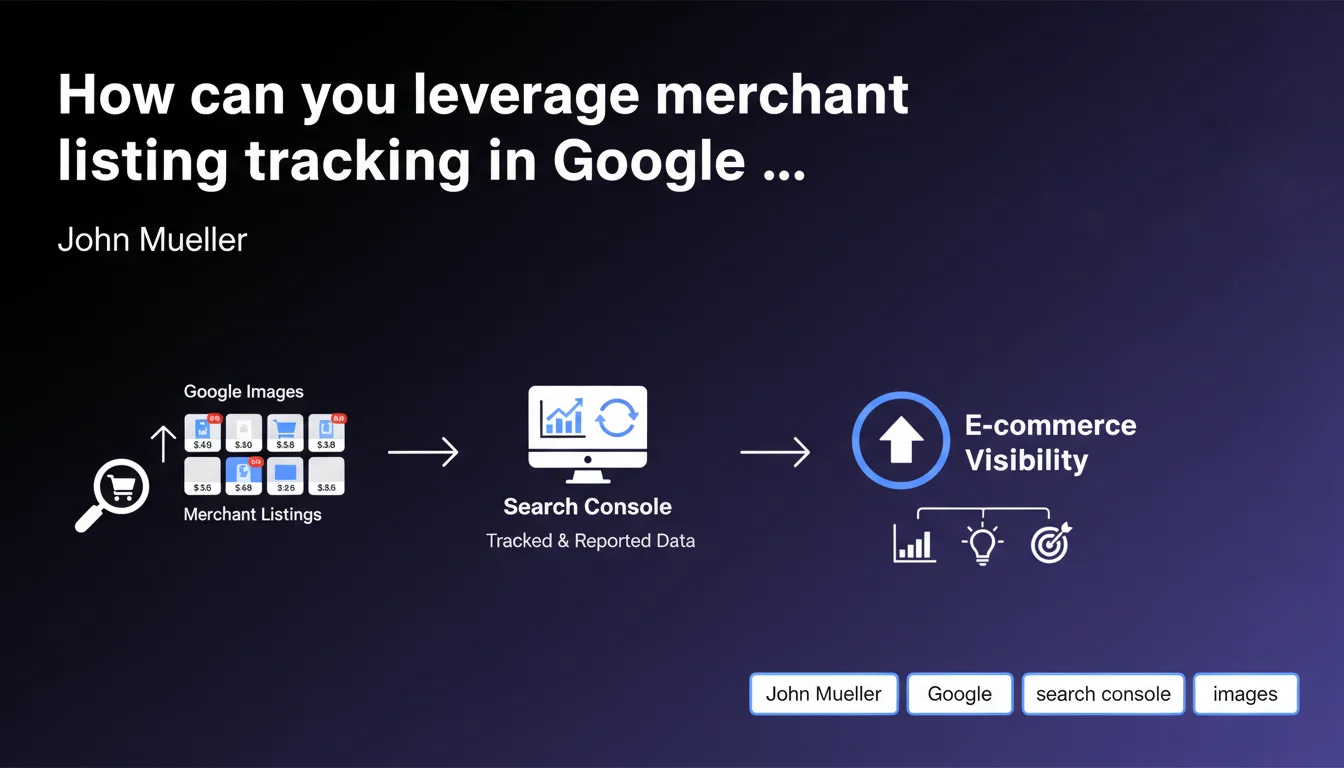
Google Search Console now integrates tracking for merchant listings displayed in Google Images. This new feature enables e-commerce businesses to precisely measure the visibility and performance of their products in this often-underestimated acquisition channel.
What you need to understand
What exactly are these merchant listings in Google Images?
The merchant listings correspond to enriched product cards that display directly in Google Images when a user searches for a product. Unlike standard organic results, these placements include the price, availability, and merchant name — all elements that facilitate conversion.
These merchant ads benefit from premium visibility within the Google Images ecosystem, a channel that captures an increasingly large share of e-commerce traffic. Until now, performance data remained opaque for many professionals.
Why is Google integrating this feature now?
Integration into Search Console addresses a recurring request from merchants who struggled to measure the ROI of their Google Images optimization efforts. Without reliable metrics, it was difficult to justify investments in visual optimization or product markup.
Google is likely also seeking to strengthen adoption of structured Product markup and push e-commerce businesses toward Google Merchant Center. The more transparent the data, the more incentivized advertisers are to enrich their product feeds.
What data is now accessible?
Search Console now displays impressions, clicks, and CTR specific to merchant listings in Google Images. You can filter this data by product, URL, and query, which enables you to identify which visuals and product cards convert best.
This granularity provides a solid foundation for optimizing product images, adjusting alt tags, and prioritizing photography investments on high-potential items.
- Tracking of impressions and clicks for merchant listings in Google Images
- Filtering by product, URL, and search query
- Better visibility into the ROI of visual optimizations
- Reinforced incentive to use structured Product markup and Google Merchant Center
- Data finally consolidated in a tool already familiar to SEO professionals
SEO Expert opinion
Is this increased transparency truly a strategic breakthrough?
Let's be honest — Google has long left merchants in the dark about the performance of visual placements. This integration into Search Console represents a welcome catch-up, but it comes late in an e-commerce ecosystem where Amazon and Pinterest have already provided detailed analytics for years.
The timing is probably no accident. Google Shopping is seeking to regain ground against aggressive competitors. Offering merchants greater visibility is also a way to encourage them to invest more in optimizing their feeds and remain within the Google ecosystem.
What limitations should you anticipate with this new data?
Beware — Search Console metrics are often approximate. Impressions don't guarantee actual visibility (scrolling, positions below the fold), and clicks don't always translate to conversions. [Verify this]: what is the accuracy of these counters specifically for merchant listings?
Moreover, this feature doesn't eliminate the need to cross-reference data with Google Analytics 4 and your CRM. The customer journey doesn't end with a click — a high-performing placement in Images can drive qualified traffic… or massive bounce rates if the product card disappoints.
In which cases does this feature provide no value?
If you don't sell products eligible for structured Product markup, this update simply doesn't concern you. Editorial sites, B2B services, or informational content won't see any difference.
Similarly, if your Merchant Center feed is poorly configured or incomplete, the data will remain skeletal. No exploitable feed = no merchant listings = no metrics. The tool won't work miracles without solid foundations.
Practical impact and recommendations
What concrete steps should you take to leverage this data?
First step: verify that your Search Console property is properly linked to your Google Merchant Center account. Without this connection, merchant listings won't appear in your reports. Go to GSC settings to validate the association.
Next, navigate to the Performance tab in Search Console and filter by appearance type "Merchant listing". Identify products generating high impressions but low CTR — this is where optimizing visuals and titles can have a direct impact.
Cross-reference this data with your actual conversions in GA4. A product heavily clicked in Images but rarely purchased might signal a mismatch between the image and the actual offer, or a poorly optimized product card.
What mistakes should you avoid when interpreting these metrics?
Don't get dazzled by high impression volumes. What matters is the final conversion rate. A highly visible placement in Images can attract unqualified traffic if your visuals don't accurately reflect the product.
Also avoid neglecting image quality. Google favors high-resolution visuals, white or neutral backgrounds, and good signal-to-noise ratios. Poor visual merchandising tanks your performance even with impeccable markup.
How can you verify that your site is getting maximum value from this feature?
Audit your structured Product markup using Google's structured data testing tool. Ensure each product card includes at minimum: name, image, offers (price, availability), brand. Without these fields, you simply won't appear.
Test your images with real searches in Google Images. If your products aren't appearing in dominant positions for target queries, it's likely a problem with compression, file naming, or alt tags.
- Verify the link between Search Console and Google Merchant Center
- Filter performance by "Merchant listing" type in GSC
- Identify products with high impression volume but low CTR
- Cross-reference GSC data with conversions in GA4
- Audit structured Product markup across all product cards
- Optimize visuals: high resolution, neutral background, relevant naming
- Enrich alt tags with descriptive keywords without keyword stuffing
- Regularly monitor Merchant Center errors
❓ Frequently Asked Questions
Faut-il un compte Google Merchant Center pour voir ces données dans Search Console ?
Ces métriques remplacent-elles les rapports Google Merchant Center ?
Peut-on filtrer ces données par device ou par pays ?
Les merchant listings dans Images influencent-ils le classement organique classique ?
Quelle fréquence de mise à jour pour ces données dans Search Console ?
🎥 From the same video 4
Other SEO insights extracted from this same Google Search Central video · published on 07/08/2024
🎥 Watch the full video on YouTube →
💬 Comments (0)
Be the first to comment.