
Official statement
Other statements from this video 7 ▾
- □ Pourquoi les frameworks JavaScript génèrent-ils des soft 404 sur les sites à fort inventaire ?
- □ Pourquoi l'historique du robots.txt dans Search Console change-t-il la donne ?
- □ Pourquoi héberger robots.txt sur plusieurs CDN peut-il saboter votre crawl budget ?
- □ Une requête AJAX qui échoue peut-elle tuer l'indexation de toute votre page ?
- □ Comment Chrome DevTools peut-il révéler les problèmes de rendu que Googlebot rencontre sur vos pages ?
- □ Pourquoi Google pénalise-t-il les sites qui gèrent mal leurs erreurs JavaScript ?
- □ La résoumission manuelle d'URLs via Search Console accélère-t-elle vraiment la réindexation ?
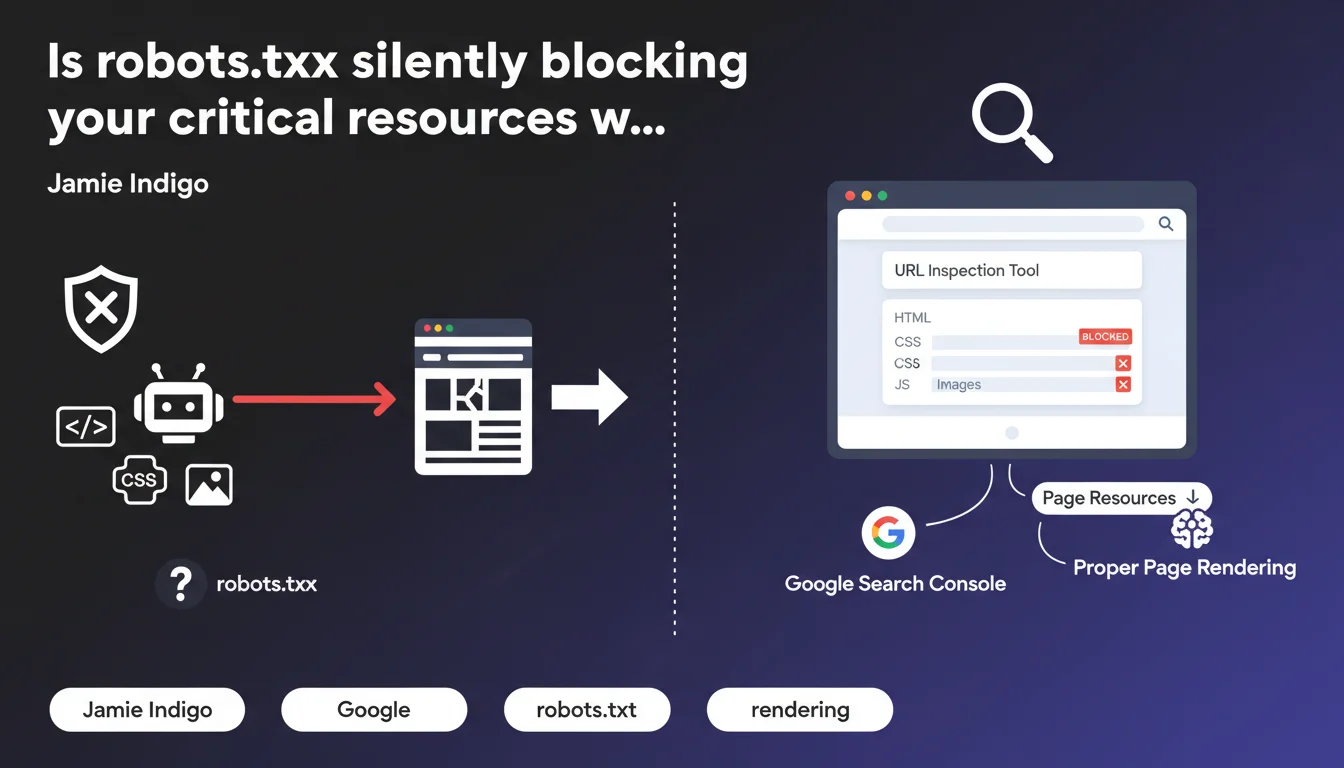
Google Search Console's URL inspection tool now displays resources blocked by robots.txt in the 'page resources' section. These blocks can prevent Google from properly rendering your pages, directly impacting your indexation and visibility.
What you need to understand
What exactly does this tool reveal in the 'page resources' section?
The URL inspection tool lets you see how Googlebot actually perceives your page during the crawl. The 'page resources' section lists all resources needed for rendering: CSS, JavaScript, images, fonts, etc.
The crucial point: this section now explicitly shows when a resource is blocked by robots.txt. Before this feature, many sites were unknowingly blocking critical scripts without realizing it.
Why does blocking resources cause rendering problems?
Google uses a two-step rendering process: first crawling the raw HTML, then executing JavaScript to generate the final DOM. If an essential script is blocked, the bot cannot build the complete version of your page.
In practical terms? Content can disappear, internal links might not be discovered, or structural elements might not be indexed. The SERP results then reflect an incomplete version of your page.
In which cases is this detection truly useful?
It becomes essential on sites heavily dependent on JavaScript: React/Vue/Angular applications, e-commerce with dynamic filters, sites with aggressive lazy-loading. These architectures often generate client-side content that doesn't exist in the initial HTML.
- Legacy sites with inherited robots.txt configurations from outdated setups
- Technical migrations where blocking rules have been forgotten
- Modern frameworks that load content via specific JS bundles
- CDNs where resource paths change without robots.txt updates
SEO Expert opinion
Does this Google revelation really change the game?
Let's be honest: Google has been saying for years not to block critical resources. This functionality doesn't change the rules; it simply provides a clearer diagnostic tool. What's new is the direct visibility in Search Console.
The problem is that many SEO professionals still apply outdated practices — blocking /wp-content/plugins/ or /assets/js/ reflexively, without evaluating real rendering impact. This transparency forces you to confront assumptions with facts.
Do all identified blocks have the same impact?
No, and that's where analysis becomes subtle. Not all blocked scripts are equal. A blocked analytics tracker? No SEO impact. A React bundle generating all main content? Catastrophic.
The awkward part: Google doesn't rank these blocks by criticality. [To verify] The tool would need to explicitly indicate whether the block impacts the rendering of indexable content, but this granularity doesn't exist yet. You'll need to cross-reference with the rendered preview to assess severity.
Is this approach consistent with observed field practices?
Yes and no. Google's official recommendations have been clear since 2015: don't block anything necessary for rendering. But in reality, many sites with light blocking don't suffer any visible penalties.
What really breaks down: sites with complex JavaScript and multiple dependencies. Script A loads script B which calls API C. If A is blocked, the entire chain collapses. And there, the impact is immediate and measurable in crawl logs.
Practical impact and recommendations
How do I concretely verify that my site is compliant?
Open Search Console, select a strategic URL — product page, flagship article — and launch the inspection. Scroll down to the 'View crawled page' section, then click 'More info' to access 'page resources'.
Look at the status column. Anything showing "Blocked by robots.txt" needs to be analyzed. Then compare the rendered preview with the actual version of your page in a browser. If the content differs significantly, you have a problem.
- Audit robots.txt line by line and remove obsolete rules
- Test URL inspection on 10-15 typical pages (homepage, categories, product sheets, articles)
- Systematically compare Google rendering vs browser rendering to detect discrepancies
- Verify that essential JavaScript bundles are accessible to crawl
- Check that critical CSS is not blocked (impact on layout/CLS)
- Document third-party resources (CDN, APIs) and their access paths
- Set up regular monitoring of blocked resources after each deployment
What mistakes should you absolutely avoid?
The most common: blocking entire directories for convenience. A Disallow: /js/ might seem logical to reduce server load, but if your site relies on a SPA or dynamic content injection, it's suicidal.
Another classic trap — modifying robots.txt without testing real impact. Changes can take several days to propagate through Google's crawl. Use Search Console's robots.txt testing tool before any production deployment.
What if critical resources have been blocked for a long time?
Fix robots.txt, then force re-indexation via the inspection tool. Google doesn't instantly recrawl all your pages — especially if your crawl budget is limited. Prioritize strategic URLs.
Monitor your rankings and traffic over the following 2-4 weeks. If important pages were poorly rendered, you should see gradual improvement. No notable change? The block probably wasn't critical.
❓ Frequently Asked Questions
Est-ce que bloquer des scripts analytics ou des trackers publicitaires impacte le SEO ?
Dois-je autoriser tous les fichiers CSS et JS sans exception ?
Combien de temps faut-il pour que Google prenne en compte un changement de robots.txt ?
L'outil d'inspection indique des ressources bloquées mais mes pages sont bien indexées, est-ce grave ?
Faut-il autoriser les ressources hébergées sur des CDN tiers ?
🎥 From the same video 7
Other SEO insights extracted from this same Google Search Central video · published on 02/03/2023
🎥 Watch the full video on YouTube →
💬 Comments (0)
Be the first to comment.