
Official statement
What you need to understand
What's the Fundamental Difference Between Robots.txt and Noindex for Deindexing?
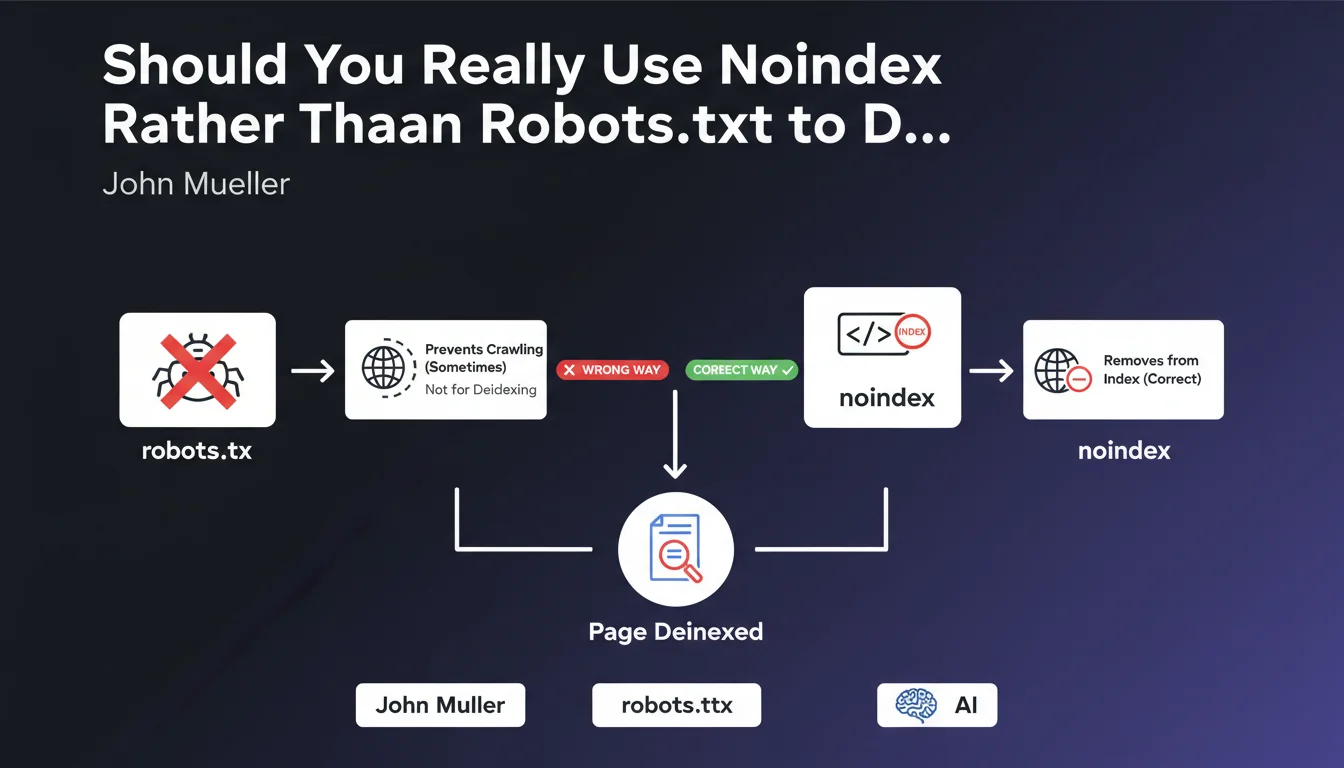
The robots.txt file blocks page crawling by Googlebot, preventing the robot from accessing the content. In contrast, the meta noindex tag allows crawling but explicitly asks Google to remove the page from its index.
This distinction is crucial: if a page is already indexed and you block it via robots.txt, Google will no longer be able to crawl it to read the deindexing instruction. The page will therefore remain visible in search results with an uninspiring generic snippet.
Why Is Robots.txt Alone Ineffective for Deindexing an Existing Page?
When a URL is blocked by robots.txt but already known to Google, the search engine keeps this URL in its index without being able to update its status. You'll see error messages appear in Search Console indicating that the page is indexed but not crawled.
Google maintains these URLs in the index because it detects external links pointing to them or finds them in its crawl history. Without access to the content, it cannot process any potential noindex directive.
In What Order Should You Proceed for Proper Deindexing?
The recommended methodology follows a precise two-step sequence. First, add the meta noindex tag to the page while leaving it accessible for crawling. Wait for Google to crawl it and remove it from the index.
Once deindexing is confirmed in Search Console, you can optionally block crawling via robots.txt to save crawl budget. This approach guarantees complete removal from the index without leaving any traces.
- Robots.txt blocks crawling but doesn't deindex pages already present in the index
- Meta noindex requires the page to be crawlable to be processed effectively
- The correct order is: noindex first, then robots.txt optionally afterward
- A page blocked by robots.txt can remain visible in SERPs with a limited snippet
- Search Console flags pages indexed but blocked by robots.txt as anomalies
SEO Expert opinion
Is This Recommendation Consistent with Practices Observed in the Field?
Absolutely. SEO audits regularly reveal sites with hundreds of URLs indexed but blocked by robots.txt, creating index pollution. These pages display the message "No information is available for this page" in search results.
This situation harms the perception of site quality by both Google and users. Tests show that proper deindexing via noindex is processed within 2 to 4 weeks depending on crawl frequency, while robots.txt blocking perpetuates the problem indefinitely.
What Nuances Should Be Applied to This General Rule?
For pages never indexed, robots.txt can be used directly as a preventive measure. This is useful for administrative areas, internal search results, or unnecessary URL parameters that you never want to appear.
However, for sensitive content already indexed, urgent removal via Search Console's temporary deindexing tool is faster than classic noindex. Noindex remains necessary afterward to make the deindexing permanent.
In What Cases Might This Approach Have Limitations?
Sites with very limited crawl budget may see noindex deindexing take several months if the pages concerned are rarely visited by Googlebot. In this case, using the URL inspection tool to force recrawling significantly accelerates the process.
For sites experiencing massive scraping where thousands of duplicate pages are indexed elsewhere, the strategy differs. You need to combine noindex, canonical, and sometimes DMCA actions depending on the severity of the situation.
Practical impact and recommendations
What Should You Actually Do to Properly Deindex Existing Pages?
Start by identifying all URLs to be deindexed via a complete crawl of your site and extraction from Search Console. Segment them by type to apply technical solutions tailored to each category.
Then add the <meta name="robots" content="noindex, follow"> tag in the <head> of each concerned page. The "follow" parameter allows Google to continue discovering other pages via the links present.
Use Search Console's URL inspection tool to force recrawling of priority pages. Then monitor the index coverage report to confirm that the status changes from "Indexed" to "Excluded by noindex tag".
What Critical Mistakes Must You Absolutely Avoid?
The most dangerous mistake is blocking an already indexed page via robots.txt thinking it will disappear. Not only does it remain visible, but you lose control over its snippet and can no longer update it.
Another common pitfall: physically deleting pages or returning a 410 Gone code too quickly. Google takes longer to deindex an error page than a page with noindex clearly displayed. Keep the content accessible with noindex for at least 4 to 6 weeks.
How Can You Verify and Maintain a Healthy Deindexing Policy?
Set up monthly monitoring in Search Console to detect pages "Indexed, though blocked by robots.txt file". This report immediately reveals inconsistencies between your crawling and indexing strategy.
Document your deindexing process in an internal guide so that all teams (dev, SEO, content) apply the same methodology. Migrations and redesigns are critical moments when these errors multiply.
- Audit the current index and identify pages to deindex by category
- Implement the meta noindex tag on concerned pages before any blocking
- Keep pages accessible for crawling during the deindexing phase
- Force recrawling via Search Console to accelerate processing
- Monitor the coverage report until confirmation of "Excluded by noindex" status
- Optional: block afterward via robots.txt only if necessary for crawl budget
- Absolutely avoid combining robots.txt and noindex simultaneously
- Keep pages with noindex for a minimum of 4 to 6 weeks before deletion
- Set up monthly monitoring of robots.txt/indexing conflicts
💬 Comments (0)
Be the first to comment.