
Official statement
What you need to understand
What does Googlebot actually do with Analytics and advertising scripts?
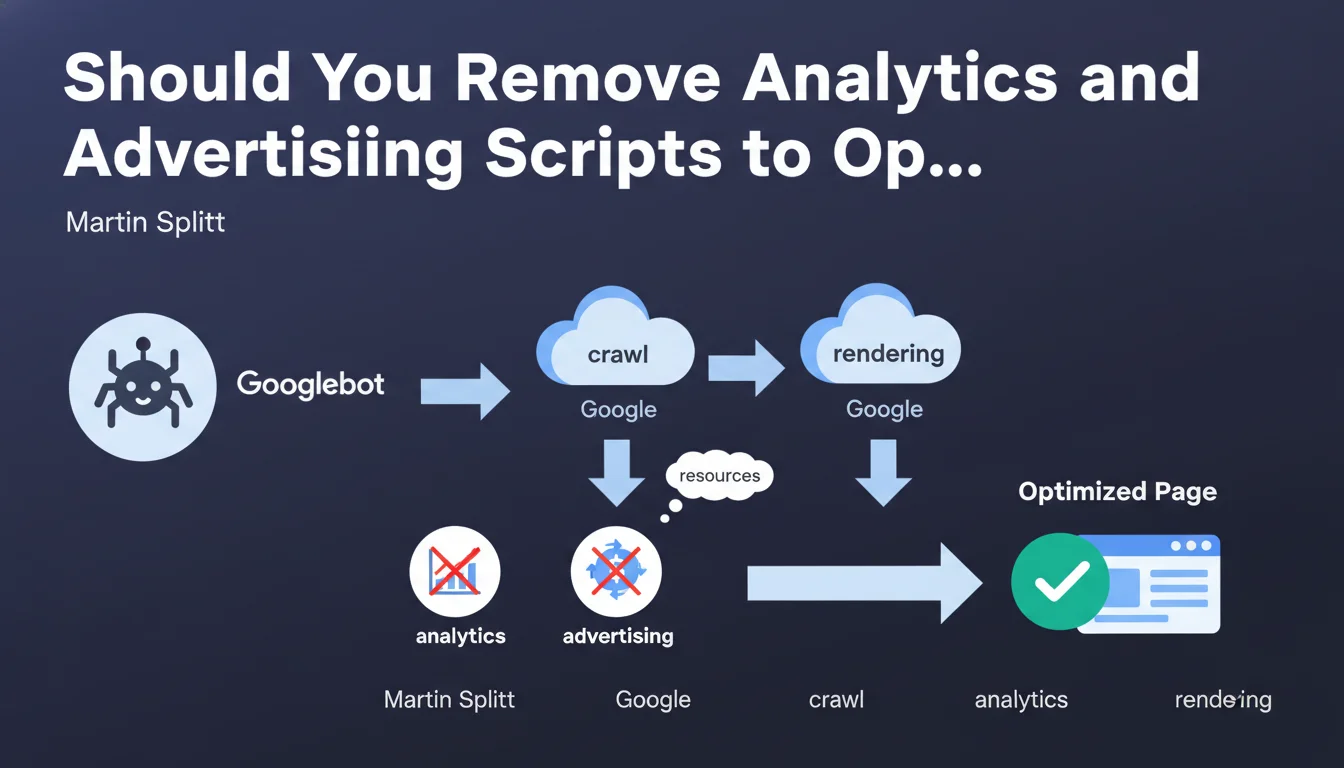
Google has officially confirmed that Googlebot deliberately ignores Analytics and advertising scripts during the crawl and rendering phases. This decision is purely technical and aims to save resources.
When Googlebot explores and interprets the JavaScript of a page, it identifies these third-party scripts and chooses not to execute them. This means that your Google Analytics tags, Facebook Pixel, or AdSense scripts are never triggered by Google's bot.
Why does Google make this technical decision?
The reason is primarily a matter of crawl resource optimization. Executing Analytics or advertising scripts would not provide any useful information to Google for understanding and indexing your content.
These scripts generate calls to third-party servers, consume processing time, and add nothing to the semantic understanding of the page. Google therefore prefers to focus its resources on content that is genuinely relevant for indexing.
What's the difference between crawl and rendering in this context?
Crawling is the phase where Googlebot downloads the HTML of your page. Rendering is the phase where it executes JavaScript to see the page as a user would.
This statement concerns both phases: even during rendering, where Google normally executes JavaScript, it makes an exception for Analytics and advertising scripts. This is an intelligent optimization of the crawl budget.
- Googlebot automatically identifies Analytics and advertising scripts
- These scripts are not executed during crawl or rendering
- This approach saves precious crawl resources
- The actual content of your page remains Google's priority
- Your Analytics data is not affected because it comes from real users
SEO Expert opinion
Is this statement consistent with field observations?
Absolutely. As an SEO expert, I have observed for years that Analytics data never reflects Googlebot visits. This official confirmation validates what we have been seeing empirically.
This approach also demonstrates Google's technical maturity in JavaScript management. The engine is capable of precisely identifying the nature of scripts and intelligently prioritizing what it should or should not execute.
What important nuances should be made to this announcement?
It is crucial to understand that Google is talking here about scripts with a purely Analytics or advertising purpose. This does not concern all third-party scripts on your site.
If an Analytics script also loads content visible to the user or modifies the page structure, Google might execute it partially. The distinction is made based on the primary function identified by Googlebot.
Does this rule apply to all types of third-party scripts?
No, this rule concerns specifically Analytics and advertising scripts. Other third-party scripts that affect the content, navigation, or structure of the page are normally executed by Googlebot.
For example, a script for a comment system, live chat, or product recommendations will likely be executed if it generates indexable content. The distinction is made based on the potential impact on Google's understanding of the content.
Practical impact and recommendations
What should you do concretely with this information?
First, absolutely do not remove your Analytics scripts. They are essential for measuring your real traffic and understanding your visitors' behavior. Google ignores them, but your users do trigger these scripts.
Next, optimize your script loading strategy. Use asynchronous or deferred loading for Analytics and advertising scripts to avoid blocking the initial rendering of your main content.
Focus on what really matters: accessible content and your page structure. Since Google ignores these scripts, make sure your main content is immediately available in the HTML or via critical JavaScript.
What technical errors should you absolutely avoid?
The classic mistake would be to condition the display of important content on the execution of an Analytics script. If your content depends on an event triggered by a script that Google ignores, it will never be indexed.
Also avoid overloading your pages on the pretext that Google doesn't execute these scripts. Loading time remains a ranking factor, and user experience is measured via Core Web Vitals.
- Verify that your main content is accessible without depending on Analytics scripts
- Implement asynchronous loading for all Analytics and advertising scripts
- Test your site with the URL inspection tool in Search Console
- Analyze your Core Web Vitals to identify the impact of third-party scripts on performance
- Audit your scripts to identify those that are truly necessary for rendering
- Use async or defer attributes on your Analytics script tags
- Monitor your crawl budget to optimize Googlebot's crawl frequency
How can you verify that your site is properly optimized?
Use Search Console and the URL inspection tool to see exactly what Google renders from your pages. Compare with what you see in your browser to identify any differences.
Analyze your server log files to understand Googlebot's actual behavior on your site. This will allow you to optimize the distribution of your crawl budget on truly important pages.
💬 Comments (0)
Be the first to comment.