
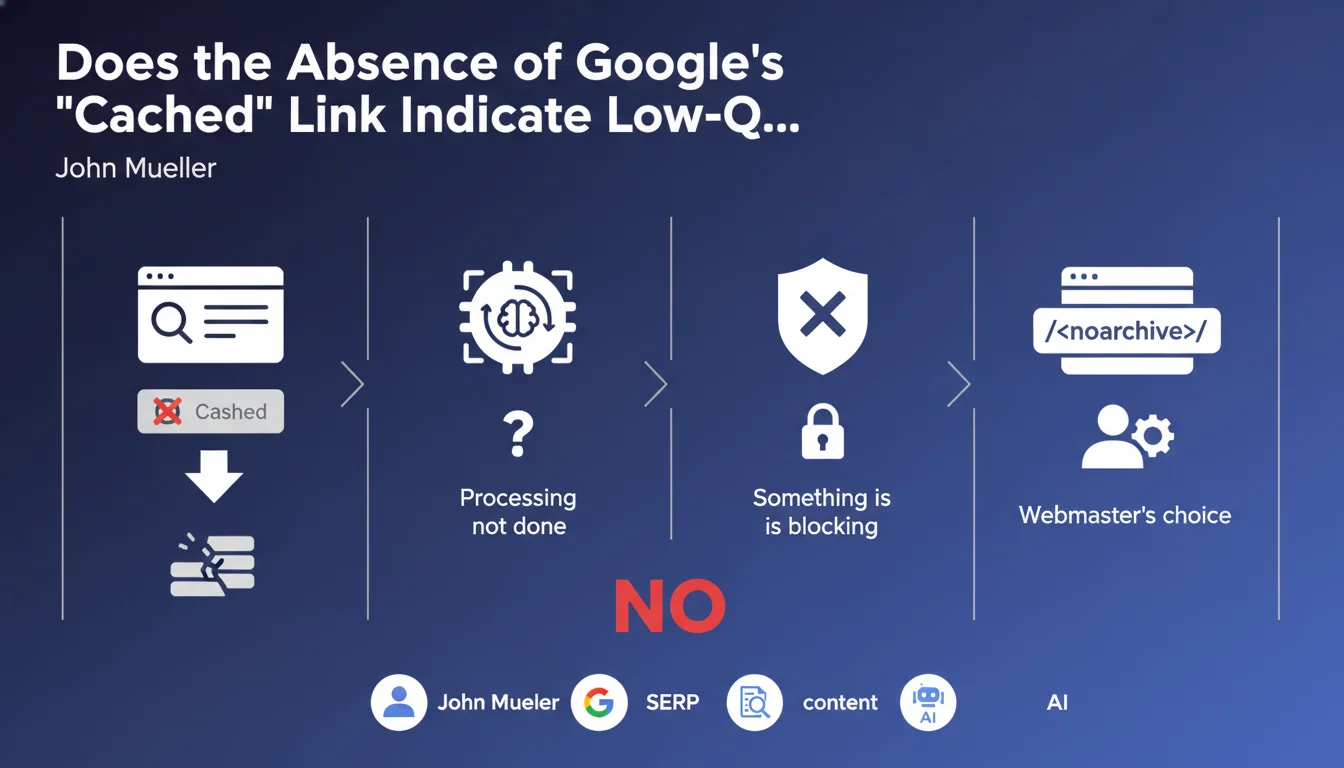
Official statement
What you need to understand
What exactly is the "Cached" link in Google results?
The "Cached" link allows users to view the archived version of a web page as Google indexed it. This feature displays a snapshot of the page during the search engine's last crawl.
This mechanism is part of Google's normal indexing and archiving process. It does not constitute an indicator of content performance or quality.
Why don't some pages display a cached link?
The absence of this link can have several technical origins. The page processing may be in progress, or elements may be blocking the archiving mechanism.
The webmaster may also have voluntarily disabled this feature. The "noarchive" meta tag allows control over the cache display.
Does this absence mean Google is penalizing the page?
No, the absence of the cached link is not a penalty signal. Google explicitly confirms that there is no correlation between this link and the perceived content quality.
- The cached link is a user feature, not an SEO indicator
- Its absence can result from technical choices or processing delays
- No correlation with ranking or content quality
- The noarchive tag allows voluntary control of this feature
SEO Expert opinion
Is this statement consistent with practices observed in the field?
Absolutely. Experience shows that very well-positioned pages may not display a cached link temporarily. This situation is regularly observed without any impact on performance.
Many high-quality sites use the noarchive tag for strategic reasons: content protection, privacy, or management of dynamic versions. Their visibility remains excellent despite this configuration.
What nuances should be added to this statement?
We must distinguish the absence of the cached link from other more serious indexing problems. If a page does not appear at all in Google's index, that's a different and concerning problem.
The prolonged absence of cache across an entire site can sometimes indicate crawling difficulties. In this case, it wouldn't be the absence of cache that's problematic, but the underlying causes: restrictive robots.txt file, slow server, technical errors.
In what contexts is this information particularly relevant?
This clarification is essential for sites using dynamic or personalized content. These sites often choose to disable cache to avoid displaying outdated or inappropriate versions.
It also reassures webmasters observing temporary fluctuations of the cached link. These variations are part of normal operation and do not require urgent corrective action.
Practical impact and recommendations
Should you voluntarily disable the cached link on your site?
The decision depends on your content strategy. For classic static content, there is no reason to block the cache. It can even be useful for your users.
However, use the noarchive tag if your content is highly dynamic, personalized, or if you manage sensitive information. E-commerce sites with variable pricing or booking platforms are good examples.
How can you verify if the absence of cache is actually problematic?
Start by verifying that your pages are properly indexed normally. Use the "site:yourdomain.com" command in Google and check Search Console.
Then analyze your crawl performance in Search Console. If the crawl budget is correct and pages are indexed quickly, the absence of the cached link has no consequence.
- Verify your page indexation via Search Console and the site: command
- Check that your robots.txt file isn't excessively preventing crawling
- Analyze crawl statistics to detect potential server issues
- Use the noarchive tag only if you have a valid strategic reason
- Don't worry if the cached link appears or disappears temporarily
- Focus on real SEO indicators: indexation, ranking, organic traffic
What priority actions should you implement right now?
Stop considering the cached link as a SEO health indicator. Focus instead on metrics that truly matter: indexation rate, positioning on your strategic keywords, and content quality.
Implement regular monitoring via Search Console. That's where you'll detect the real indexing or crawling problems requiring intervention.
💬 Comments (0)
Be the first to comment.