
Official statement
Other statements from this video 12 ▾
- □ Does Google really follow every HTTP status code in a chain, or does it stop at the first one?
- □ Does a CDN really improve your Google rankings?
- □ Should you block API endpoint crawling to optimize your crawl budget?
- □ Should you really ban nofollow from your internal links?
- □ Should you stop relying on the site: command to measure indexation?
- □ Why does Google really prefer server-side redirects over JavaScript redirects?
- □ Should you really care about the difference between 301 and 302 redirects for SEO?
- □ Can you really force Google to display sitelinks in search results?
- □ Should you really abandon PDFs and iframes if you want your text content to rank properly?
- □ Is it really worth blocking or hiding external links to protect your PageRank?
- □ Does Google really favor certain CMS platforms for SEO rankings?
- □ Does Google really crawl URLs found in your structured data?
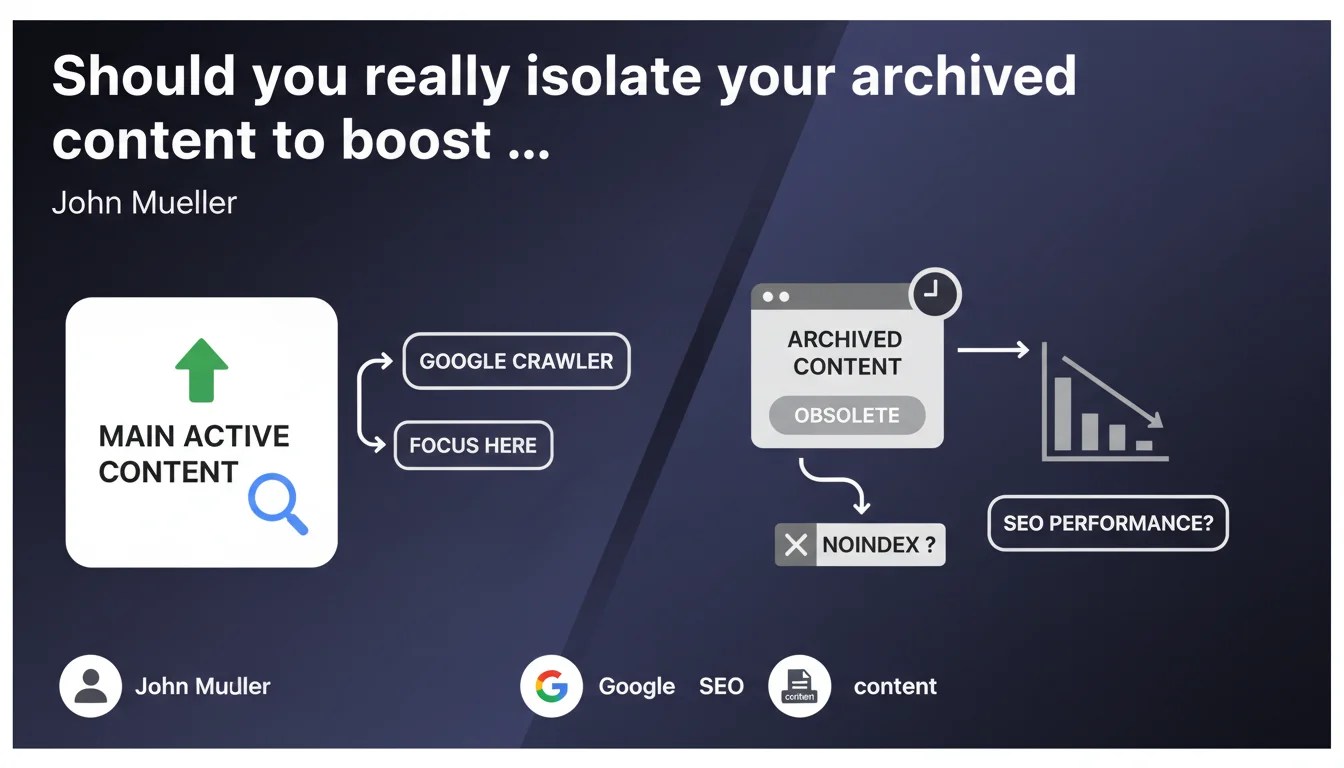
Google recommends moving obsolete content to a separate archive section to concentrate crawl budget on your active pages. Applying noindex to these archives remains optional and depends on your strategic objectives. In practical terms, your site architecture directly influences crawl budget allocation.
What you need to understand
Why does Google want you to separate your archives?
The goal is straightforward: directing crawl resources toward what truly matters. When Google explores your site, it has a limited budget — especially if you have thousands of pages. By isolating obsolete content in a dedicated section, you make it easier to identify priority areas.
This separation isn't just about site structure. It sends a clear signal: here is live, up-to-date, relevant content — and here is the rest. Google can then adjust crawl frequency accordingly.
Is noindex on archives really optional?
Mueller says it's "optional." But what does that mean in concrete terms? If your archives still have SEO value — residual traffic, incoming backlinks, niche search intent — deindexing them would be counterproductive.
Conversely, if these pages consume crawl budget without delivering returns, noindex becomes relevant. The nuance is this: optional doesn't mean indifferent. It depends on your context, objectives, and real-world metrics.
What does a "clearly separated archive section" look like?
Google doesn't provide a strict technical definition here. It could be a subdomain (archive.example.com), a subdirectory (/archives/), or even a distinct folder structure with dedicated pagination.
The essential point: that the separation is logical and crawlable. Not a hermetic wall, but a clear boundary. Your internal linking should reflect this hierarchy — fewer links to archives from your high-value pages.
- Structural separation: subdirectory, subdomain, or dedicated section with distinct URLs
- Optional noindex: decide based on the residual value of archived pages (traffic, backlinks, intent)
- Priority objective: concentrate crawl on active and strategic content
- Adapted internal linking: reduce internal links pointing to archives from main pages
- No universal rule: implementation depends on your volume, industry, and goals
SEO Expert opinion
Is this statement consistent with what we observe in practice?
Yes. Sites that properly segment their archives often see improved crawl on strategic pages. Google no longer wastes time on obsolete content. But be cautious: this logic works mainly for large sites — blogs with thousands of articles, media outlets, e-commerce with seasonal catalogs.
On a 50-page site, isolating 10 old articles will make virtually no difference. Crawl budget isn't a problem there. So Mueller's recommendation is valid, but contextual.
What nuances should you add to this recommendation?
The word "optional" regarding noindex is tricky. Mueller provides no decision criteria. [To verify]: at what archive volume does noindex become relevant? What metric should you use — crawl rate, organic sessions, internal PageRank?
Next, the notion of "obsolete content" remains unclear. A 2018 article might still rank, drive traffic, and convert. Should you archive it? Not necessarily. If you update it regularly, it stays active. Publication date alone isn't enough to define obsolescence.
Finally, separating archives solves nothing if your internal linking keeps pushing them. An archived page with 200 incoming internal links remains on Google's radar.
In what cases does this rule not apply?
If you have a small site (under 500 pages), this optimization is marginal. Google will crawl everything without difficulty anyway. Same if your "archives" still generate significant traffic — in that case, they aren't truly obsolete.
Another case: news sites or forums. Old content can have documentary or historical value. Deindexing or sidelining them can hurt the comprehensiveness Google perceives and harm user experience.
Practical impact and recommendations
What should you do concretely to isolate your archives?
First, identify what truly qualifies as archive. Not just by date — look at organic metrics: sessions, bounce rate, conversions. If a 2017 page still performs, it's still active.
Next, choose your separation method. A /archives/ subdirectory is simple and transparent. If you have thousands of pages, a subdomain can simplify management in GSC and analytics. Regardless of method, document it in your XML sitemap and adjust internal linking.
Should you systematically apply noindex to archives?
No. If your archives still attract organic traffic or quality backlinks, deindexing them would be a mistake. Analyze page by page — or by segment — before deciding.
Conversely, if your archives consume crawl budget without ROI, noindex becomes relevant. Optionally complement it with a targeted robots.txt to limit crawling, but be careful not to block access entirely if you're maintaining indexation.
How do you verify your archive strategy is working?
Monitor crawl rate evolution in Google Search Console. After implementation, you should see increased concentration on active pages. Also track organic performance: if your strategic pages climb in visibility, that's a good sign.
Watch for side effects: verify your archives don't create orphan pages or unexpected internal PageRank loss. A post-migration audit with a crawler (Screaming Frog, Oncrawl) is essential.
- Identify obsolete content by analyzing organic metrics (sessions, conversions, backlinks)
- Choose a clear separation method: subdirectory (
/archives/) or subdomain - Adapt internal linking to reduce links to archives from strategic pages
- Decide on noindex case-by-case, based on archived pages' residual value
- Update your XML sitemap to reflect the new structure
- Monitor crawl rate in GSC and organic performance post-migration
- Audit regularly to detect orphan pages or internal PageRank losses
❓ Frequently Asked Questions
Dois-je archiver tous mes anciens contenus ou seulement ceux qui ne génèrent plus de trafic ?
Le noindex sur les archives nuit-il au référencement global du site ?
Quelle est la différence entre archiver et supprimer une page ?
Faut-il créer un sous-domaine ou un sous-répertoire pour les archives ?
Comment mesurer l'impact de l'archivage sur le budget crawl ?
🎥 From the same video 12
Other SEO insights extracted from this same Google Search Central video · published on 08/06/2022
🎥 Watch the full video on YouTube →
💬 Comments (0)
Be the first to comment.