
Official statement
Other statements from this video 2 ▾
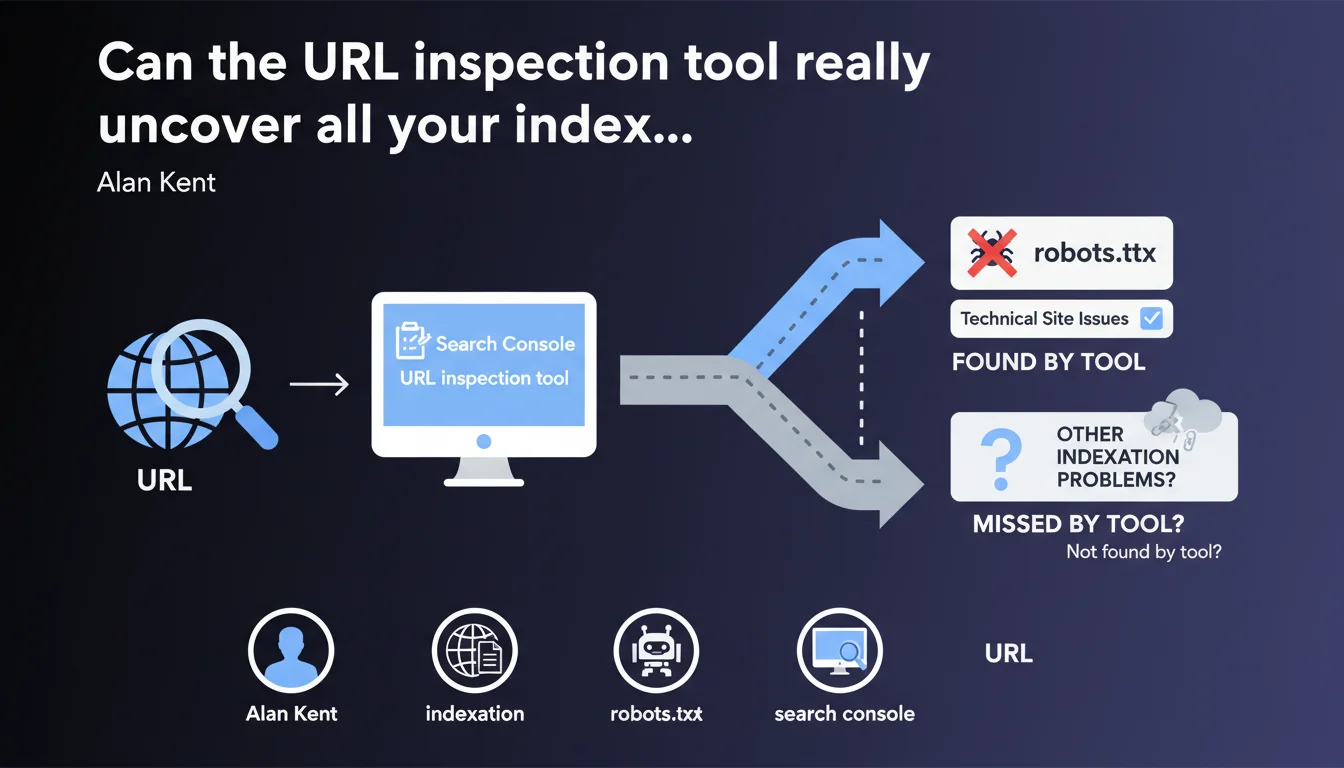
The URL inspection tool in Search Console diagnoses why a page isn't being indexed, particularly by identifying technical blocks such as robots.txt restrictions. Google confirms this tool remains your first instinct when facing an indexation problem, but its reliability depends on data freshness and your ability to correctly interpret error messages.
What you need to understand
Why does Google emphasize this tool so heavily?
Search Console is packed with features, but the URL inspection tool remains the first-line diagnostic when a page refuses to get indexed. Alan Kent, engineering lead at Google, reminds us here of something many practitioners overlook: before overcomplicating things, start by looking at what Google is explicitly telling you.
The tool checks indexation status in real time and tests the live version of your page. Unlike coverage reports that can lag several days behind, URL inspection gives you an almost instant snapshot of what Googlebot sees — or doesn't see.
What types of issues does the tool actually detect?
robots.txt blocks are the most basic example, but the tool surfaces many other anomalies: chained redirects, orphaned pages without incoming links, duplicate content, forgotten noindex tags, intermittent 5xx server errors.
Each diagnostic comes with an explanatory message — sometimes cryptic, admittedly — that points toward the nature of the problem. The trap? These messages aren't always granular enough to pinpoint the root cause, especially on complex architectures.
Does the tool replace thorough technical analysis?
No. It identifies the symptom, rarely the underlying disease. If your page is blocked by robots.txt, the tool will tell you — but it won't explain why your CMS generates that rule or how to fix it permanently.
It's a starting point, not an off-the-shelf solution. You'll often need to cross-reference this data with Screaming Frog crawls, server logs, and solid knowledge of your technical stack.
- URL inspection tests the live version, unlike coverage reports that can be outdated
- It identifies robots.txt blocks, redirects, server errors and other technical barriers
- Error messages guide diagnosis but don't replace in-depth analysis
- Always cross-check with a full crawl and log analysis to understand the full context
SEO Expert opinion
Is this statement aligned with observed practices?
Yes, but with caveats. The inspection tool works well for obvious blocks — robots.txt, noindex, 404, 500 errors. However, it remains silent on subtler issues: insufficient crawl budget, undocumented algorithmic penalties, content deemed irrelevant without clear explanation.
I've seen hundreds of cases where the tool displayed "URL submitted but not indexed" without offering any actionable leads. Google tells you the page is accessible, follows technical guidelines… but won't be indexed anyway. End of story. [To verify] whether this opacity stems from technical limitations or a deliberate choice not to reveal quality criteria too openly.
What nuances should be added to this claim?
First, the tool doesn't detect everything. Content quality issues, internal duplication, failing E-E-A-T signals — none of this surfaces clearly. At best, you'll get a generic message about "low crawl priority".
Second, update delays can be misleading. A page might display "indexed" when it's actually disappeared from the index hours later. Conversely, a technical fix can take several days to reflect in the tool, even after a live test.
In what scenarios does the tool show its limits?
On large sites with millions of pages, URL inspection becomes anecdotal. You can't manually test 500,000 URLs. You'll need to rely on coverage reports, logs, and third-party tools to identify non-indexation patterns instead.
site: search and monitor fluctuations in your logs.Another known limitation: heavy JavaScript pages. The tool tests the rendered version, but not always under the same conditions as a real crawl. You can get a green checkmark while the page is actually poorly indexed due to JS timeouts in production.
Practical impact and recommendations
What should you do concretely before panicking?
The moment a page refuses to get indexed, start with URL inspection. Note the exact status, the error message, and the last crawl date. If the diagnosis points to a robots.txt block, verify your file and CMS rules.
If the tool says "URL discovered, currently not indexed", that's more nuanced. It often means Google found the page but doesn't judge it as a priority — or not high enough quality. Then you need to dig deeper: weak internal linking? Thin content? Duplication?
What mistakes should you avoid when using this tool?
Don't blindly trust the "Test live URL" button. This test simulates a crawl, but doesn't guarantee indexation. A page can pass all technical tests and remain out of the index for quality or crawl budget reasons.
Another trap: manually submitting hundreds of URLs through "Request indexing". Google has made it clear that this button isn't a magic wand. If your page isn't indexed for substantive reasons, submitting it 10 times won't change anything.
How do you integrate this tool into an efficient SEO workflow?
Automate monitoring with the Search Console API. You can script regular checks on your strategic pages and receive alerts as soon as a status changes. Cross-reference this data with weekly crawls and log analysis to spot recurring anomalies.
- Systematically inspect every strategic page that isn't indexed before any other intervention
- Record the exact error message and last crawl date to track evolution
- Don't overuse the "Request indexing" button — reserve it for urgent fixes only
- Cross-validate diagnostics with a Screaming Frog crawl and server log analysis
- Automate monitoring via the Search Console API for large-scale sites
- Identify non-indexation patterns rather than treating each URL in isolation
❓ Frequently Asked Questions
L'outil d'inspection d'URL détecte-t-il les problèmes de contenu dupliqué ?
Combien de temps faut-il attendre après une correction technique pour voir un changement dans l'outil ?
Peut-on se fier au statut "indexée" affiché par l'outil ?
L'outil remplace-t-il un crawl complet du site ?
Que signifie "URL découverte, actuellement non indexée" ?
🎥 From the same video 2
Other SEO insights extracted from this same Google Search Central video · published on 17/10/2022
🎥 Watch the full video on YouTube →
💬 Comments (0)
Be the first to comment.