
Official statement
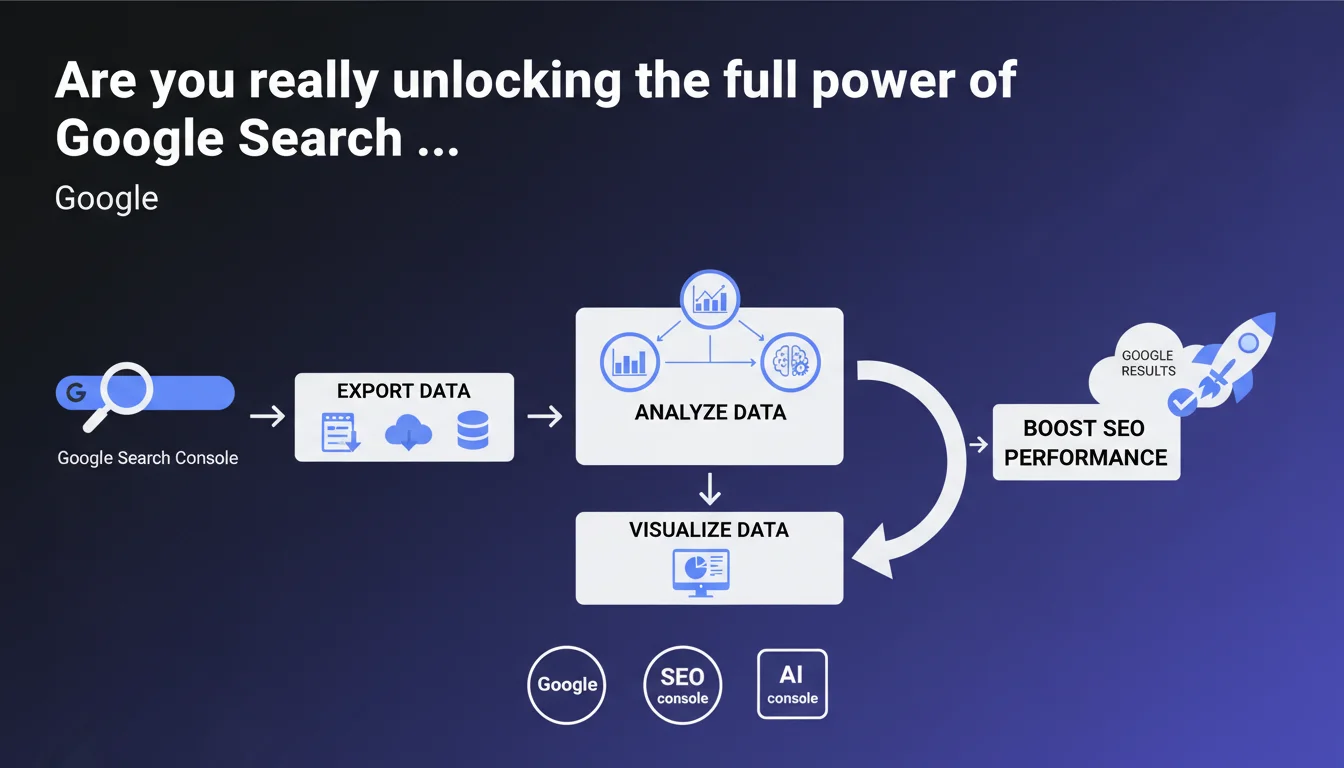
Google is launching a third season of Search Console Training dedicated to data analysis. On the agenda: export methods, analysis techniques, and visualization strategies to transform raw GSC data into actionable insights. The stated objective is to strengthen the analytical skills of SEO practitioners.
What you need to understand
Why is Google investing so heavily in data analysis training?
The Search Console is overflowing with raw data that few professionals actually exploit correctly. Google has noticed a gap between the volume of information available and users' ability to transform it into strategic decisions.
This third season marks a turning point: beyond basic features, Google wants to train SEOs in quantitative analysis. The idea? Go beyond simply noting "my impressions are declining" to understand patterns, segment audiences, and uncover hidden opportunities buried in the data.
What skills is this training designed to develop?
The program covers three pillars: data export (API, CSV files, BigQuery connections), analysis itself (segmentation, correlations, anomaly detection), and visualization (dashboards, charts, client reporting).
Concretely, it's about moving from passive GSC usage to active exploitation. Cross-referencing performance data with other sources, automating reports, identifying underperforming pages by search intent — the kind of skills that make the difference between a junior SEO and a seasoned professional.
How does this initiative differ from previous seasons?
The first two seasons mainly covered Search Console fundamentals: interface navigation, understanding standard reports, resolving basic indexing errors.
This time, we're leveling up. Google assumes its audience already knows the tool and wants to deepen their analytical mastery. That's a signal: the platform itself is becoming more complex, and mastering its nuances has become a competitive advantage.
- Training focused on advanced exploitation of GSC data, not just reading the interface
- Coverage of export and integration methods (API, BigQuery) to cross-reference sources
- Focus on visualization and reporting to effectively communicate insights
- Stated objective: transform practitioners into SEO data analysts
- Implicit acknowledgment that GSC data is underutilized by the majority of users
SEO Expert opinion
Is this training really necessary for an experienced SEO professional?
Let's be honest — if you've been working in SEO for 5+ years, you're probably already exporting your GSC data and have your own analysis processes. This training is aimed more at intermediate-level professionals who master the basics but haven't yet crossed the automation threshold.
Where it gets interesting: Google is standardizing certain analysis methods. If their examples show how they think you should segment data, it may reveal patterns or metrics they consider important. In other words, even an expert can find clues about how Google interprets this data internally.
What biases should you anticipate in this training?
Google will naturally promote its own tools: the Search Console API, BigQuery (which is paid beyond a certain volume), and probably Looker Studio. Nothing scandalous, but keep in mind that other solutions exist — sometimes more effective for specific use cases.
Another point: Google has every interest in getting you to spend time analyzing rather than experimenting. The more you're in the data, the less you're testing techniques they might consider greyhat. [To verify]: it remains to be seen whether this training includes truly advanced use cases or stays within the consensual framework.
Is this initiative hiding a Search Console evolution?
Likely. Training users en masse on export and APIs may be laying the groundwork for an interface overhaul or a reduction in data displayed directly in GSC. If Google is pushing toward export, it might be because they're anticipating a shift toward mandatory external dashboards for advanced analysis.
The other hypothesis: they're noticing that too many SEOs complain about GSC limitations (data aggregation, the 1,000-row threshold, etc.) without leveraging existing solutions. This training could be a preventive response: "We're giving you the tools to work around the limits, so stop complaining."
Practical impact and recommendations
What concrete steps should you take with this training?
If you've never automated your GSC exports, this is your opportunity to take the leap. Even without developer skills, tools like Looker Studio allow you to connect Search Console in just a few clicks and build scalable dashboards.
For more technical profiles, explore the Search Console API. It lets you extract up to 25,000 rows per request (versus 1,000 in the interface), cross-reference dimensions, and bypass forced aggregations. Combined with basic Python scripting, you can automate personalized weekly reports.
What mistakes should you avoid when analyzing GSC data?
Don't get lost in vanity metrics. Millions of impressions look great, but if your CTR is at 0.5% and no one's converting, you have a targeting or content quality problem — not a success story.
Another trap: comparing periods without accounting for seasonality. Your traffic drops in August? Maybe it happens every year. Export data over 2-3 years, detect recurring patterns before panicking. And above all, segment by page type, by intent, by device — overall analysis often masks contradictory trends.
How can you verify you're properly exploiting your data?
Ask yourself this question: do your SEO decisions come from your data, or do you check GSC to confirm what you already think? If it's the latter, you're missing the point entirely.
A good test: try to identify a page that's performing poorly when it should be thriving, or vice versa. If you can't extract this kind of insight from your data, either your segmentation isn't fine enough or you're lacking a systematic analysis process.
- Automate GSC data exports (API, Looker Studio, or scripts) to eliminate repetitive manual tasks
- Segment analyses by page type, search intent, and device for actionable insights
- Cross-reference GSC data with Analytics and your own business metrics (conversions, revenue) to measure real impact
- Build scalable dashboards with automated alerts for anomalies (sudden drops, massive indexing errors)
- Document your analysis methods to identify recurring patterns and refine your processes over time
- Follow this Google training to spot potential signals about the metrics they consider priorities
💬 Comments (0)
Be the first to comment.