
Official statement
What you need to understand
What role does the URL Removal Tool play in Search Console?
The URL Removal Tool in Google Search Console allows you to temporarily request the removal of a page from search results. This action is generally limited to 90 days, after which Google may reindex the page if it remains accessible.
This tool is designed for emergency situations, such as quickly removing sensitive content or confidential information. It does not constitute a permanent deindexation solution.
What does the "Expired" or "Obsolete" status actually mean?
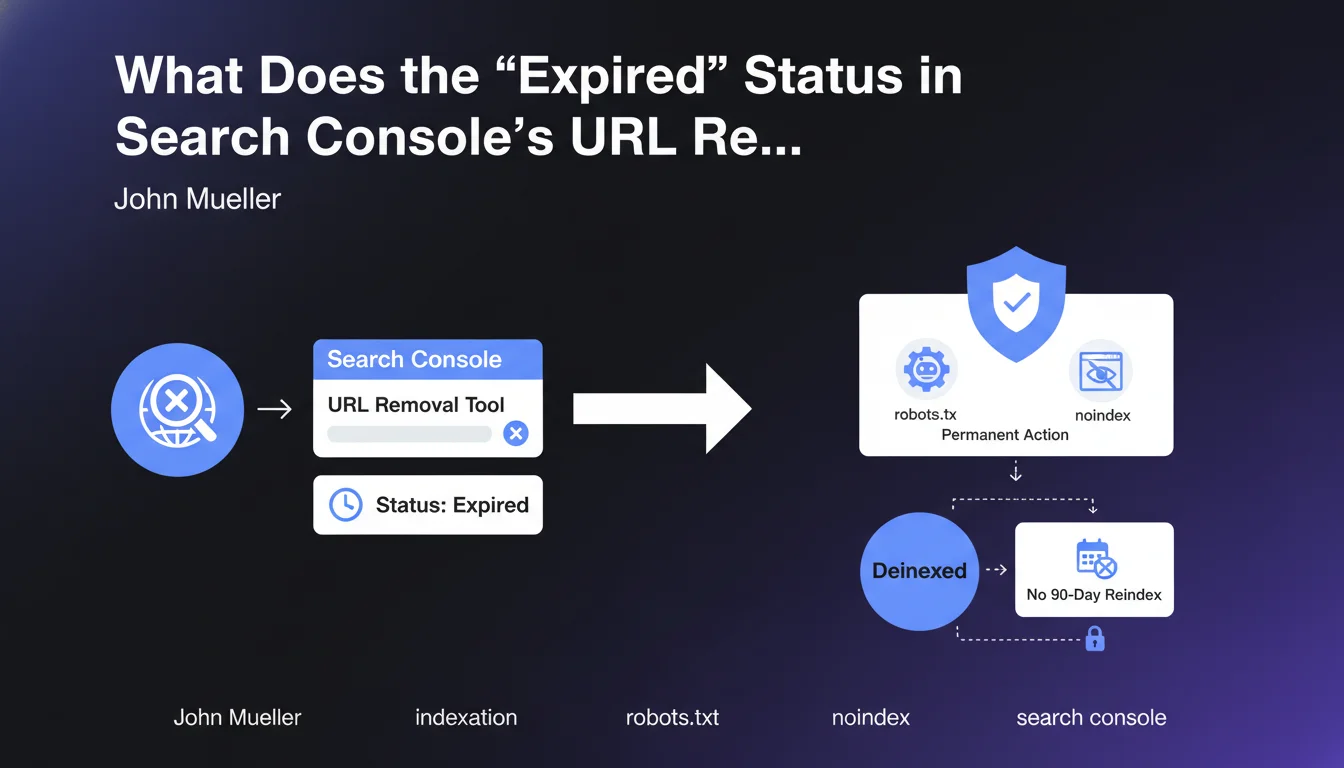
The "Expired" status indicates that the temporary removal request has expired, but that a permanent deindexation action is now in place on the concerned URL. This could be a blocking robots.txt file, a meta robots noindex tag, or a 404/410 HTTP code.
Contrary to what the term might suggest, this status is not a negative alert. It means that the page remains deindexed thanks to the permanent mechanisms you have implemented.
Why does this status cause confusion?
The term "Expired" generally evokes something that no longer works, which is confusing. SEOs might believe that their removal request is no longer active and that the page will be reindexed.
In reality, Google is simply indicating that the temporary request is no longer necessary, as a permanent solution has taken over. The page will not be reindexed as long as you maintain these active directives.
- "Expired" does not mean the protection has ended
- A permanent action (noindex, robots.txt, 404) maintains deindexation
- The 90-day period no longer applies in this specific case
- The page remains out of the index as long as you don't modify your directives
SEO Expert opinion
Is this statement consistent with practices observed in the field?
This clarification from John Mueller is perfectly consistent with the observations of SEO professionals. Many practitioners have noticed that pages with the "Expired" status remained deindexed well beyond the usual 90 days.
The explanation confirms what experts suspected: Google distinguishes between an isolated temporary removal and a removal accompanied by permanent directives. This is solid technical logic that prevents accidental reindexations.
What important nuances should be added to this information?
The first nuance concerns the robots.txt file. Although Mueller mentions this method, it doesn't prevent Google from keeping the URL in its index with a generic description. It's the noindex tag that ensures true deindexation.
Second crucial point: this protection only works if Google can regularly crawl the page to verify the presence of directives. Blocking access in robots.txt while hoping to maintain a noindex is contradictory and ineffective.
In what cases might this mechanism not work as expected?
The mechanism can fail if you modify your directives after obtaining the "Expired" status. Removing a noindex or making a blocked page accessible will immediately restart the indexation process.
Another problematic case: technical configuration errors. A noindex in a non-executed JavaScript file, a directive on a page with intermittent 5xx code, or misconfigured redirects can compromise permanent deindexation.
Practical impact and recommendations
What should you do concretely to maintain permanent deindexation?
The most reliable method is to implement a meta robots noindex tag in the HTML code of the concerned page. This directive must be placed in the section and be accessible to the Google crawler.
For definitive removal, prioritize an HTTP 404 or 410 code. The 410 (Gone) code is particularly effective because it explicitly signals that the resource has been permanently removed and will not return.
- Verify that the noindex tag is present in the HTML source code
- Ensure that the robots.txt file doesn't prevent crawling of the page
- Check in Search Console that the status remains "Expired" or "Excluded"
- Test with the URL Inspection tool that Google sees your directives
- Document deindexed URLs to avoid any accidental modifications
- Monitor regularly with a site:yoururl.com search in Google
What critical mistakes should you absolutely avoid?
The most frequent error is to block a page in robots.txt while hoping it will be completely removed from the index. This approach prevents Google from seeing the noindex tag and keeps the URL visible with a limited description.
Another trap: removing the noindex directive prematurely after seeing the "Expired" status. This status simply confirms that the protection is working, not that it's no longer necessary. Keep your directives in place indefinitely.
How can you audit and optimize the management of your deindexed URLs?
Set up a monitoring system that regularly checks the status of your deindexed pages in Search Console. Create a tracking sheet with URLs, dates, methods used, and current statuses.
Perform quarterly audits to identify potential inconsistencies: pages reappearing in the index, configuration errors, or undocumented modifications to your deindexation directives.
💬 Comments (0)
Be the first to comment.