
Official statement
What you need to understand
What's the difference between a 502 code and a 503 code for Google?
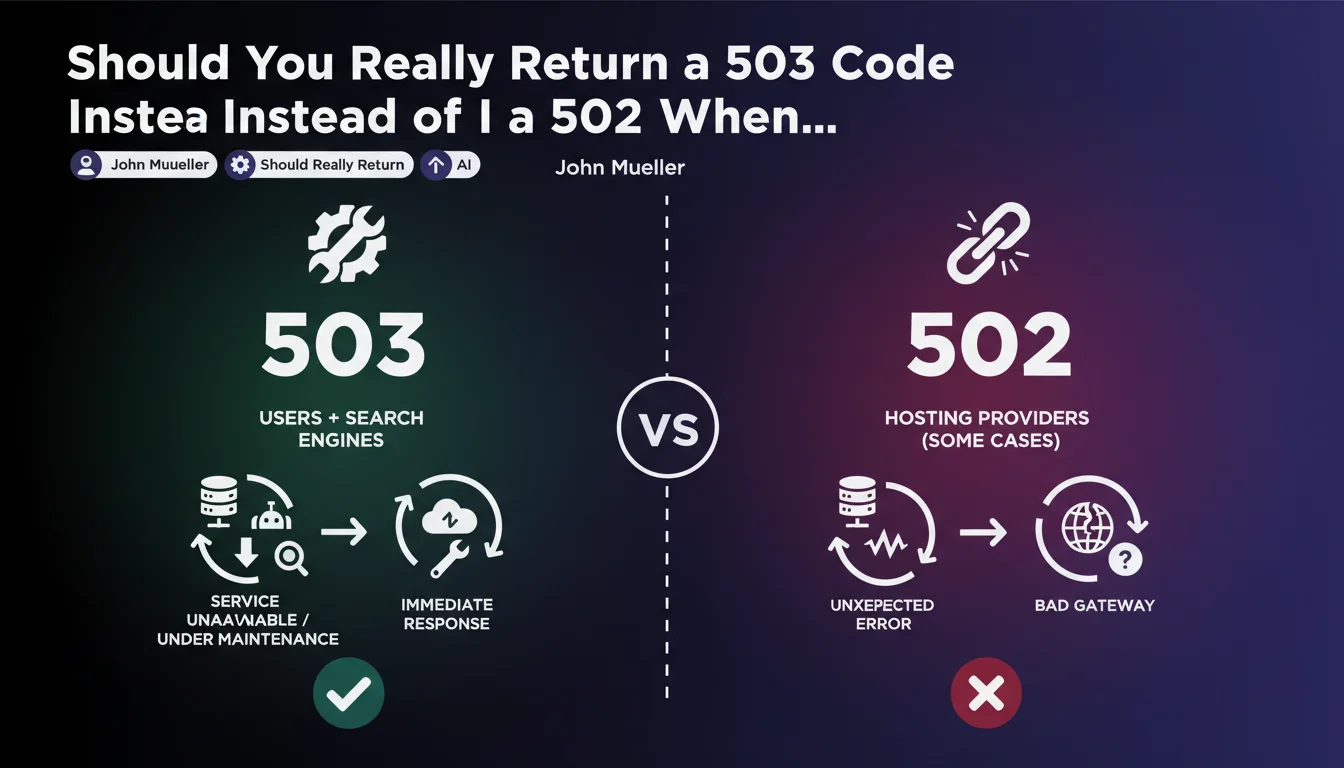
HTTP status codes convey crucial information to search engines about a site's status. The 503 code (Service Unavailable) signals a temporary and planned unavailability, telling Google to come back later without penalizing the site.
The 502 code (Bad Gateway) indicates a communication problem between servers, an unexpected technical error. Google interprets it differently and might consider it a more serious malfunction than simple maintenance.
Why does this distinction matter so much for SEO?
Google adjusts its crawling behavior based on the HTTP code received. With a 503 code, the search engine understands it's a temporary situation and keeps your pages in the index without quickly deindexing them.
Conversely, a repeated 502 code can be perceived as a signal of a failing site. This can affect crawl frequency and, over time, negatively impact your visibility if the outage continues.
In what context does this recommendation particularly apply?
This directive takes on its full meaning during emergency situations like major infrastructure outages. The example of the OVH fire in Strasbourg perfectly illustrates these cases where thousands of sites find themselves simultaneously unavailable.
It also applies to scheduled maintenance, server migrations, or any voluntary service interruption. Your hosting provider's configuration then becomes a critical element of your SEO strategy.
- The 503 code signals temporary unavailability and preserves your indexing
- The 502 code indicates a technical error that may concern Google
- The hosting provider's configuration determines which code is automatically returned
- This distinction becomes critical during prolonged outages
- Google adjusts its crawl frequency based on the HTTP code received
SEO Expert opinion
Does this recommendation consistently align with what we observe in the field?
In practice, observation of numerous outage cases indeed confirms that Google treats these two codes differently. Sites returning a properly configured 503 with a Retry-After header generally maintain their positioning intact even after several days of unavailability.
However, reality is more nuanced: some hosting providers don't allow fine-grained control of these codes during infrastructure outages. Default configurations often favor 502, which can create unexpected SEO complications.
What nuances should be added to this Google directive?
The duration of unavailability plays a major role that this recommendation doesn't specify. A 503 code effectively protects for 24 to 72 hours, but beyond a week, even with the right code, Google may start deindexing certain pages.
Furthermore, not all hosting providers are equal when facing this issue. Some cloud infrastructures systematically return cascading 502s when a backend service is unavailable, regardless of the site's own configuration.
In which cases is this rule insufficient to protect your SEO?
For news or e-commerce sites with very fresh content, even a perfectly configured 503 code doesn't guarantee maintaining positions on competitive queries. Google prioritizes freshness and may temporarily favor available competitors.
Additionally, this recommendation doesn't cover partial outages where some pages are accessible and others aren't. In these hybrid cases, a more sophisticated error management strategy is required, going beyond simply configuring an HTTP code.
Practical impact and recommendations
What should you check immediately with your hosting provider?
The first action is to contact your hosting service to understand their policy in case of infrastructure outage. Explicitly ask which HTTP code is returned during total service unavailability.
Also inquire about the possibility of configuring custom maintenance pages with 503 codes for scheduled maintenance. Some hosting providers offer this functionality as standard, others require specific server configuration.
How do you implement effective protection against incorrect error codes?
For sites under your technical control, implement a maintenance page with 503 code and Retry-After header pointing to a realistic restoration estimate. This page must be lightweight and served even under extreme load.
Consider using a CDN or proxy service like Cloudflare that can serve a 503 page even if your origin is completely inaccessible. This additional layer protects your SEO independently of your primary hosting provider's failures.
Which tools should you use to monitor and react quickly in case of problems?
Set up active HTTP monitoring that checks not only availability, but also the status codes returned. Tools like Uptime Robot, Pingdom, or StatusCake can alert on specific error codes.
Configure Google Search Console to receive immediate notifications in case of crawling problems. This will allow you to quickly detect if Google encounters unexpected 502 codes and intervene before significant impact.
- Check with your hosting provider which HTTP code is returned by default in case of outage
- Request configuration of a maintenance page system with 503 code
- Implement a lightweight maintenance page with Retry-After header
- Consider adding a CDN layer to manage errors independently of origin
- Configure active monitoring of HTTP codes returned by your site
- Enable alerts in Google Search Console for crawl errors
- Regularly test your maintenance procedure in staging environment
- Document the emergency procedure for your technical team
Proper management of HTTP codes during outages represents a critical SEO issue often neglected until an incident occurs. The difference between a 502 and 503 code can determine whether your SEO survives an interruption intact or suffers lasting damage.
This technical issue requires coordination between SEO skills and server infrastructure. For companies whose organic traffic represents a major acquisition channel, implementing a robust outage management strategy deserves dedicated investment.
These configurations can prove complex to orchestrate, particularly in heterogeneous technical environments or with specific hosting constraints. Working with a specialized SEO agency that also possesses technical expertise provides personalized support to audit your current configuration, identify vulnerabilities, and implement solutions adapted to your specific infrastructure.
💬 Comments (0)
Be the first to comment.