
Official statement

What you need to understand
Why Does Google Analyze Image File Names?
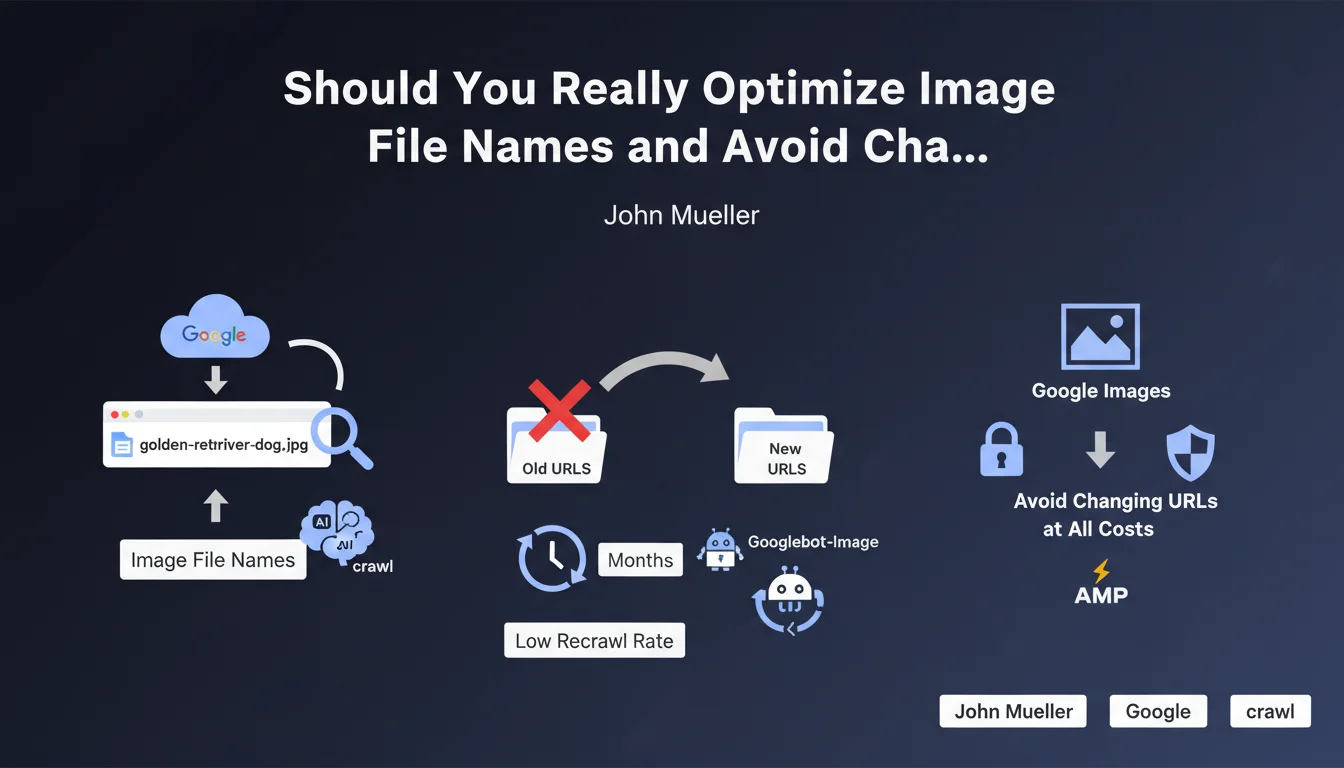
Google uses image file names as a contextualization signal to understand their content. A file named "golden-retriever-dog.jpg" provides richer semantic information than a simple "IMG_1234.jpg".
This signal remains secondary in the algorithm, but it contributes to the overall understanding of the page and improves ranking chances in Google Images. It's an on-page optimization element accessible to all webmasters.
Why Does Changing Image URLs Cause Problems?
The recrawl rate of Googlebot-Image is particularly low compared to that of classic HTML pages. The bots rarely return to index the same image, sometimes only every several months.
During a URL change, Google must first detect the deletion of the old address, then discover and index the new one. This process can take several months, during which your visibility in Google Images drops drastically.
What Are the Concrete Risks of a Massive Image URL Change?
A global change of image URLs leads to a temporary loss of traffic from Google Images that can last from 3 to 6 months minimum. During this transition period, your images gradually disappear from results.
- Loss of ranking in Google Images during the transition period
- Progressive disappearance of old URLs without guarantee of rapid reindexing of new ones
- Negative impact on organic traffic from image search
- Process that can span several months depending on site size
- No reliable method to significantly accelerate reindexing
SEO Expert opinion
Does This Recommendation Apply in All Contexts?
The caution recommended by Google is justified for established sites with a history in Google Images. However, certain situations justify a change despite temporary risks.
For a new site or complete redesign, the impact is lesser because there's no history to lose. Similarly, completely unoptimized image URLs (random strings) may justify optimization, even if progressive.
What Nuances Should Be Added to This Rule?
The statement about Googlebot-Image's slowness is true, but it varies according to content popularity and freshness. Images on highly frequented pages or regularly updated ones benefit from more frequent recrawling.
301 redirects for images work, contrary to popular belief, but their effectiveness remains limited. Google follows them, but the transfer of "juice" and reindexing remain uncertain and slow.
Is This Practice Consistent with Field Observations?
Experience feedback confirms the slow reindexing observed by Google. Many sites that massively changed their image URLs have seen traffic losses for 4 to 8 months.
Paradoxically, descriptive image names have a measurable but modest SEO impact. Optimizing alt text, page context, and image technical quality remain far more decisive for ranking.
Practical impact and recommendations
What Should You Concretely Do to Optimize Your Images?
For new images, systematically adopt a descriptive nomenclature from upload. Use keywords separated by hyphens, in lowercase, without special characters.
For existing images already indexed, only touch them if their current nomenclature is truly catastrophic or if you're performing a complete site redesign. In this case, precisely document all old URLs for monitoring.
What Mistakes Should You Absolutely Avoid with Image URLs?
Never proceed with a massive and simultaneous renaming of all your images for marginal optimization. The cost in terms of lost traffic far exceeds potential benefits.
Avoid changing image URLs without implementing server-side 301 redirects, even if their effectiveness remains limited. It's always better than leaving 404 errors.
- Descriptively name all new images from their creation
- Never rename already indexed images except for complete redesign
- Use hyphens (-) to separate words in file names
- Favor lowercase and avoid special or accented characters
- Implement 301 redirects in case of unavoidable change
- Monitor Search Console Images section after any change
- Prioritize alt text optimization over renaming
- Stagger modifications over several months if necessary
How Should You Prioritize Your Image Optimization Actions?
Focus your efforts on optimizing alt text, file weight, and semantic context around your existing images. These factors have an immediate and risk-free impact.
Reserve URL renaming for cases where there is no viable alternative: technical migration, site merger, or current nomenclature totally random preventing any understanding.
💬 Comments (0)
Be the first to comment.