
Official statement
What you need to understand
What's the Problem with Links in iFrames?
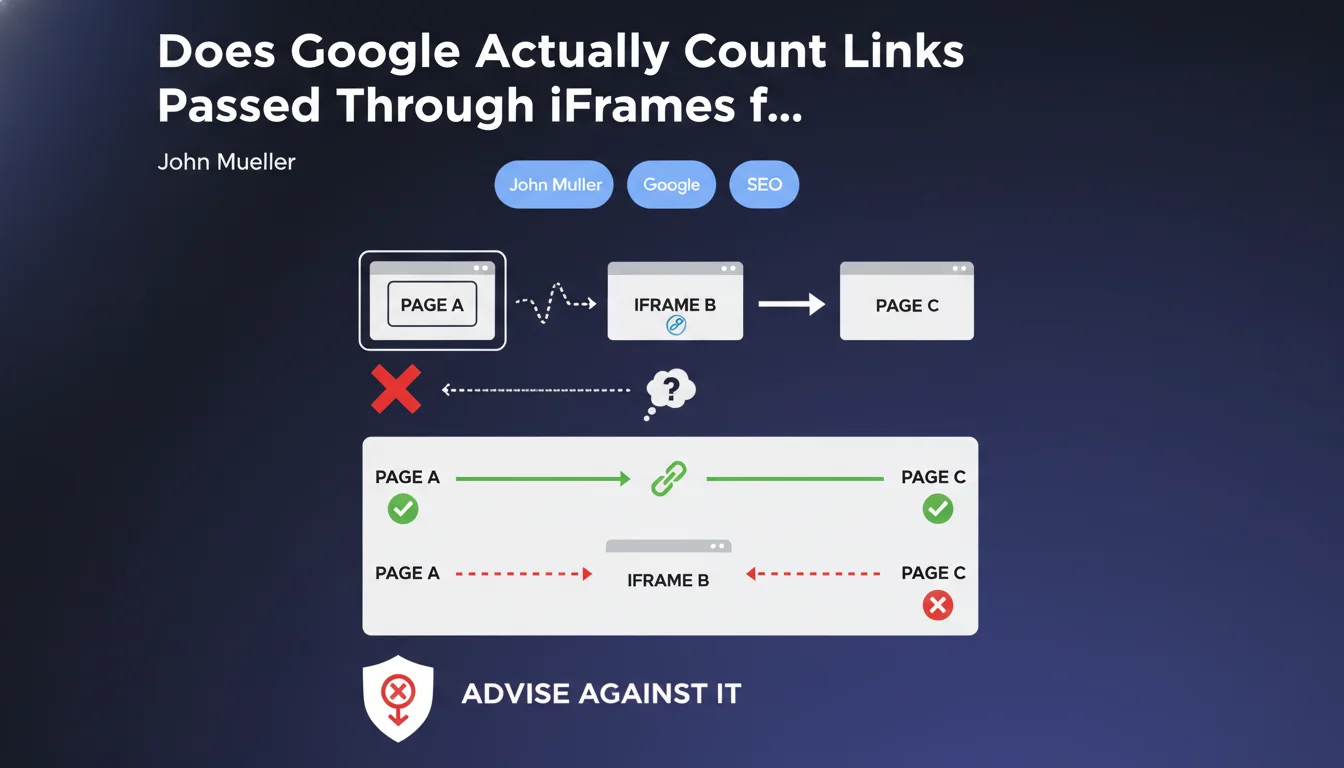
When page A embeds an iframe B that itself contains a link to page C, the question arises: Does Google consider that page A directly links to C? John Mueller clarified this point on Twitter by explaining that this configuration is ambiguous.
The search engine can interpret differently this type of structure depending on the context. The transmission of PageRank and authority is therefore not guaranteed in this configuration.
Why Does Google Discourage This Approach?
Mueller insists that a link must be explicit and direct to be correctly interpreted. iFrames introduce a layer of indirection that complicates the analysis of relationships between pages.
This ambiguity can lead to a loss of SEO value, as Google always favors clarity in link structure. Using iFrames to pass link juice is therefore a risky practice.
What Are the Key Takeaways?
- A link in an iframe is not considered a direct link from the parent page
- Google can interpret differently these structures depending on the context
- For an effective link from A to C, it must be placed directly in the HTML code of page A
- iFrames create a document separation that robots don't assimilate as a parent-child link
- This practice is discouraged for any SEO authority transmission objective
SEO Expert opinion
Is This Statement Consistent with Real-World Observations?
After 15 years of practice, I can confirm that iFrames have always caused SEO problems. Field observations consistently show an absence of PageRank transmission in this configuration.
Tests conducted on different sites demonstrate that Google treats the iframe as a separate document. The content and links of the iframe are analyzed in their own context, without creating a direct relationship with the parent page.
What Nuances Should Be Added to This Rule?
There are some special cases where iFrames are technically necessary. For example, to integrate third-party widgets, secure payment systems, or external tools.
In these situations, you shouldn't rely on these elements for your internal linking strategy. If a link is important for your SEO, it must imperatively be placed directly in the page's DOM.
In Which Cases Do iFrames Negatively Impact SEO?
The most problematic scenarios concern integrating main content via iframe. This includes editorial text, navigation menus, or important internal link blocks.
Google can also consider excessive use of iFrames as an attempt at manipulation, especially if the content seems deliberately fragmented. The recommendation is clear: always prioritize native integration of content in your pages' HTML.
Practical impact and recommendations
What Should You Actually Do to Optimize Your Link Structure?
The first action is to audit your site to identify all uses of iFrames. Use your browser's developer tools or crawlers to detect these elements.
For each identified iframe, ask yourself whether its content is essential for SEO. If yes, find a technical alternative to integrate it directly into the page's DOM.
Technical alternatives include using AJAX to dynamically load content, server-side includes (SSI), or simply direct integration of HTML code. These approaches ensure that Google properly crawls and indexes your links.
What Mistakes Should You Absolutely Avoid?
Never attempt to use iFrames to artificially multiply internal links to strategic pages. This technique is ineffective and can be perceived as manipulative.
Also avoid integrating unique or important content via iframe. This includes product descriptions, blog articles, or any content you want indexed and ranked by Google.
- Check for absence of iFrames containing strategic links for your internal linking
- Replace iFrames with native inclusions when possible
- Document cases where iFrames are technically necessary (payment, external widgets)
- Test your pages' crawlability with Google Search Console to verify that important links are detected
- Implement regular monitoring to detect the appearance of new iFrames
- Train technical teams on SEO best practices regarding iFrames
How Can You Verify the Impact on Your Current Rankings?
Use Google Search Console to analyze the crawl and indexing rate of your pages. An unexplained drop can signal problems related to iFrames.
Also compare the internal link structure as you designed it with what Google actually perceives. Significant discrepancies can indicate interpretation problems.
💬 Comments (0)
Be the first to comment.