
Official statement
What you need to understand
What is the DUST problem and why is it critical?
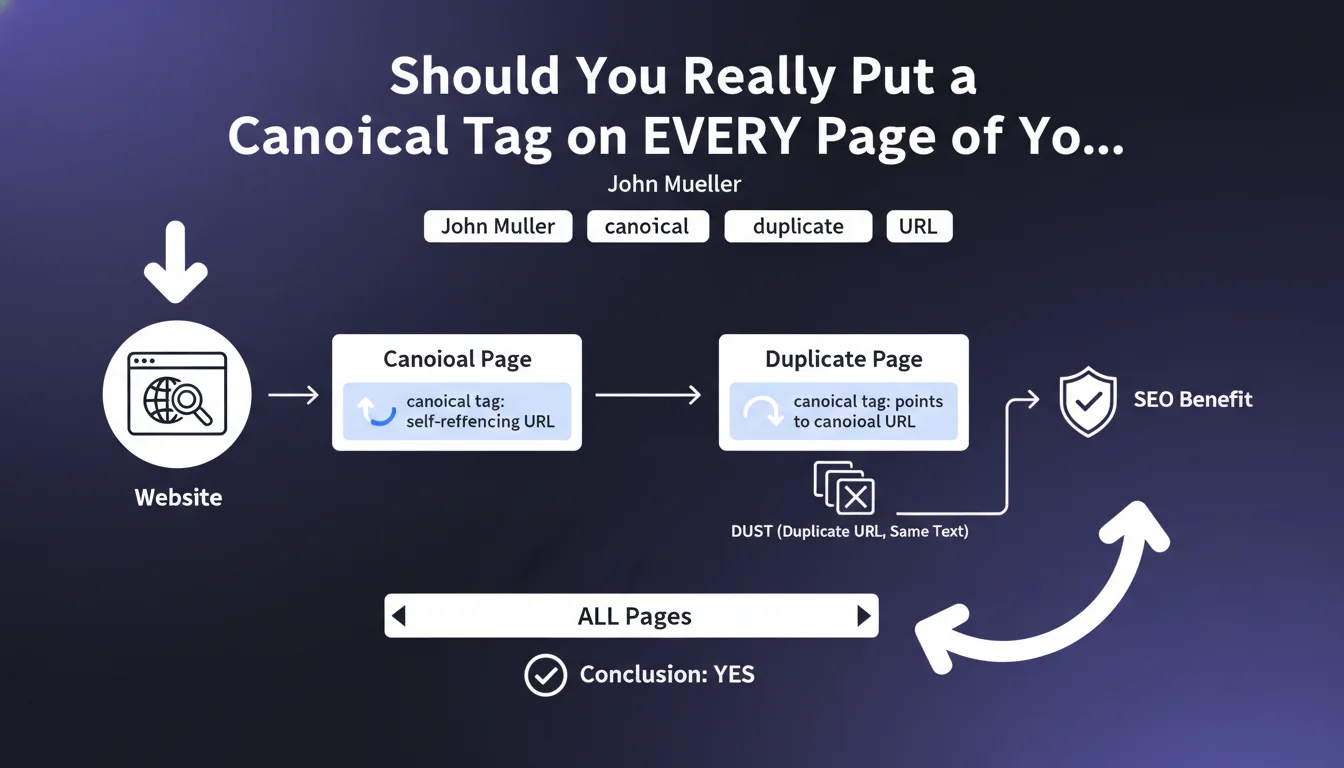
DUST (Duplicate URL, Same Text) is a phenomenon where multiple distinct URLs display exactly the same content. This frequently occurs with UTM parameters, session identifiers, or technical URL variations.
Google may then consider these pages as duplicate content, thus diluting the PageRank and relevance of your pages. The search engine must choose which version to index, creating harmful uncertainty for your SEO.
What exactly does John Mueller recommend?
John Mueller advocates implementing a canonical tag on every page of the site, without exception. For main pages, the tag points to the page's own URL (self-referencing).
For duplicated pages, the tag clearly indicates which is the canonical version to index. This systematic approach eliminates any ambiguity for Googlebot.
Why is a self-referencing canonical tag useful?
A page can be accessible through multiple technical paths without you knowing: hidden parameters, internal redirects, or malformed links. Self-referencing canonical acts as an explicit declaration.
- Confirms to Google which exact URL you want indexed
- Protects against automatically generated URL variations
- Reinforces the consolidation of relevance signals on a single URL
- Prevents PageRank dilution between identical technical versions
SEO Expert opinion
Is this recommendation consistent with practices observed in the field?
Absolutely. SEO audits regularly reveal canonicalization issues even on well-constructed sites. CMSs, e-commerce platforms and tracking systems naturally create multiple URLs.
Sites that apply this rule systematically show better consolidation of their authority and fewer orphan pages in Search Console. It has become a standard best practice in the industry.
What nuances should be applied to this directive?
Be careful not to confuse canonical and 301 redirect. The canonical tag is a suggestion for Google, not an absolute directive. If the content differs significantly, Google may ignore it.
For paginated pages or product variants with unique content, think carefully before applying a canonical. Each page with substantially different content potentially deserves its own indexing.
In which cases does this rule require adaptation?
Multilingual sites require a specific approach with hreflang tags combined with canonicals. Each language version must have its own self-referencing canonical.
For sites with AMP versions, the standard HTML page points to itself, while the AMP version has a canonical to the original HTML version. Rules also change for internal search results pages with high SEO value.
Practical impact and recommendations
How do you properly implement canonical tags across the entire site?
Start with a complete audit of your URLs to identify canonical pages and their variants. Use Screaming Frog or similar tools to map your architecture.
Implement the tag in the <head> of each page with the syntax: <link rel="canonical" href="complete-absolute-URL" />. Always favor absolute URLs rather than relative ones to avoid errors.
- Verify that each page has one and only one canonical tag
- Ensure that canonical URLs are in HTTPS and with the correct version (www or non-www)
- Check that canonicals point to URLs with 200 status
- Configure your CMS to automatically generate self-referencing canonicals
- Handle URL parameters in Google Search Console to guide crawling
What critical mistakes must be absolutely avoided?
Never create canonical chains (page A → page B → page C). Google only follows the first hop and may completely ignore your indication.
Avoid relative canonicals that can generate malformed URLs. Don't use canonical on noindex pages, it's contradictory and Google will choose arbitrarily.
Watch out for misconfigured dynamic canonicals pointing to unresolved variables. Always test the final rendering in Search Console's URL inspection tool.
How do you verify and monitor the effectiveness of this implementation?
Use Google Search Console to identify pages excluded due to duplication. The "Coverage" section tells you if your canonicals are respected or ignored.
Monitor the evolution of indexed pages after implementation. Successful consolidation may temporarily reduce the index, but improves the overall quality of your indexing.
- Regularly check the "Coverage" report in Search Console
- Verify that preferred URLs appear in search results
- Analyze server logs to confirm that Googlebot crawls canonicals as a priority
- Test the "URL Inspection" tool on a representative sample of pages
💬 Comments (0)
Be the first to comment.