
Official statement
What you need to understand
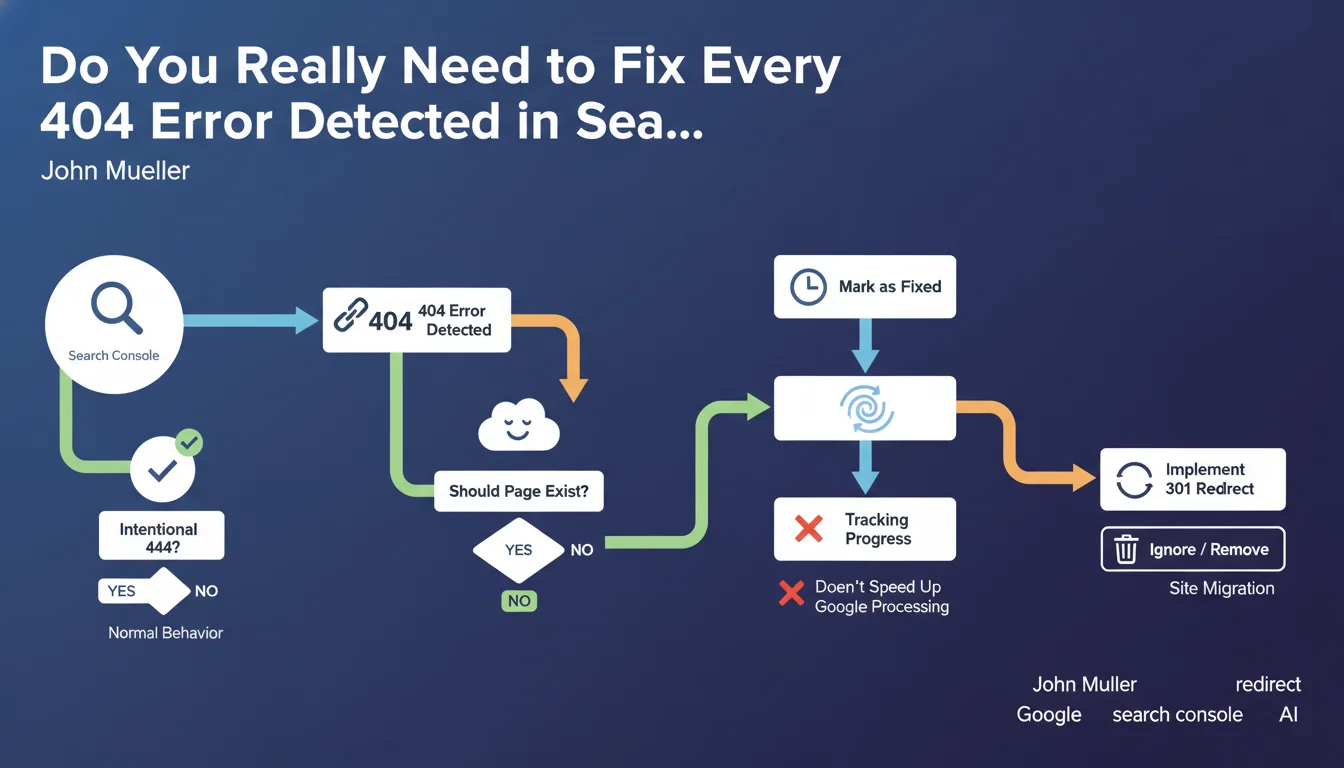
Google provides essential clarifications on managing 404 errors in Search Console. Contrary to popular belief, not all 404 errors necessarily require corrective action on your part.
The "mark as fixed" button in Search Console is solely a personal tracking tool. It does not trigger any accelerated process at Google and does not influence the speed at which your pages are recrawled.
Google clearly distinguishes between two types of 404 errors:
- Intentional 404 errors: pages voluntarily deleted, non-existent URLs typed by mistake, obsolete content permanently removed - these errors are normal and healthy
- Undesired 404 errors: pages that should be accessible but return an error - these require immediate action
- The processing speed by Google varies depending on the site's size and how long the detected issues have been present
- Appropriate redirects should only be implemented for content that has actually migrated to a new URL
The key is understanding that 404 errors are part of the normal functioning of the web. Google does not penalize a site for having 404s, especially if they correspond to pages that have actually been deleted.
SEO Expert opinion
This clarification is completely consistent with what we've been observing in the field for years. Too many SEO practitioners exhaust themselves trying to eliminate every 404 reported in Search Console, when doing so is actually counterproductive.
An important nuance: if you have hundreds of thousands of 404s caused by broken internal links or a technical issue, this can indirectly affect your crawl budget. Google will have to crawl all these dead URLs instead of discovering your new content. It's not the 404 itself that's problematic, but the waste of crawl resources.
The variable processing time mentioned reflects reality: a small site will be recrawled quickly, while a large e-commerce site with thousands of pages may require several weeks before all corrections are taken into account.
Practical impact and recommendations
- Audit your 404s: distinguish intentional errors (to ignore) from problematic errors (to fix as a priority)
- Only redirect what's relevant: create 301 redirects only to equivalent or superior content, never to the homepage by default
- Fix broken internal links: scan your site to identify and repair links pointing to unintentional 404s
- Update your XML sitemap: remove all 404 URLs from your sitemaps to optimize crawl budget
- Customize your 404 page: create a helpful error page with navigation and internal search to improve user experience
- Don't overuse the "mark as fixed" button: use it only for your personal tracking, without expecting any effect on Google
- Monitor patterns: if you notice hundreds of 404s on similar URLs, look for the root technical cause
- Be patient after corrections: accept that Google may take several days to several weeks depending on your site's size
💬 Comments (0)
Be the first to comment.