
Official statement
Other statements from this video 8 ▾
- 1:04 How does Google really index words and their positions on your pages?
- 2:08 Do indexing errors really kill your Google traffic?
- 2:08 Are 'Valid with Warnings' pages really indexed by Google?
- 3:47 Should you rewrite your titles and descriptions when impressions skyrocket without clicks following?
- 3:47 Why are your target queries not showing up in Search Console?
- 4:50 Should you really create "comprehensive" content to rank on Google?
- 4:50 Should you really write unique titles and meta descriptions for every page?
- 4:50 Has mobile-friendliness truly become an essential ranking criterion?
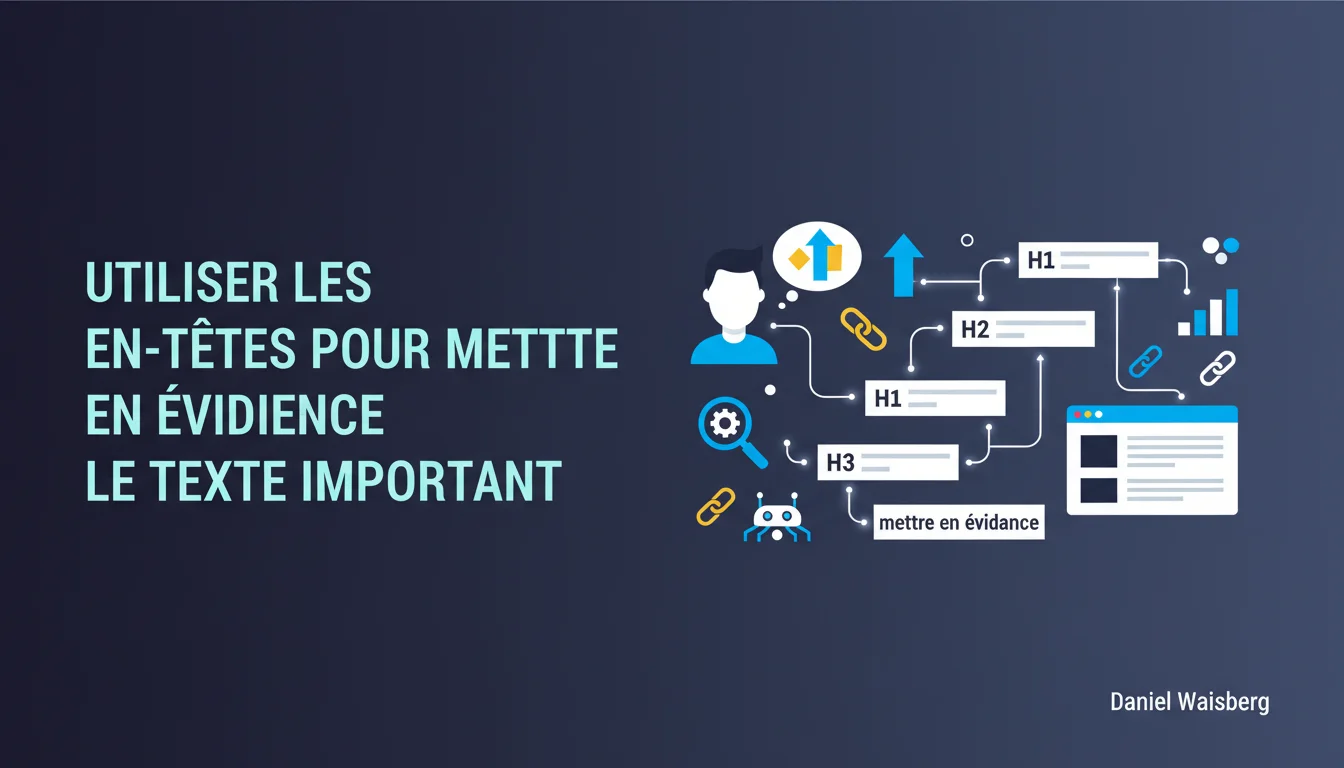
Google recommends using h1-h6 tags to highlight important text and structure content. This statement remains vague about the direct ranking impact but emphasizes their role in helping algorithms understand context. Specifically, a well-thought-out hierarchy makes it easier to extract entities and featured snippets, although it does not guarantee an automatic boost.
What you need to understand
Why does Google emphasize header tags so much?
HTML headings (h1 to h6) primarily serve to structure content semantically. Google uses them to identify main sections, understand the hierarchy of information, and extract relevant passages for rich results.
This recommendation reflects a simple algorithmic reality: structured content is easier to parse, index, and utilize to answer queries. Crawlers identify keywords in headings and weight them differently from standard text — though this does not make it a dominant ranking factor.
What exactly does it mean to 'highlight important text'?
The wording remains vague. Google does not say 'stuff your h2 with keywords,' but rather 'use headings to signal what matters on your page'.
In practice, a heading should summarize the subject of the following section. If your h2 reads 'Introduction' or 'Learn more,' you're missing the chance to contextualize the content for the algorithm and the user. Opt for descriptive and informative titles.
Do headings directly influence ranking?
Google has nuanced this idea several times. John Mueller has stated that a page without an h1 can still rank well, and that logical structure takes precedence over the technical presence of a tag.
Nonetheless, a clear hierarchy indirectly improves SEO: better user experience, reduced bounce rate, more frequent rich snippets. Headings are one signal among many — weak when taken in isolation, but cumulative in a coherent set.
- Headings enhance context understanding by the algorithm
- A unique, descriptive h1 remains a best practice, even if not mandatory
- H2-h6 help extract featured snippets and highlighted passages
- A chaotic structure (h3 before h2, level jumps) disrupts parsing without being penalized
- Keywords in headings carry a higher semantic weight than body text, but are still marginal
SEO Expert opinion
Is this statement consistent with observed practices in the field?
Yes, to some extent. Audits show that well-structured sites with descriptive headings perform better in SERP visibility — but correlation does not imply causation. Often, these sites also have quality content, a solid internal linking strategy, and established authority.
Conversely, A/B tests on optimizing headings alone rarely yield measurable gains in isolation. The impact becomes noticeable when the entire semantic structure is coherent: schema markup, section titles, internal link anchors aligned. [To verify]: Google does not publish any metrics quantifying the pure effect of headings, leaving room for interpretation.
What nuances should be added to this generic advice?
Google talks about 'highlighting,' but too much emphasis kills emphasis. An article stuffed with h2s at every paragraph dilutes the signal and makes the page cluttered. The implicit rule: one heading per thematic section, not per idea.
Another critical point: over-optimization. Placing 'best cheap CRM 2025' in an h2 to force an exact keyword is counterproductive. Google increasingly values synonyms, variations, and lexical richness. A natural, informative heading often outperforms an over-optimized heading.
When does this rule not really apply?
On very short pages (minimalist homepage, one-page landing page), the hierarchy of headings can sometimes feel artificial. Forcing an h2-h3-h4 on 300 words of content falls under cosmetic SEO, with no real benefit.
Similarly, certain types of content (data tables, comparison tools, calculators) rely on interactive UX where traditional headings are less relevant. In these cases, prioritize schema markup (Table, HowTo, FAQPage) to structure information in a way that Google can utilize, without fixating on a rigid h1-h6 hierarchy.
<p> or <div> for Google — only the semantic tag matters.Practical impact and recommendations
What should you actually do to optimize your headings?
Start with a semantic audit: extract all your headings via Screaming Frog or Sitebulb, and check the hierarchical coherence. Identify pages without an h1, h1 duplicates, and level jumps (h2 → h4 directly).
Then, rewrite vague or generic headings. 'Our services' becomes 'Natural SEO Solutions for E-commerce'. 'About' becomes 'Who are we? SEO Agency Specializing in SaaS'. The goal: each heading should be self-sufficient, understandable out of context.
What common mistakes should you absolutely avoid?
The first mistake: multiple h1s per page. Technically permitted in HTML5, but semantically confusing. Google can manage it, but you dilute your main signal. Reserve the h1 for the main title of the page.
The second mistake: purely decorative headings. If your h3 contains '---', '★★★' or emojis without text, you are wasting a valuable tag. Headings should carry textual meaning, not visual decoration.
How can you check that your structure is being interpreted correctly by Google?
Use the URL Inspector tool in Search Console and check the rendered source code (Googlebot version). Ensure your headings appear in the expected order, without being hidden or dynamically generated after the first render.
Also test Google’s extraction: type site:yourdomain.com "exact text of h2" to see if Google indexes and displays that passage. If your headings never appear in the SERP snippets, it’s often a sign of a relevance or structure issue.
- Audit the h1-h6 hierarchy across the entire site and correct inconsistencies
- Rewrite vague headings into descriptive and context-rich versions
- Limit to 1 single h1 per page, corresponding to the main title
- Use h2 for major sections, h3 for logical sub-sections
- Avoid keyword-stuffing over-optimization in titles
- Test Googlebot rendering to ensure the structure is correctly parsed
❓ Frequently Asked Questions
Un site sans h1 peut-il bien ranker ?
Faut-il absolument respecter l'ordre h1 → h2 → h3 sans sauts ?
Les mots-clés dans les headings ont-ils plus de poids qu'ailleurs ?
Peut-on utiliser plusieurs h1 sur une même page en HTML5 ?
Les headings influencent-ils l'obtention de featured snippets ?
🎥 From the same video 8
Other SEO insights extracted from this same Google Search Central video · duration 5 min · published on 02/12/2020
🎥 Watch the full video on YouTube →
💬 Comments (0)
Be the first to comment.