
Official statement
What you need to understand
What was this regex announcement in Search Console about?
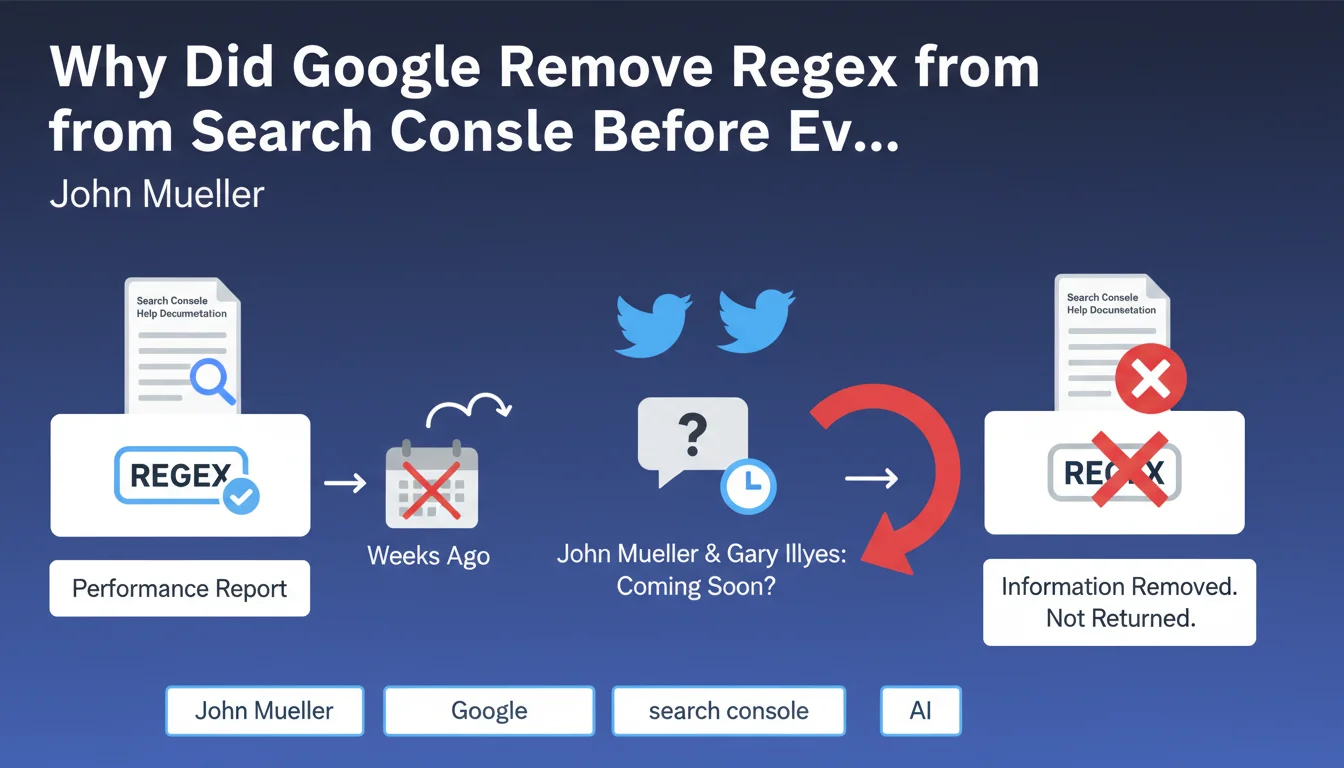
Google briefly mentioned in its official documentation the possibility of using regular expressions (regex) to filter data in the Performance report of Search Console. These regex would have allowed SEOs to create advanced filters to analyze queries, URLs and other metrics much more precisely.
After this mention in the help documentation, John Mueller and Gary Illyes tempered expectations on Twitter by indicating that the feature was not yet available but would be coming soon. Eventually, Google removed all references to regex from its documentation, without further explanation.
Why would this feature be important for SEOs?
Regular expressions represent a powerful tool for large-scale data analysis. They would allow the creation of complex filters: grouping all queries containing a certain pattern, excluding multiple variations of a term, or isolating specific traffic segments.
Currently, Search Console only offers simple filters (contains, does not contain, starts with). Regex would open up advanced analysis possibilities particularly useful for sites with thousands of pages or complex URL structures.
What does this confusing communication from Google reveal?
This sequence of events illustrates an internal coordination problem at Google. The documentation was updated before the feature was actually deployed, creating confusion and unmet expectations within the SEO community.
- Premature documentation: The help page was published too early in the development process
- Contradictory clarifications: Twitter statements first confirmed then tempered the announcement
- Complete removal: The information was removed without explanation or deployment timeline
- Current status: Regex are still not available in Search Console
- Lack of communication: No official update on the project since the removal
SEO Expert opinion
Is this confusion symptomatic of a larger problem?
As an SEO expert, I observe that this type of incident reveals the communication difficulties between Google's product teams and its community. This is not an isolated case: many features have been announced then delayed or abandoned without clear explanation.
This particular situation suggests either a technical delay in implementing regex, or a strategic decision not to offer this advanced functionality. It's possible that Google identified risks of server overload or performance issues related to executing complex regex on massive data volumes.
What alternatives are currently available?
While awaiting a possible native implementation, SEOs must use workarounds. Exporting data to external tools (Google Sheets, Excel, Python) allows applying regex, but this process is limited by the 1000-row ceiling per export in the interface.
Using the Search Console API remains the best option to bypass this limitation. It allows extracting up to 25,000 rows per query and then applying all desired regex treatments. However, this requires technical skills that not all SEO practitioners possess.
Will this feature actually come to fruition?
History shows that some features announced by Google are indeed delivered with delays, while others disappear silently. The fact that documentation was published suggests that development work was advanced, which is rather encouraging.
However, the complete absence of communication for several months and the total withdrawal of documentation indicate that the project has been either paused or abandoned. Without an official timeline, it's prudent to consider this feature as hypothetical and not integrate it into your short-term planning.
Practical impact and recommendations
What should you do concretely in the meantime?
The first recommendation is to master the Search Console API. It's the only reliable method to extract large data volumes and apply your own regex filters. Many open-source Python scripts facilitate this extraction, even for non-developers.
Second, optimize your manual export processes. If you can't use the API, create logical segments in your manual exports using available native filters (contains, does not contain). Combine multiple exports to reconstruct an overall view.
What mistakes should you avoid in this situation?
Don't waste time waiting for this feature to develop your advanced analyses. SEO data is too valuable to postpone strategic decisions. Invest now in functional alternative solutions.
Also avoid relying solely on Search Console for your complex analyses. Third-party tools like Google Analytics 4, combined with Search Console data via API, offer much richer analysis capabilities and advanced filtering options.
How can you set up a high-performance analysis system?
The professional approach is to create an automated data pipeline. Set up regular extraction via the Search Console API to a database or data warehouse (BigQuery, for example), where you can apply all necessary regex treatments and advanced analyses.
- Assess your actual need for regex filters: is it really essential for your business?
- Learn the basics of the Search Console API or delegate to a developer
- Create automated extraction scripts to avoid repetitive manual exports
- Use Google Sheets with REGEX formulas if you have less than 1000 rows to analyze
- Document your most commonly used regex patterns to save time
- Explore third-party solutions like Screaming Frog or SEMrush that integrate the Search Console API
- Set up automated dashboards rather than one-off analyses
- Don't block your SEO projects while waiting for hypothetical features
💬 Comments (0)
Be the first to comment.