
Official statement
What you need to understand
Why is redirecting all URLs to the homepage considered a bad practice?
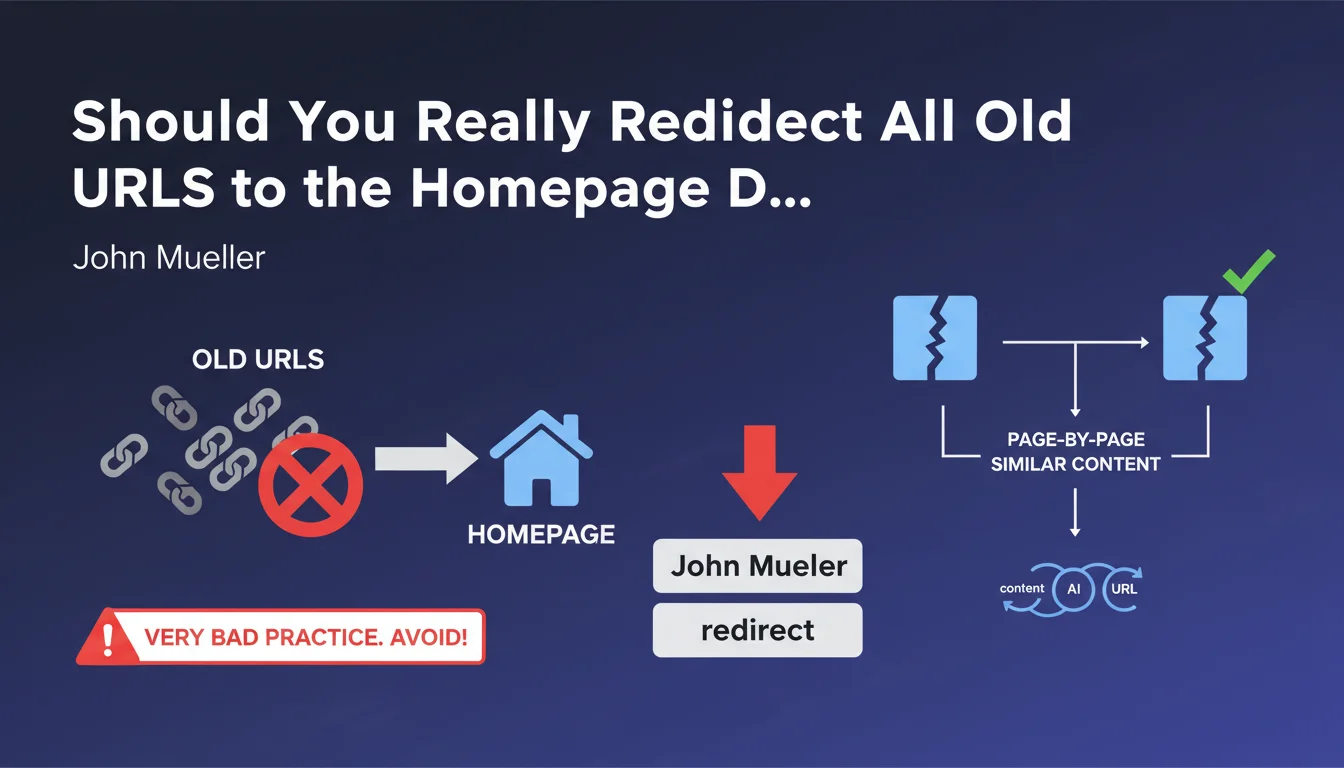
This practice, often called mass redirect or bulk redirect, consists of pointing all of a site's old URLs to its homepage alone during a redesign or migration. Google considers this approach as a form of soft 404, meaning a page that claims to exist (301 code) but doesn't provide relevant content.
The search engine interprets these redirects as disappeared content rather than moved content. The relevance signals and authority accumulated by the old pages are then not transmitted effectively, which results in a significant loss of organic traffic.
What's the difference between an appropriate redirect and an inappropriate redirect?
An appropriate redirect consists of mapping each old URL to a destination page whose content is similar or equivalent. For example, an article about "running shoes" should be redirected to the new URL of that same article or to a page dealing with the same subject.
An inappropriate redirect sends thematically different pages to a generic destination. Redirecting all product pages, all blog posts, and all category pages to the homepage creates a relevance break that Google penalizes.
How does Google process these mass redirects to the homepage?
Google analyzes the semantic context of the source page and the destination page. When it detects a blatant inconsistency between the two, it considers that the original content no longer exists and treats the redirect as content removal.
In this case, the PageRank and relevance signals are not transferred. The site gradually loses its positions on queries associated with the old pages, as if they had been deleted with 404 errors.
- Mass redirects to the homepage are treated as soft 404s by Google
- The authority and PageRank of old pages are not effectively transmitted
- Each URL should ideally be redirected to similar or equivalent content
- This practice leads to significant organic traffic loss post-migration
- Google prioritizes thematic relevance between source and destination pages
SEO Expert opinion
Does this recommendation actually match real-world observations?
Absolutely. In my 15 years of experience, I've observed traffic losses ranging from 40% to 80% on sites that applied this mass redirect method. Recovery data shows that it generally takes between 6 and 18 months to regain acceptable visibility levels, and rarely the initial level.
Sites that performed precise URL mapping during their migrations retain on average 85% to 95% of their organic traffic within three months following migration. This difference isn't trivial: it often represents hundreds of thousands of euros in revenue for e-commerce sites.
Are there exceptions where this rule could be relaxed?
In rare cases, particularly for very small sites (fewer than 50 pages) or pages with very low historical traffic (fewer than 10 organic visits per year), the operational cost of individual mapping may exceed the benefit. However, even in these situations, it's preferable to create redirects by thematic groups to relevant category pages rather than redirecting everything to the homepage.
For truly obsolete or very low-quality content that you don't wish to keep, it's better to accept a 410 (Gone) error or even a 404 rather than an artificial redirect. Google understands that content disappears; what it penalizes is the attempt to manipulate via non-relevant redirects.
What's Google's tolerance margin regarding content similarity?
Google doesn't require perfect matching between the old page and the new one. A redirect from a specific product page to its parent category page is generally well accepted if the product no longer exists. Similarly, redirecting an article to more complete and updated content dealing with the same subject works well.
The rule of thumb I apply: the destination page must answer at least 70% of the search intent that brought the user to the old page. If this isn't the case, favor a 404 error with a customized page suggesting relevant alternatives.
Practical impact and recommendations
How do you create an effective redirect mapping during a migration?
The first step consists of extracting the complete list of your indexed URLs via Google Search Console and your server logs. Cross-reference this data with your organic traffic over the last 12 months to identify priority pages.
Then create a mapping file (Excel or CSV) with three columns: old URL, new URL, and justification for the correspondence. For each old URL, identify the most thematically relevant destination page on your new architecture.
For pages without a direct equivalent, create redirects to parent categories or to related content. As a last resort only, and only for pages without significant traffic, you can consider a 404.
What critical mistakes must be absolutely avoided during the process?
The most frequent error is underestimating the volume of work required. A 5,000-page site may require several weeks of work for correct mapping. Don't sacrifice mapping quality to meet an overly tight schedule.
Also watch out for redirect chains: if old URL A redirects to B, which itself redirects to C, Google may not follow the entire chain. Ensure that each redirect points directly to the final destination.
How do you verify that redirects are correctly implemented after migration?
Within 48 hours following migration, crawl your entire old site with Screaming Frog or Sitebulb while following redirects. Verify that each URL returns a 301 code (not 302) and points to the correct destination.
Monitor your Google Search Console daily to detect spikes in 404 errors. Set up alerts on your organic traffic in Google Analytics to quickly identify any abnormal drops.
- Extract all indexed URLs and their historical organic traffic
- Create a detailed mapping file with page-by-page correspondences
- Prioritize redirects to thematically similar content
- Use permanent 301 redirects (never temporary 302s)
- Avoid redirect chains by pointing directly to the final destination
- Test mapping on a staging environment before deployment
- Crawl the site post-migration to verify each redirect
- Monitor Search Console and Analytics for at least 3 months
- Document all mapping decisions for future reference
- Train internal teams on best practices to prevent future errors
Mass redirects to the homepage constitute one of the most destructive errors in SEO during a migration. Google doesn't transfer the authority of old pages in this scenario, leading to traffic losses that are often irreversible in the short term.
Individual mapping of each URL to relevant content is essential, particularly for pages generating organic traffic. This approach certainly requires more time and expertise, but it preserves your visibility and your historical SEO investment.
The technical and strategic complexity of a successful migration should not be underestimated. Between traffic analysis, mapping creation, technical implementation, and post-migration monitoring, there are numerous risks of errors. For large-scale projects, support from an SEO agency specialized in migrations can prove decisive in securing your investment and guaranteeing the continuity of your organic performance.
💬 Comments (0)
Be the first to comment.