
Official statement
What you need to understand
What's the technical difference between an HTML image and a CSS image?
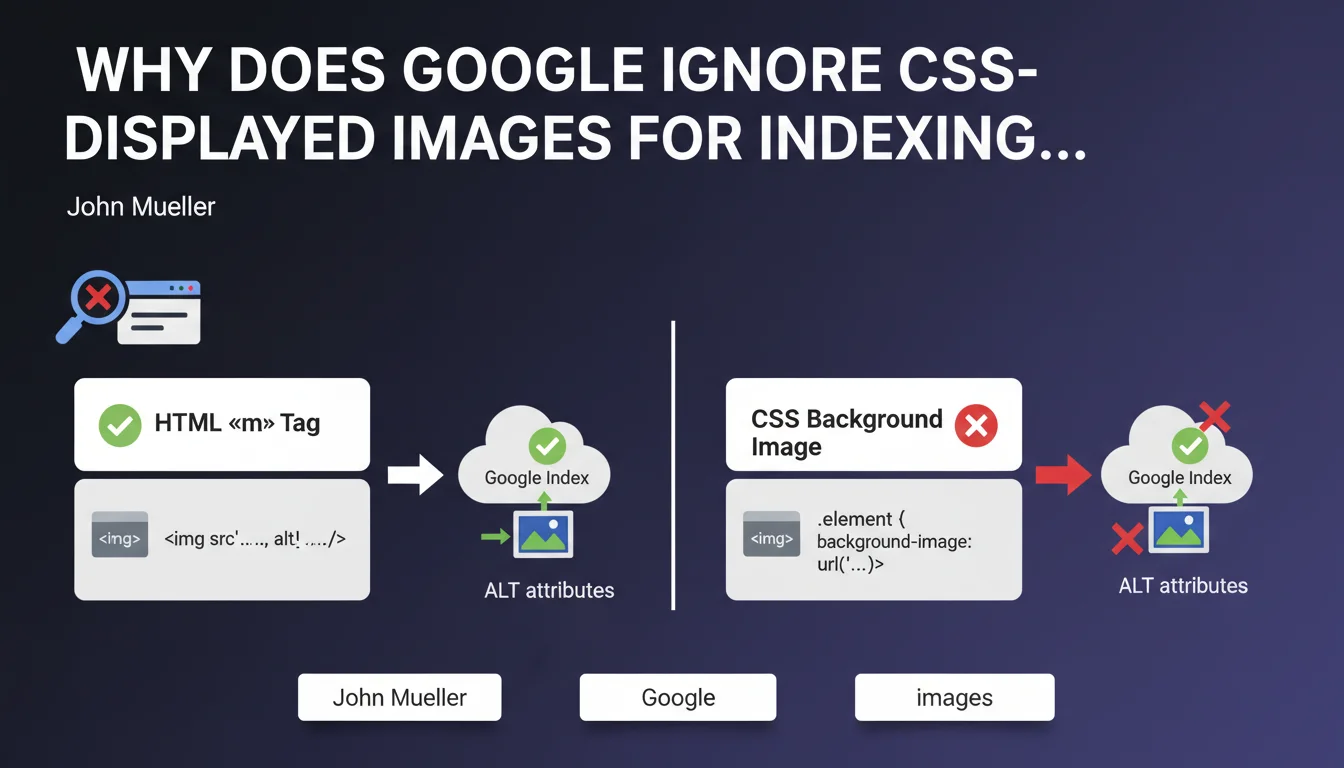
Google makes a fundamental distinction between images integrated via the HTML <img> tag and those displayed as backgrounds via CSS (background-image). Only images declared with the <img> tag are considered indexable content.
CSS images are considered design and presentation elements, not editorial content. Google therefore cannot extract or index the associated information, including ALT attributes which don't even exist in CSS.
Why doesn't Google index CSS images?
This limitation is explained by Google's approach to the separation of content and presentation. CSS stylesheets are intended to manage visual appearance, not semantic content.
The ALT attribute, essential for accessibility and SEO, only exists for <img> tags. Without this textual information, Google cannot understand the context and relevance of a background image.
What are the consequences for your site's SEO?
A site heavily using CSS images loses visibility opportunities in Google Images, a traffic source often underestimated but significant for many business sectors.
This practice also penalizes the site's accessibility for visually impaired users and screen readers, creating a degraded user experience that can indirectly affect overall SEO.
- Only HTML <img> tags allow indexing in Google Images
- CSS images (background-image) are considered decorative elements only
- Impossible to add an ALT attribute to CSS background images
- Loss of potential traffic from Google Images
- Negative impact on website accessibility
SEO Expert opinion
Is this statement consistent with practices observed in the field?
Absolutely. Empirical tests systematically confirm that images defined as CSS backgrounds never appear in Google Images, even on high-authority sites. This rule has applied without exception for years.
Numerous SEO audits reveal that this error is particularly common with poorly designed WordPress, Shopify, or PrestaShop themes, where developers prioritize CSS design flexibility at the expense of SEO.
What nuances should be applied to this rule?
Nevertheless, there are legitimate cases for using CSS for images. Purely decorative elements (patterns, textures, stylized borders) don't require indexing and can remain in CSS without negative SEO impact.
The key distinction lies in the informational value of the image. If it provides editorial content (product, article illustration, informative photo), it must imperatively use an <img> tag. If it serves only aesthetics, CSS remains acceptable.
What technical risks does this practice create?
Beyond SEO, excessive use of CSS images creates maintenance problems. Image URLs hard-coded in CSS are more difficult to manage than a centralized media system with <img> tags.
It also complicates the implementation of modern techniques like native lazy loading, srcset attributes for responsive design, or next-generation formats (WebP, AVIF) that work better with semantic HTML tags.
Practical impact and recommendations
How can you audit your site to detect this problem?
Start by inspecting the strategic pages of your site with browser developer tools (F12). Look for background-image properties in the Elements tab to identify images displayed in CSS.
Also use tools like Screaming Frog which differentiates <img> images from CSS images in its reports. Compare the number of detected images with what you see visually on your pages to identify gaps.
Check your performance in Google Images via Search Console (Performance section, Search type filter). Abnormally low traffic from Google Images may signal this problem.
What corrective actions should you implement immediately?
Systematically convert all important editorial images to HTML <img> tags with descriptive and relevant ALT attributes. Prioritize product images, blog article images, and strategic landing page images.
If you use a CMS, check your theme settings and look for options to display images via HTML rather than CSS. Some themes offer these parameters in their customization options.
- Audit templates and components that use CSS background-image
- Replace content images with <img> tags with optimized ALT attributes
- Keep CSS only for purely decorative images
- Implement lazy loading and responsive formats with srcset
- Properly configure Open Graph and Twitter Cards tags with <img>
- Test accessibility with screen readers (NVDA, JAWS)
- Monitor Google Images traffic evolution after corrections
Should you completely redesign your site if the problem is widespread?
A complete redesign is not always necessary, but a structured technical intervention is required if the problem affects the majority of your pages. The scope depends on your technical architecture and CMS.
For sites with hundreds of pages or complex architectures, these optimizations require in-depth technical expertise to avoid creating new problems (loading time, compatibility, responsive design). Poor implementation can degrade user experience.
💬 Comments (0)
Be the first to comment.