
Official statement
What you need to understand
What's the Difference Between Indexing and Ranking in Google?
It's crucial to distinguish two fundamental concepts: indexing (the fact that a page is recorded in Google's database) and ranking (the position of that page in search results).
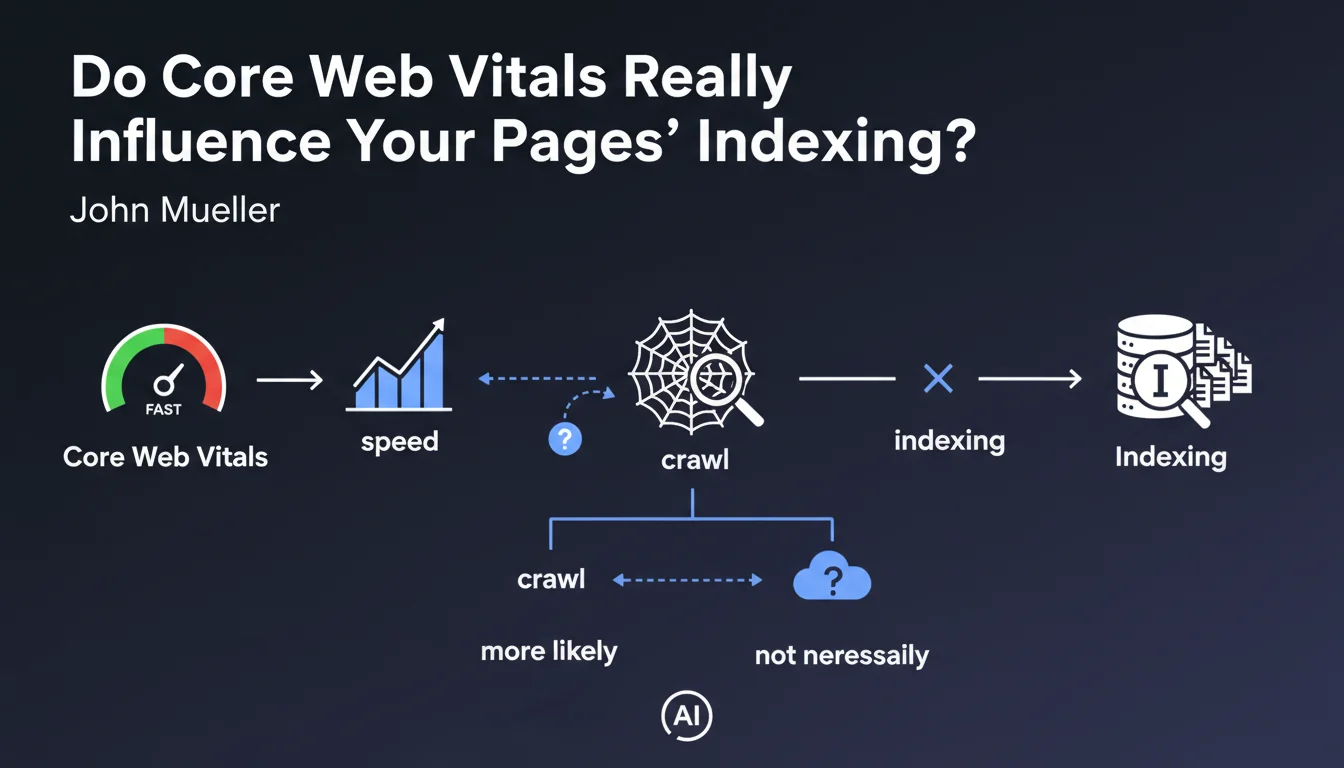
Core Web Vitals (LCP, CLS, FID) measure a page's user performance. According to this official statement, these metrics don't directly impact a page's ability to be indexed by Google.
Why Doesn't Improving CWV Solve Indexing Problems?
If a page isn't indexed, it generally stems from other factors: blocking robots.txt, noindex tag, duplicate content, insufficient quality, or deeper technical issues.
Optimizing loading times won't change these fundamental obstacles. A fast page that's blocked by robots.txt will remain non-indexed.
Is There Still an Indirect Link Between Speed and Indexing?
Google mentions that there's a slight correlation between a page's speed and how quickly Googlebot can crawl it. This concerns the crawl budget.
On very large sites, extremely slow pages can consume more crawler resources, potentially reducing the total number of pages crawled during a session.
- CWV are not a direct indexing factor
- They impact ranking, not presence in the index
- An indirect relationship exists via crawl budget on large sites
- Very slow pages can theoretically slow down crawling
- Solving an indexing problem requires identifying the real technical cause
SEO Expert opinion
Is This Statement Consistent with Field Observations?
Absolutely. In 15 years of experience, I've found that indexing problems are always linked to concrete technical blockages: site architecture, deficient internal linking, restrictive directives, or content deemed irrelevant.
CWV have been a ranking factor since the Page Experience update, not an eligibility criterion for the index. This distinction is fundamental but often misunderstood by junior SEO practitioners.
What Important Nuances Should Be Added to This Statement?
Although CWV don't directly impact indexing, catastrophic performance (all scores in the red) can create problematic side effects.
On sites with thousands or millions of pages, server response times exceeding 3-5 seconds can effectively limit the crawl budget allocated by Google. The crawler optimizes its time and may decide to explore fewer pages if each request is too costly.
In What Cases Does Performance Still Affect Indexing?
Critical scenarios concern sites with heavy client-side JavaScript. If rendering requires more than 5 seconds and significant resources, Googlebot may abandon or partially index the content.
Similarly, frequent server timeouts (5xx errors) related to overload can prevent complete crawling. But these are then major technical problems, not simply perfectible CWV scores.
Practical impact and recommendations
How Do You Diagnose the Real Cause of an Indexing Problem?
Forget CWV if you have non-indexed pages. Focus on Google Search Console, "Coverage" or "Pages" section. Identify the exact status: excluded, blocked, discovered but not crawled, crawled but not indexed.
Then verify in order: your robots.txt file, your meta robots tags, content quality, technical accessibility (HTTP codes), and internal linking pointing to these pages.
Should You Still Optimize Core Web Vitals?
Absolutely, but for the right reasons. CWV directly impact your ranking in search results, particularly on mobile and in competitive sectors.
They also influence user experience and therefore your conversion rates. A fast page converts better, reduces bounce rate, and improves the behavioral signals that Google observes.
What Optimization Strategy Should You Adopt Concretely?
Prioritize your actions according to your situation. If you have indexing problems, first resolve the fundamental technical blockages. CWV will come later in your optimization roadmap.
On large sites, particularly monitor TTFB (Time To First Byte) and server response times, as they effectively impact the crawl budget allocated by Google.
- Audit your non-indexed pages via Search Console to identify the real cause
- Check robots.txt, XML sitemaps, and meta robots tags
- Analyze the quality and uniqueness of problematic pages' content
- Improve internal linking to strategic non-indexed pages
- Optimize CWV to improve ranking, not indexing
- On large sites (50k+ pages), monitor TTFB and server times
- Use the "URL Inspection" tool to test Google rendering of your pages
- Prioritize: solve indexing first, optimize performance second
💬 Comments (0)
Be the first to comment.