
Official statement
What you need to understand
Can Google Actually Identify the CMS Used by Each Website?
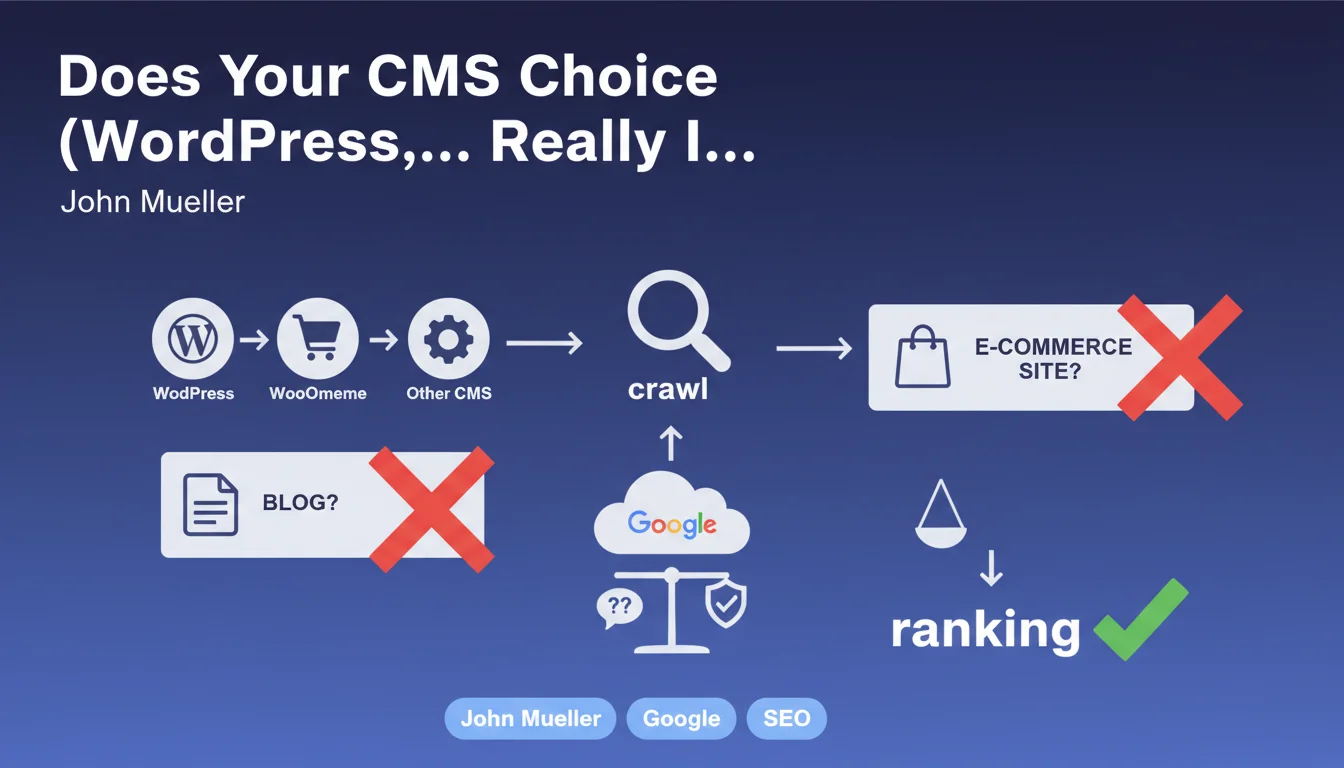
Yes, Google is technically capable of detecting the CMS used by a site in most cases. Technical fingerprints (URL structure, characteristic files, specific HTML tags) enable this identification.
However, John Mueller confirms that this information is not used as a ranking criterion. The fact that a site uses WordPress, Shopify, Drupal, or a proprietary CMS gives it no algorithmic advantage or disadvantage.
Why Does This Technological Neutrality Matter for Webmasters?
This statement puts an end to several persistent myths in the SEO community. Some believed that using WordPress automatically gave a penalizing "blog" label, or that WooCommerce limited SEO performance for e-commerce sites.
Google evaluates content and user experience, not the underlying technology. A WordPress site can perform just as well as a custom-built site if the implementation is correct.
What Really Matters in Google's Eyes Then?
What truly matters is how the CMS is configured and used. The quality of the generated code, loading speed, information architecture, and content relevance are the real ranking factors.
The CMS is just a facilitating tool. Two WordPress sites can have radically different SEO performance depending on the themes, plugins, optimizations, and content strategy implemented.
- Google does not discriminate based on the technological platform used
- The detected CMS assigns no automatic categorization (blog, e-commerce, etc.)
- The quality of implementation takes precedence over technology choice
- SEO performance depends on configuration and optimization, not the CMS itself
SEO Expert opinion
Is This Statement Consistent with What SEO Professionals Observe in the Field?
Absolutely. My 15 years of experience confirm that all CMSs can achieve excellent SEO performance if properly optimized. I've seen WordPress sites dominate competitive sectors, just as I've seen poorly designed custom sites fail miserably.
The observed correlation between certain CMSs and good performance is explained differently: WordPress represents 43% of the web, so statistically many well-ranked sites use it. But it's a correlation, not causation.
What Important Nuances Should Be Added to This Statement?
While Google doesn't favor one CMS, some platforms nevertheless facilitate the implementation of SEO best practices. WordPress with extensions like Yoast or Rank Math makes technical optimizations accessible that would require custom development elsewhere.
Conversely, some proprietary CMSs or SaaS solutions impose technical constraints that are difficult to work around: non-customizable URLs, incompressible loading times, rigid HTML structure. The CMS doesn't directly penalize, but it can limit your optimization capacity.
In What Specific Cases Can the CMS Indirectly Impact SEO?
The real impact is at the level of Core Web Vitals and technical performance. A poorly coded CMS, overloaded with unnecessary features or generating bloated HTML code will penalize the user experience measured by Google.
Similarly, limitations in terms of content structuring and structured data can slow your visibility. A CMS that doesn't easily allow Schema.org implementation puts you at a disadvantage against better-equipped competitors, even if it's not a direct penalty.
Practical impact and recommendations
How Can You Choose Your CMS Without Making SEO Mistakes?
Never base your choice on myths or prejudices about Google's supposed preferences. Focus on objective criteria: URL customization flexibility, ability to optimize meta tags, control over generated HTML code.
Check the CMS's ability to efficiently manage performance: integrated or compatible cache system, automatic image optimization, lazy loading management. Also test the ease of implementing structured data and redirections.
Favor solutions offering an ecosystem of proven SEO extensions or, for custom CMSs, ensure you have the technical resources to develop the necessary features.
What Common Mistakes Should You Avoid with Your Current CMS?
The main error is multiplying plugins or extensions indiscriminately. Each addition weighs down the site and can create conflicts. Regularly audit your extensions and disable those that are unnecessary or redundant.
Another frequent trap: using a poorly optimized or overloaded theme with visual effects. A premium theme with 50 features of which you only use 5 will always be less performant than a lightweight, targeted theme.
Finally, don't neglect security and performance updates. An outdated or poorly maintained CMS can present vulnerabilities or slowdowns that degrade user experience, a criterion actually taken into account by Google.
What Optimization Strategy Should You Adopt Concretely?
Start with a complete technical audit of your current installation. Identify penalizing elements: loading time, unnecessary code, unoptimized resources, improvable URL structure.
Implement a progressive optimization strategy: correction of critical errors first (crawlability, indexing), then performance improvements (speed, Core Web Vitals), finally advanced optimizations (structured data, internal linking).
- Audit your CMS's current technical performance (PageSpeed, GTmetrix)
- Verify that all essential tags are customizable (title, meta, Hn, alt)
- Test the implementation of structured data according to your business sector
- Optimize the number and quality of installed extensions (keep the essentials)
- Ensure the theme used is lightweight and performant (avoid heavy page builders)
- Set up an effective cache system and a CDN if necessary
- Properly configure canonical URLs and 301 redirections
- Verify mobile compatibility and user experience across all devices
- Establish a maintenance routine: updates, monitoring, corrections
💬 Comments (0)
Be the first to comment.