
Official statement
What you need to understand
How Can Bot Protection Generate a Noindex?
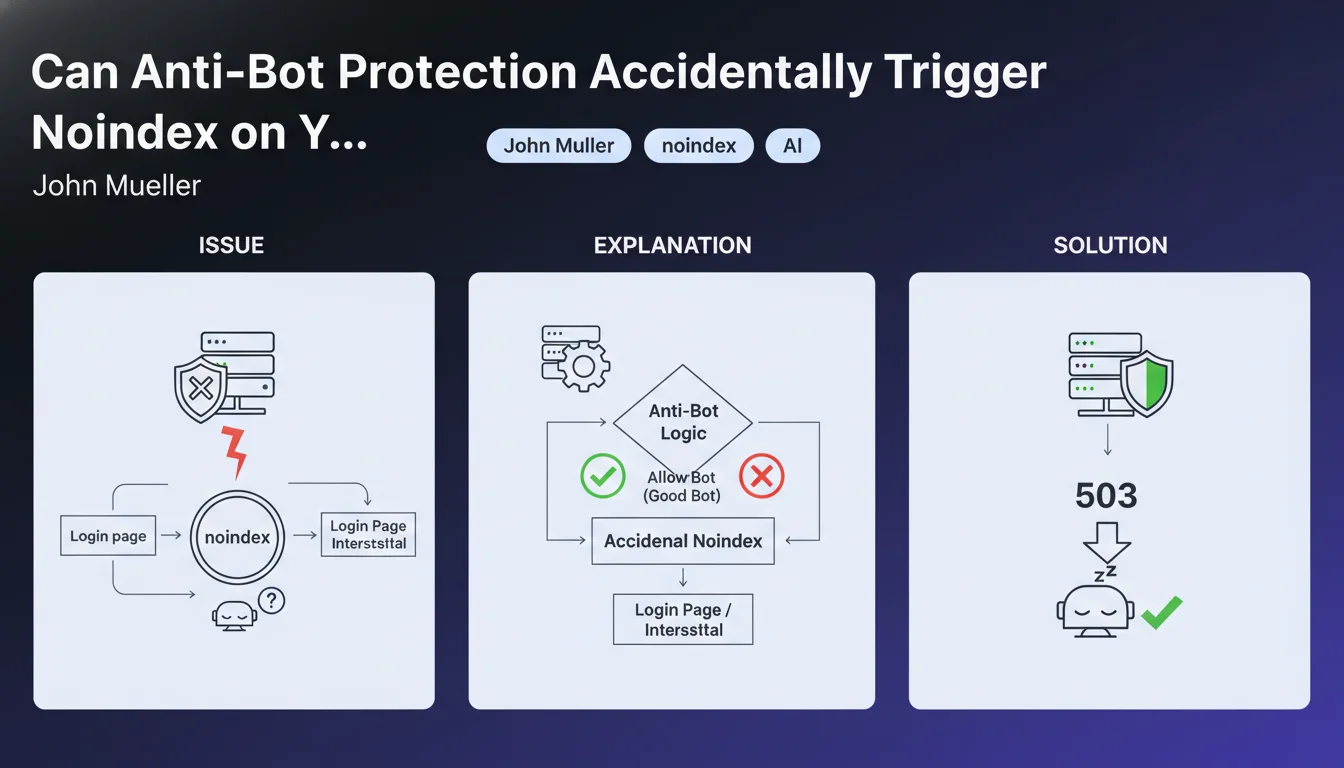
Malicious bot protection systems are designed to block suspicious automated access. However, these mechanisms can sometimes prevent Googlebot from properly accessing content.
When a protection robot detects automated behavior, it may redirect to a CAPTCHA verification page or block access. If this page contains a noindex directive, Google will interpret this as an instruction not to index the original content.
Which Mechanisms Can Trigger This Problem?
Several security devices are likely to create this problematic situation. Mandatory login pages, verification interstitials, and overly restrictive WAFs (Web Application Firewall) are the main culprits.
These systems often generate intermediate pages that may contain meta robots tags with noindex. Googlebot, encountering this barrier, never accesses the actual page content.
Why Does Google Recommend HTTP 503 Code Rather Than Noindex?
The HTTP 503 status code (Service Unavailable) signals a temporary server unavailability. Google understands this signal and will come back to crawl the page later without deindexing it.
Conversely, a noindex is a permanent removal instruction from the index. Using a 503 to temporarily block bots preserves your indexing while ensuring protection.
- Anti-bot protections can generate intermediate pages with noindex
- WAFs, CAPTCHAs, and login pages are the main causes
- HTTP 503 code is the recommended solution for temporary blocking without SEO impact
- An accidental noindex can lead to complete page deindexing
- Googlebot must always be able to access content without barriers
SEO Expert opinion
Is This Statement Consistent with Field Observations?
This recommendation from John Mueller aligns perfectly with what we observe in the field. Many sites have suffered massive indexing losses after implementing poorly configured security solutions like Cloudflare, Sucuri, or Wordfence.
The most frequent cases involve sites that activate Cloudflare's "Under Attack" mode without understanding the SEO implications. Google's robot encounters a JavaScript verification page that may contain blocking directives.
What Important Nuances Should Be Added to This Recommendation?
Not all protection systems are equal. Modern solutions like Cloudflare or Akamai generally have whitelists for Googlebot and legitimate crawlers, thus avoiding the problem.
The danger lies mainly in custom configurations or poorly configured WordPress security plugins. These tools sometimes add aggressive protections without distinguishing between malicious bots and legitimate crawlers.
In Which Contexts Is the 503 Code Not the Optimal Solution?
The 503 code must remain exceptional and temporary. Google can tolerate a few occasional 503 errors, but if they become too frequent, the engine will eventually reduce its crawl frequency.
For permanent blocking of certain bots, it is better to use the robots.txt file with specific rules. The 503 is only suitable for server maintenance or temporary overload situations.
Practical impact and recommendations
How Can You Check If Your Anti-Bot Protection Affects Googlebot?
Start by using the URL inspection tool in Google Search Console. Test several key pages on your site to verify that Googlebot accesses them without problems.
Carefully examine the returned HTTP headers and the rendered HTML content. If you see CAPTCHA verification pages, suspicious redirects, or unexpected noindex tags, you have identified the problem.
Also analyze your server logs to spot Googlebot requests. Check the returned status codes: any repeated 503 or 403/401 should raise alerts.
What Concrete Actions Should Be Implemented Immediately?
If you use a WAF or CDN, configure a whitelist for all legitimate Google user-agents (Googlebot, Googlebot-Image, Googlebot-News, etc.). Most solutions offer predefined templates.
For WordPress sites, audit your security plugins (Wordfence, iThemes Security, All In One WP Security). Disable aggressive bot blocking options and favor a whitelist approach.
- Test your main pages with Search Console's URL inspection tool
- Verify that Googlebot is not blocked by your WAF, CDN, or firewall
- Configure whitelists for legitimate Google user-agents
- Audit all WordPress security plugins and their anti-bot settings
- Avoid "Under Attack" or "I'm Under Attack" modes except in absolute emergencies
- Use HTTP 503 code rather than interstitial pages with noindex
- Regularly monitor your server logs to detect Googlebot blocking
- Verify that your login pages do not block access to public content
- Document all security configuration changes to trace problems
Should You Get Support for These Technical Optimizations?
Configuring protection systems while preserving accessibility for search engines requires specialized technical expertise. A bad setting can lead to visibility loss for weeks.
These interventions touch on critical aspects of your infrastructure (server, CDN, security) where errors can have serious consequences. For high-stakes sites, support from a specialized SEO agency allows you to secure the process with a comprehensive audit, optimal configuration, and continuous monitoring.
💬 Comments (0)
Be the first to comment.