
Official statement
What you need to understand
Why is the 503 error code so important for SEO?
The HTTP 503 code (Service Unavailable) tells search engines that a temporary unavailability is affecting your site. Unlike a 404 or 410 error, it explicitly signals that the issue is transient.
Google interprets this signal as a planned interruption and keeps your pages in the index. However, this tolerance is not unlimited over time.
What are Google's recommended best practices for maintenance?
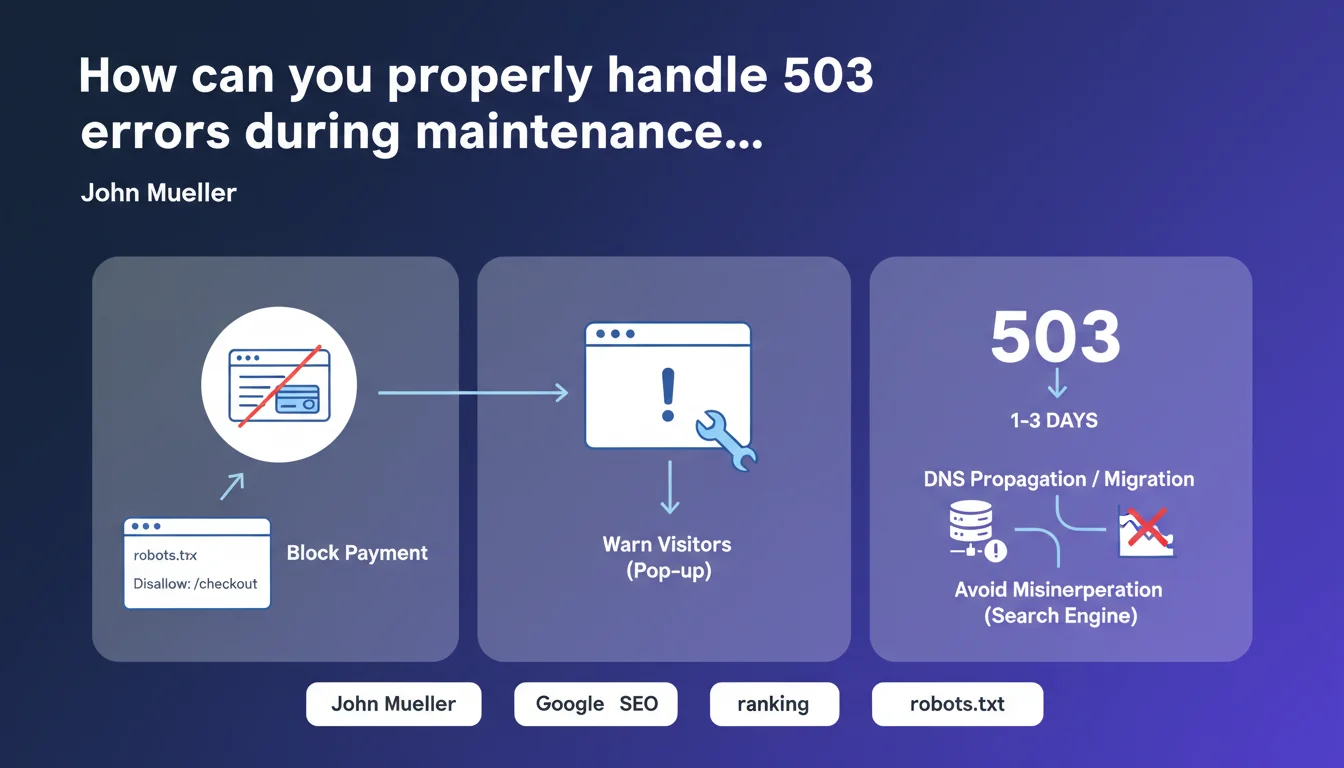
Google recommends several complementary measures during a temporary closure. Blocking the payment system via robots.txt protects sensitive transactions during the intervention.
Displaying an information message to visitors (pop-up or interstitial page) improves user experience. Returning a 503 code remains the core practice for communicating with crawlers.
What is the maximum acceptable duration for a 503 error?
Google recommends limiting the duration to a few days maximum. Beyond that, the search engine may reinterpret the signal as a permanent closure.
This vague limit is not precisely quantified, but experience shows that after 7 to 10 days, partial deindexing may start to occur.
- The 503 code signals temporary unavailability to search engines
- Google keeps your pages indexed if maintenance is brief
- Several complementary measures optimize maintenance management
- The recommended duration should not exceed a few days
- Beyond one week, deindexing risks appear
SEO Expert opinion
Is this recommendation still applicable in 2024?
John Mueller's advice remains perfectly valid today. The functioning of HTTP codes has not changed and Google continues to respect protocol semantics.
Nevertheless, Google's temporal tolerance seems to have slightly loosened with algorithm improvements. 3-4 day maintenances are generally handled without problems on established sites.
What nuances should be considered depending on site context?
For a major e-commerce site with strong authority, Google will better tolerate extended maintenance than a small, rarely crawled site. The frequency of bot visits plays a determining role.
During a server migration with DNS propagation, the 503 avoids temporary duplications. However, this phase should be as short as possible because it simultaneously impacts availability and technical consistency.
In what cases could this approach be counterproductive?
For very short maintenances (less than 1 hour), the 503 may be excessive. Crawlers may not even visit during this window, making implementation superfluous.
On sites with low organic traffic, the technical effort may exceed the benefit. A simple informational page without 503 may suffice if the site is only crawled a few times per week.
Practical impact and recommendations
How do you correctly implement a 503 code for scheduled maintenance?
Configure your web server to return an HTTP 503 code on all URLs during maintenance. Add the Retry-After header with a precise timestamp to indicate the expected end time.
Create a clear and professional HTML maintenance page displaying essential information. Ensure it is served with the correct status code (503, not 200).
For the payment system, temporarily add Disallow directives to robots.txt targeting your sensitive transactional URLs. Remember to remove these rules immediately after maintenance.
What critical mistakes should you absolutely avoid?
Never display a maintenance page with a 200 OK code. Google would consider this content as normal and might index your error message instead of your real pages.
Also avoid 302 redirects to a single maintenance page. This creates a contradictory signal and can generate soft-404s or indexing issues.
Never extend maintenance beyond 5-7 days maximum with an active 503. If your intervention requires more time, temporarily restore the site even partially.
- Verify that your server returns a 503 code (not 200 or 404)
- Test the Retry-After header with a tool like Screaming Frog
- Prepare a professional and informative maintenance page
- Temporarily block sensitive sections via robots.txt
- Schedule maintenance during the lowest crawl period
- Limit total duration to less than 5 days if possible
- Monitor Search Console during and after maintenance
- Remove all robots.txt restrictions immediately afterward
- Verify return to normal in server logs and analytics
💬 Comments (0)
Be the first to comment.