
Official statement
What you need to understand
What's the difference between a 403 code and a 404 code?
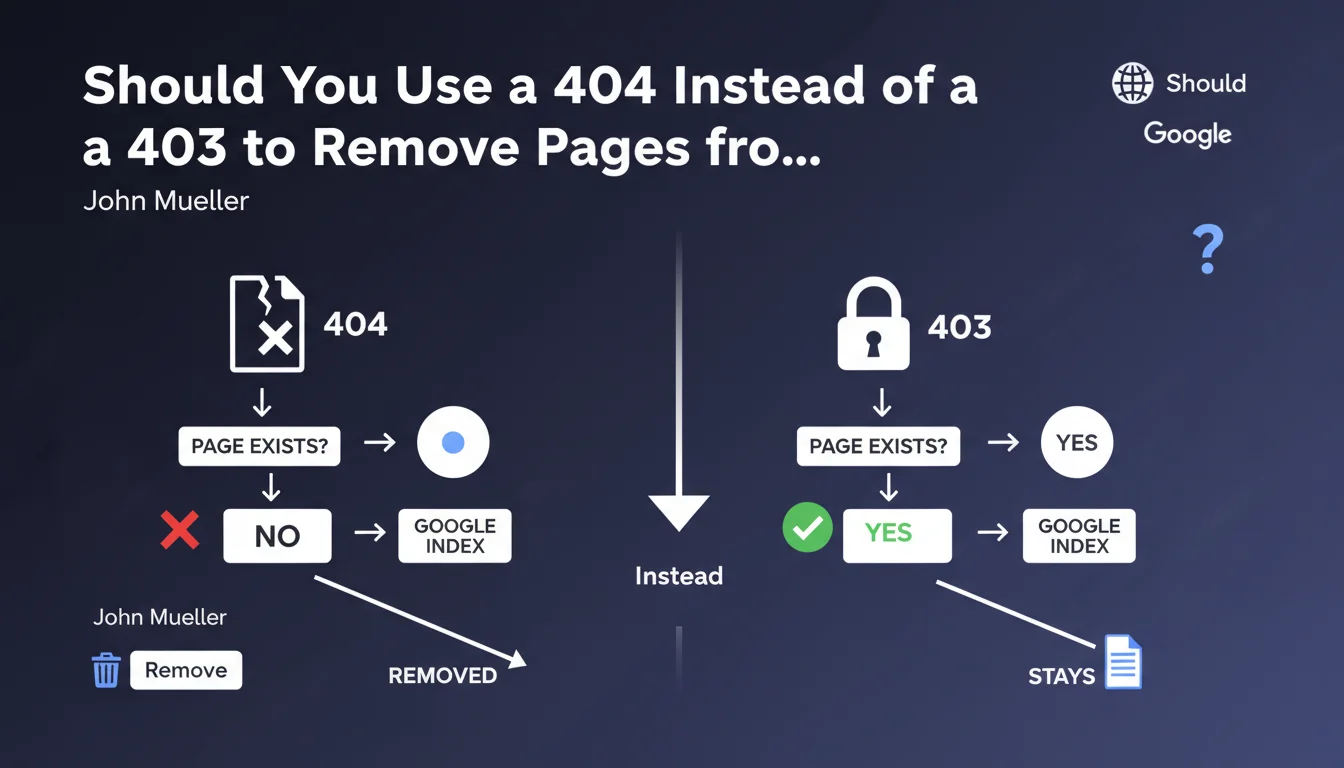
The 403 code (Forbidden) indicates that the page exists but access is denied due to permission restrictions. The server explicitly refuses to grant access to the requested resource.
The 404 code (Not Found) means that the page does not exist or no longer exists on the server. It's the standard code to indicate that a resource cannot be found.
Why does Google recommend the 404 code for deindexing?
Google treats these two HTTP status codes differently. A 404 code sends a clear signal to the search engine: the page no longer exists and should be removed from the index quickly.
The 403 code is more ambiguous from Googlebot's perspective. It may suggest a temporary restriction or a protected page that still exists, thus slowing down the deindexing process.
In what context does this recommendation apply?
This directive mainly concerns situations where you want to permanently remove a page from Google's index and accelerate this process.
It's particularly relevant during site restructuring, deletion of obsolete content, or management of duplicate pages that you no longer want to appear in search results.
- The 404 code is the most direct signal to deindex a page
- The 403 code can work but slows down the deindexing process
- Google favors simplicity and clarity in HTTP signals
- This recommendation aims to speed up index updates
SEO Expert opinion
Is this recommendation consistent with practices observed in the field?
After 15 years of experience, I can confirm that this recommendation perfectly matches the observed behaviors of Googlebot. Pages returning 404 codes do indeed disappear from the index more quickly, generally within a few days.
Pages returning 403 codes can remain in the index for several weeks, even months, because Google recrawls them periodically to check if access has been restored. It's a logical but inefficient behavior when you want rapid deindexing.
Are there cases where the 403 code remains preferable to the 404?
Absolutely. The 403 code maintains its relevance in specific contexts where you want to preserve the page's existence while restricting access.
For example, for authenticated member areas, administrative pages, or embargoed content. In these cases, the 403 correctly communicates that the resource exists but requires special permissions.
What nuances should be added to this Google directive?
John Mueller's recommendation is pragmatic but should not be applied blindly. If a page has generated quality backlinks, use a 301 redirect to relevant content instead of a 404.
Similarly, for mass content deletions, it's preferable to analyze the SEO performance of each URL before deciding. A page with organic traffic might deserve to be updated rather than deleted.
Practical impact and recommendations
What should you do concretely to optimize the management of deleted pages?
Start by auditing all your pages that currently return a 403 code. Identify those that should be permanently removed from the index versus those that genuinely require access restriction.
For pages to be deindexed, modify your server configuration so they return a 404 code instead of 403. Depending on your CMS or server, this can be done via .htaccess, Nginx configuration, or CMS settings.
Then use Google Search Console to submit URLs for removal via the URL removal tool. This combination of 404 + removal request significantly accelerates the process.
What mistakes should you absolutely avoid?
Don't confuse status codes according to your objective. Using a 404 for a temporarily inaccessible page would be an error: prefer a 503 code (Service Unavailable) which indicates temporary unavailability.
Also avoid blocking pages with 403 or 404 codes in robots.txt. Googlebot must be able to access URLs to observe the status code and update its index accordingly.
Don't create custom 404 pages that return a 200 code (soft 404). This is a common mistake that prevents deindexing and creates confusion for Google.
How can you verify that your site correctly applies these recommendations?
Use tools like Screaming Frog or Search Console to identify all HTTP status codes on your site. Specifically filter 403 codes and analyze whether their use is justified.
Regularly check the coverage errors and index behavior in Search Console. Pages returning 404 should disappear from reports after a few weeks at most.
- Audit all URLs returning a 403 code on your site
- Replace 403s with 404s for pages to be permanently deindexed
- Properly configure your web server to return the correct HTTP codes
- Use the URL removal tool in Search Console
- Create custom 404 pages that properly return a 404 code
- Never block 404 pages in robots.txt
- Implement 301 redirects for URLs with quality backlinks
- Monitor index evolution via Search Console
- Document your HTTP code management strategy
💬 Comments (0)
Be the first to comment.