
Official statement
What you need to understand
What exactly does Google say about redirected URLs in sitemaps?
Google traditionally recommends excluding all redirected URLs from XML sitemap files. In theory, a sitemap should only contain accessible and final URLs (200 status code).
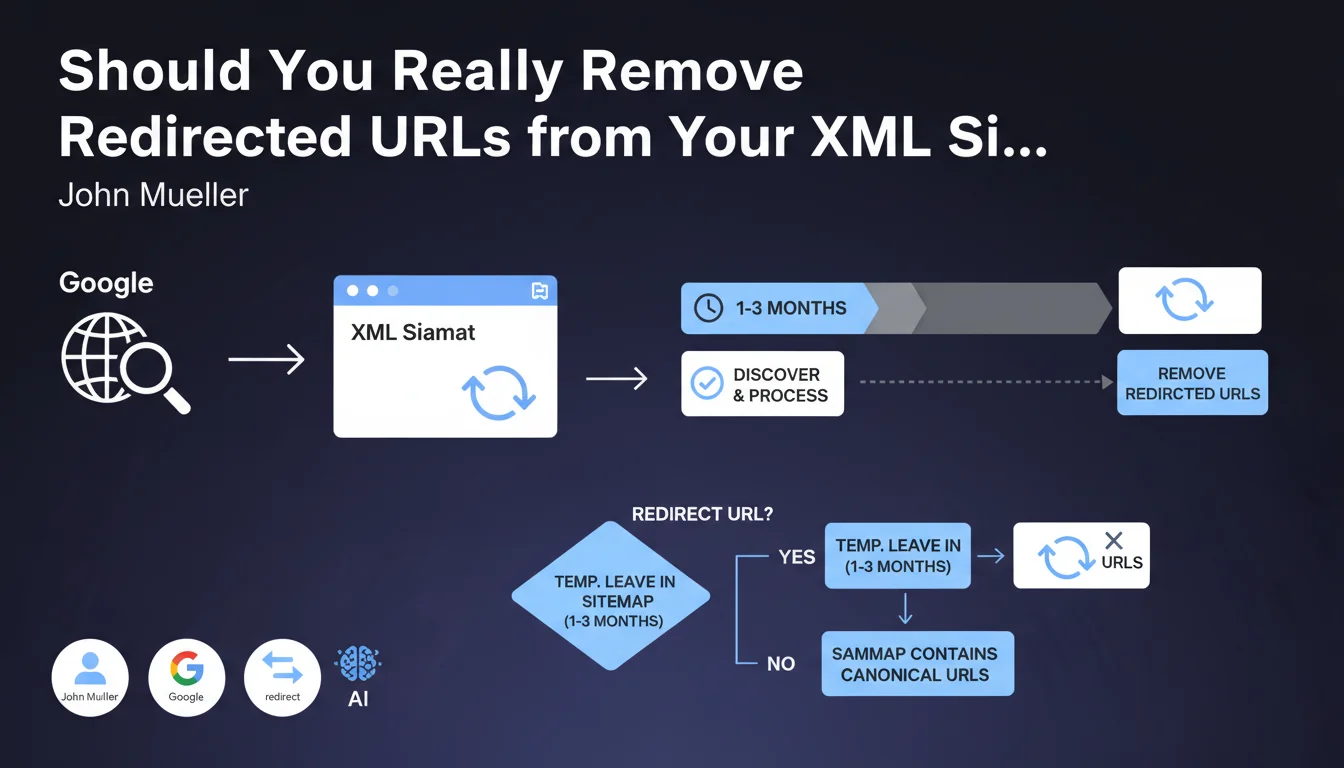
However, John Mueller introduced an important nuance: temporarily keeping redirected URLs in the sitemap for 1 to 3 months helps accelerate their discovery by Googlebot. This is a pragmatic exception to the rule.
Why does this temporary approach actually work?
By leaving the original URL in the sitemap, you send an active signal to Google to quickly crawl that address. The bot then discovers the redirection and can transfer ranking signals to the new URL.
Without this indication, Google could take several weeks or even months to naturally discover the redirection, thereby delaying the transfer of authority and visibility.
In which cases is this technique particularly useful?
This approach is particularly relevant during migrations involving dozens or hundreds of URLs. It allows you to track processing progress in Search Console.
- Site migrations: domain change or complete redesign
- Architecture restructuring: significant URL modifications
- Content consolidation: merging multiple pages into one
- The recommended duration is 1 to 3 months maximum
- After this period, you must return to a clean sitemap containing only final URLs
SEO Expert opinion
Is this recommendation consistent with what we observe in the field?
Absolutely, and it's even a practice already adopted by many experienced SEO professionals. During major migrations, we observe that URLs present in the sitemap are crawled with priority by Google.
Search Console data clearly shows that redirections listed in a dedicated sitemap are processed 3 to 5 times faster than those discovered through natural crawling. This is a valuable time-saver for preserving organic traffic.
What important nuances should be added to this statement?
This should absolutely not become a permanent practice. A sitemap polluted by redirections over the long term sends degraded quality signals to Google and wastes your crawl budget.
The temporary dedicated sitemap technique is excellent: create a separate XML file containing only the redirections, which you can cleanly remove after 2-3 months. This avoids mixing active URLs with redirected ones.
Are there any risks in applying this method?
The main risk is forgetting to clean up. If you leave redirected URLs indefinitely in your sitemap, you create technical debt that progressively degrades your site's perceived quality.
Second risk: using this technique for temporary redirections (302). In this case, you send contradictory signals to Google. This approach only works for permanent 301 redirections.
Practical impact and recommendations
How can you implement this strategy concretely?
During a migration or significant restructuring, create a dedicated XML sitemap file (example: sitemap-redirections.xml) containing only the old redirected URLs.
Declare this sitemap in your robots.txt file and in Search Console. Then track crawl progress in the coverage reports to identify when Google has processed all redirections.
- Create a separate XML sitemap for redirected URLs only
- Use an explicit name like sitemap-redirections.xml or sitemap-migration.xml
- Declare this sitemap in robots.txt and in Search Console
- Monitor the coverage report to track processing rate
- Set a reminder to remove this sitemap after 2-3 months
- Verify that your main sitemap only contains 200 status URLs
- Document this action to remember it during cleanup
What mistakes should you absolutely avoid?
Never add redirections to your main sitemap permanently. This pollutes your strategic file and dilutes the importance of truly priority URLs.
Also avoid submitting redirect chains (A→B→C). Google must reach the final URL in a single hop. Also verify that your redirections are 301 and not 302.
How can you verify the transition is going well?
Use Search Console to monitor three key indicators: the number of redirected URLs crawled per day, the error rate, and organic traffic evolution on the new URLs.
Set up a tracking spreadsheet comparing before/after traffic on the main migrated pages. If certain URLs are slow to transfer their authority, force their crawl via the URL inspection tool.
💬 Comments (0)
Be the first to comment.