
Official statement
Other statements from this video 11 ▾
- □ How does the annual revision of Page Experience criteria affect your SEO strategy?
- □ Why is Page Experience divided into two crucial elements for SEO?
- □ Why is HTTPS essential for SEO today?
- □ How has mobile-friendliness reshaped the SEO landscape?
- □ How can you ensure that your site is truly mobile-friendly?
- □ Why should you remove Flash and Quicksilver plugins from your websites?
- □ How do intrusive interstitials affect your SEO?
- □ Does Google really allow certain interstitials on your site and why?
- □ Is Search Console truly the key to mastering page experience in SEO?
- □ Why is Page Experience crucial for the Top Stories carousel?
- □ Does using AMP really simplify Page Experience compliance?
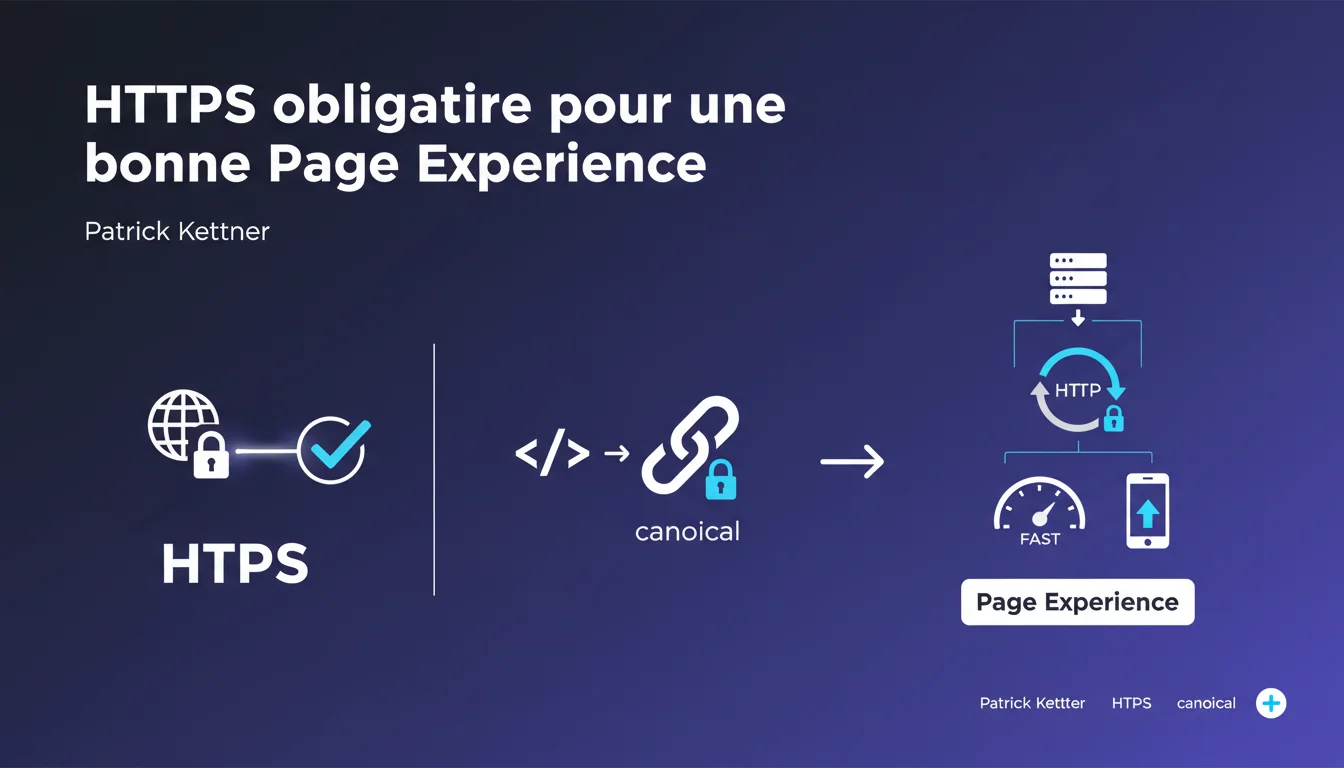
Google confirms that HTTPS is a fundamental criterion for Page Experience. Specifically, your page must be served over HTTPS, the canonical tag should point to the HTTPS version, and any HTTP requests must be automatically redirected in a 301 to HTTPS. No HTTPS = negative signal for your ranking.
What you need to understand
Why does Google place such importance on HTTPS?
For several years, Google has been pushing for a fully encrypted web. HTTPS protects the data exchanged between the browser and the server—even if your site does not collect any sensitive data. Patrick Kettner's statements leave no ambiguity: HTTPS is no longer a recommendation, it is a fundamental criterion for Page Experience. Without HTTPS, your page cannot claim to provide a good user experience according to Google's standards. There are three clear requirements. First, your page must be served via HTTPS—not HTTP with a poorly configured SSL certificate. Next, the canonical tag must point to the HTTPS version of your URL, even if the page is already served over HTTPS. This avoids sending mixed signals to Google. Finally, any attempt to access via HTTP should trigger an automatic 301 redirect to the HTTPS version. There should not be any pages responding in HTTP, even temporarily. Google confirmed back in 2014 that HTTPS is a ranking factor. The weight is still low compared to other signals, but it does exist. The real issue, however, is that without HTTPS, your site cannot tick the Page Experience box—a set of criteria that, when combined, has a measurable impact on visibility. Chrome also displays 'Not Secure' alerts on HTTP pages, which drives users away.What does this mean technically?
Does HTTPS actually impact ranking?
SEO Expert opinion
Is this statement consistent with what we observe in the field?
Absolutely. For years, sites without HTTPS have been gradually losing ground in the SERPs. Not in a brutal way, but the signals are accumulating: alerts in Chrome, exclusion from certain functionalities (PWA, precise geolocation), and now a direct link to Page Experience.
What's new here is the official clarification: HTTPS is no longer just 'recommended', it is mandatory for claiming a good Page Experience. Google is not saying that your page will never rank without HTTPS, but that you start at a disadvantage. Let's be honest: HTTPS alone won't work miracles. If your content is poor or your Core Web Vitals are terrible, switching to HTTPS won't change anything. But the reverse is also true. A site with excellent content, solid backlinks, but still on HTTP, is shooting itself in the foot. HTTPS has become a prerequisite, not a growth lever. Another point: the mention of the canonical tag pointing to HTTPS is essential. I've seen HTTPS sites whose canonical still pointed to the old HTTP version—result, Google indexed both versions and diluted PageRank. Mixed content (HTTP resources loaded on an HTTPS page) remains a common problem. Chrome now blocks the loading of certain unsecured resources, which can break functionalities or visuals. Google does not explicitly mention this in its declaration, but it's a direct corollary: if your page is in HTTPS but loads images, scripts, or CSS via HTTP, you are not fully meeting the criterion. [To Verify]: Does Google tolerate a certain threshold of mixed content without penalty? Field observations suggest not—it's better to migrate everything.What nuances should be added?
What to do if your site has mixed content?
Practical impact and recommendations
What concrete steps should be taken to ensure compliance?
First, obtain a valid SSL certificate. Let's Encrypt offers free and automated certificates—there's no excuse not to have one. Next, configure your server so that all HTTP requests are redirected permanently in 301 to HTTPS. A poorly configured .htaccess can create redirect loops or allow HTTP traffic to slip through. Ensure that all your canonical tags point to the HTTPS URLs, even for pages that are already served in HTTPS. It's redundant, but it avoids ambiguities for Google. A classic mistake: migrating to HTTPS but forgetting to update the XML sitemap. Google will continue to crawl the old HTTP URLs, slowing down the transition. Another pitfall: leaving internal links pointing to the old HTTP URLs. Even if the 301 redirection works, it dilutes PageRank and increases the crawl budget consumed. Finally, do not overlook mixed content. Review your templates to spot hardcoded calls to HTTP resources (images, fonts, external scripts). A simple 'http://' missed in a CDN can break the display. Use the Google Search Console to check the indexing of your HTTPS URLs. If any HTTP URLs still appear, there's a lingering problem (canonical, sitemap, or internal links). Manually test several pages by entering the HTTP URL in the browser—you should be redirected instantly to HTTPS with a 301 code, not a 302. Finally, scrutinize your site with a tool like Why No Padlock or JitBit SSL Check to detect any mixed content that could harm Page Experience.What mistakes should be avoided during the HTTPS migration?
How can I check that my site is properly configured?
❓ Frequently Asked Questions
Le HTTPS a-t-il un impact direct sur le ranking Google ?
Que se passe-t-il si ma balise canonical pointe encore vers HTTP ?
Peut-on utiliser un certificat SSL gratuit comme Let's Encrypt ?
Le mixed content empêche-t-il le bon référencement d'une page HTTPS ?
Faut-il migrer toutes les pages d'un coup ou progressivement ?
🎥 From the same video 11
Other SEO insights extracted from this same Google Search Central video · published on 10/08/2021
🎥 Watch the full video on YouTube →
💬 Comments (0)
Be the first to comment.