
Official statement
What you need to understand
Why does Google care about two different types of dates?
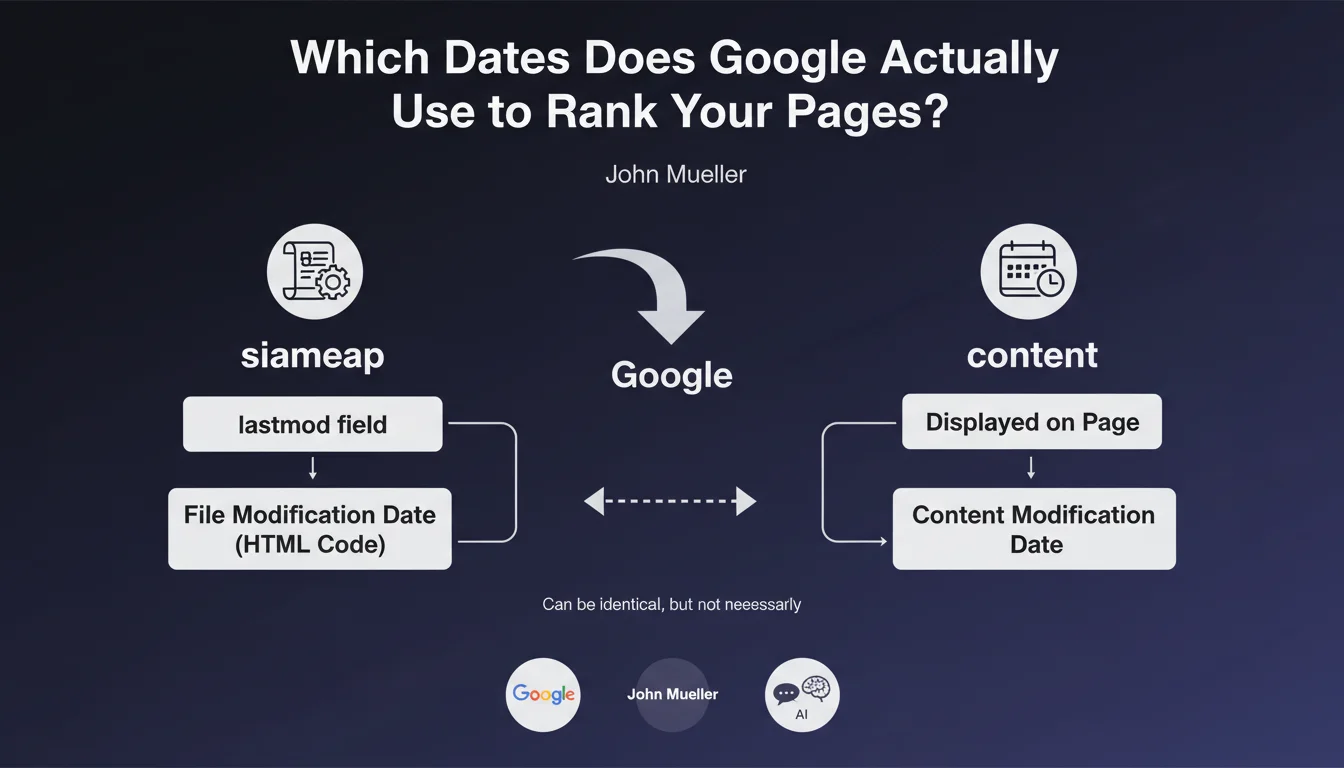
Google distinguishes between two types of dates in its indexing system: the technical date of the HTML file (indicated in the XML Sitemap via the "lastmod" field) and the editorial date visible to users on the page itself.
This distinction allows Google to differentiate between a cosmetic code modification (adding a script, changing the footer) and a genuine content update (article revision, adding relevant information). Both dates can coincide during a substantial overhaul, but that's not always the case.
What's the difference between the Sitemap date and the date displayed on the page?
The "lastmod" date in the XML Sitemap corresponds to the last modification of the HTML file itself. It changes whenever a technical modification occurs in the page code, even a minor one.
The date visible on the page reflects the last editorial update of the content. This is what users see and indicates when the information was actually updated.
How does Google use this date information?
Google uses these dates to optimize its crawl budget and identify recently updated content that deserves fresh evaluation. Pages with frequent updates may be crawled more often.
This information also helps Google determine content freshness, a ranking factor for certain queries where timeliness matters (news, trends, evolving information).
- Google analyzes two types of dates: technical (Sitemap) and editorial (page)
- The Sitemap date reflects changes to the HTML file
- The visible date represents the actual content update
- These dates can be identical or different depending on the situation
- They influence crawl budget and freshness evaluation
SEO Expert opinion
Is this statement consistent with practices observed in the field?
Absolutely. This clarification from John Mueller perfectly aligns with observations made during SEO audits. We regularly notice that Google recrawls pages differently depending on the consistency between their technical and editorial dates.
Sites that maintain rigorous date management generally benefit from better crawl efficiency. Conversely, sites with poorly configured Sitemaps showing all pages as "modified today" lose credibility with search engine robots.
What are the most common mistakes regarding date management?
The most common error concerns automatically generated Sitemaps that systematically enter the generation date as "lastmod" for all URLs. This practice renders the information completely useless for Google.
Another frequent problem: the complete absence of visible dates on pages, or worse, dates that are never updated even during substantial content revisions. Google then has no reliable signal about actual freshness.
When is date consistency particularly important?
Consistency is crucial for news sites and blogs where freshness is a major ranking criterion. Inconsistency between dates can harm visibility for time-sensitive queries.
For stable transactional or informational pages, the stakes are lower but still relevant. A substantial content update should be reflected in both types of dates to maximize chances of recrawling and reevaluation.
Practical impact and recommendations
How do you properly configure dates in the XML Sitemap?
The first step is to intelligently automate the generation of the "lastmod" field. It should reflect the true last modification date of the HTML file, not the Sitemap generation date.
On a CMS like WordPress, configure your Sitemap plugin to retrieve the actual last modification date of each page/post. For custom sites, query the database or file system directly.
If a page has never been modified since publication, the "lastmod" field can be completely omitted rather than putting an arbitrary date. Google considers that no information is better than misleading information.
What best practices should you apply for dates visible on pages?
Systematically display a publication date on your content, particularly for blog articles, news, and guides. Use schema.org markup (datePublished and dateModified) to structure it.
When substantially updating content, change the displayed date and possibly add a mention "Updated on [date]". This gives a clear signal to users and Google.
Avoid modifying the date for minor cosmetic changes (correcting a typo, layout adjustment). Reserve date updates for significant content revisions.
How do you audit and fix date issues on an existing site?
Start by analyzing your current XML Sitemap. Download it and check if all URLs have the same "lastmod" date or suspicious dates (all recent when content is old).
Then verify the consistency between Sitemap and displayed dates on a sample of pages. Systematic inconsistency reveals a configuration problem to fix as a priority.
- Configure the Sitemap to reflect true HTML modification dates
- Omit the "lastmod" field rather than indicating an arbitrary date
- Display visible dates on all editorial content
- Use schema.org markup (datePublished/dateModified)
- Update dates only during substantial revisions
- Regularly audit date consistency between Sitemap and pages
- Avoid systems that automatically generate "fresh" dates
- Document your date management policy for the editorial team
💬 Comments (0)
Be the first to comment.